
AI Seedance 2.0 vs GifSpeed
Side-by-side comparison to help you choose the right AI tool.

AI Seedance 2.0
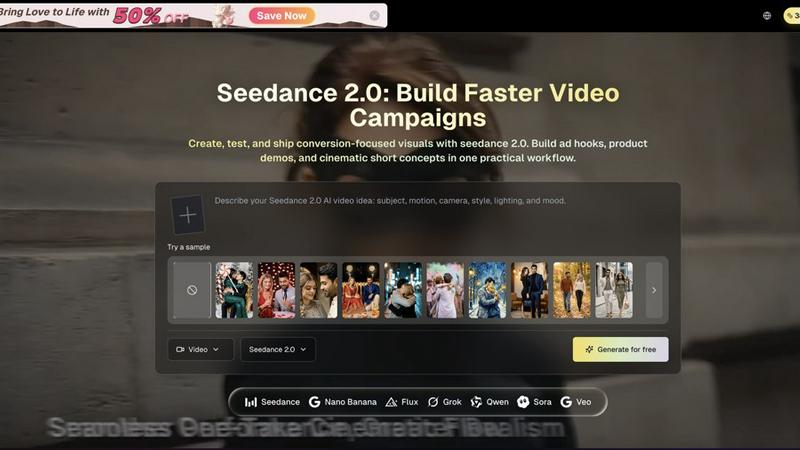
Seedance 2.0 lets you quickly create stunning ads, demos, and cinematic clips in one seamless workflow.
Last updated: February 26, 2026

GifSpeed
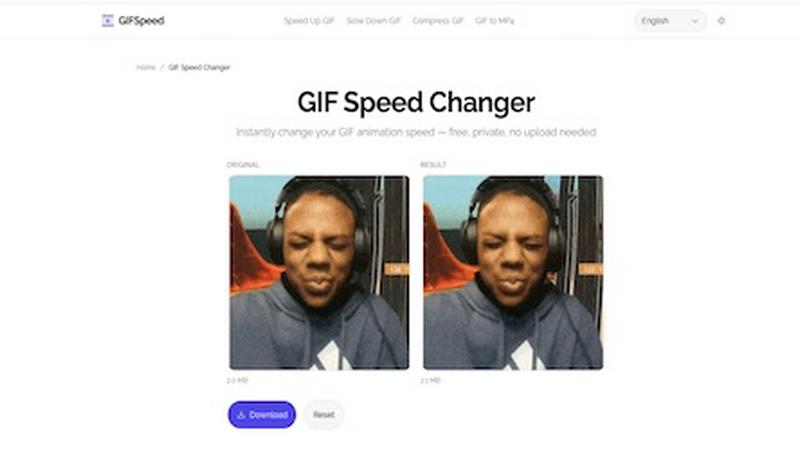
Speed up, slow down, or change GIF speed instantly in your browser. Free GIF speed changer — no watermark, no upload, 100% free.
Visual Comparison
AI Seedance 2.0
GifSpeed
Overview
About AI Seedance 2.0
AI Seedance 2.0 is a dynamic video creation tool designed for creators, marketers, and production teams who need to produce high-quality, conversion-focused video content quickly and efficiently. This innovative platform allows users to generate cinematic ads, eye-catching product demos, social media shorts, and branded stories simply by using text prompts or reference images. With Seedance 2.0, the cumbersome complexities of traditional video editing are streamlined into a single, practical workflow. This tool is perfect for those looking to enhance their marketing efforts, as it emphasizes character consistency across scenes and speeds up campaign delivery. By enabling users to move from concept to publish-ready content in mere minutes, Seedance 2.0 fosters real growth at startup speed. Whether you are a small business owner, a marketing professional, or part of a larger creative team, AI Seedance 2.0 empowers you to create compelling visuals that resonate with audiences and drive engagement.
About GifSpeed
GIFSpeed — Change GIF speed online, 100% in your browser.
Your files never leave your device. Powered by WebAssembly (gifsicle-wasm), no server upload, no waiting.
→ Any speed range
→ Drag & drop, up to 50MB
→ Zero watermarks
→ Works on mobile
→ Free forever, no sign-up
Built for creators, marketers & developers who need to tweak a GIF for demos, social posts or docs — without server queues or giving files to strangers.
Replaces: ezgif (uploads files), GIMP (overkill), FFmpeg (terminal).
Drop. Adjust. Download. Done.