
GifSpeed vs qtrl.ai
Side-by-side comparison to help you choose the right AI tool.

GifSpeed
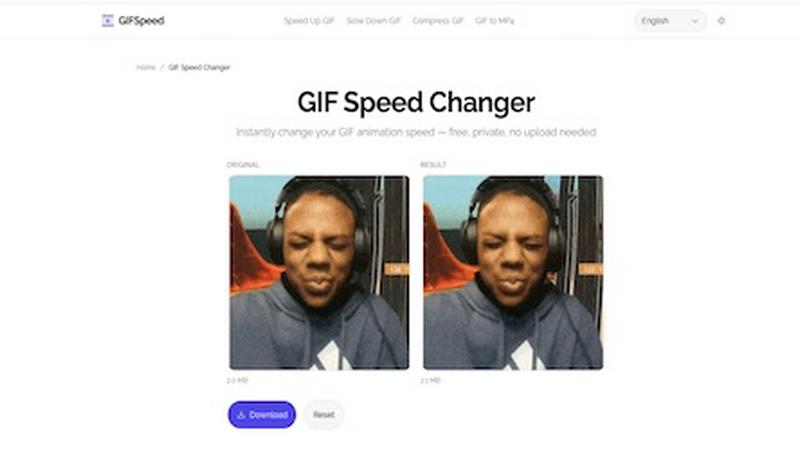
GifSpeed instantly changes your GIF's speed right in your browser, with no uploads and total privacy.
Last updated: February 27, 2026

qtrl.ai
qtrl.ai helps QA teams scale testing with AI agents while keeping full control and governance.
Last updated: February 27, 2026
Visual Comparison
GifSpeed
qtrl.ai

Feature Comparison
GifSpeed
Instant Browser Processing
GifSpeed leverages powerful WebAssembly technology to process your GIFs entirely within your browser. This means there's no need to upload your file to a remote server and wait for it to process. You get instant results the moment you adjust the speed slider, making edits incredibly fast and efficient without any dependency on your internet connection speed after the initial page load.
100% Private & Secure
Your privacy is paramount. When you use GifSpeed, your files never leave your computer or phone. The tool runs locally in your browser tab, so we never see, store, or have access to your GIFs. This is perfect for editing sensitive content, proprietary software demos, or any material you don't want to hand over to a third-party service.
Free Forever with No Watermarks
GifSpeed is completely free to use with no hidden costs, trials, or subscriptions. You can change the speed of as many GIFs as you want, as often as you want, without ever needing to create an account. Best of all, every GIF you download is clean and free of any annoying watermarks or branding, so your content stays purely yours.
Mobile-Friendly & Precise Control
Designed to work flawlessly on iPhones, Android devices, and all modern desktop browsers, GifSpeed offers a seamless experience anywhere. The interface provides precise control over speed adjustments with a smooth slider ranging from 0.25x (slow motion) to 4x (fast forward), complemented by handy preset buttons for common adjustments.
qtrl.ai
Enterprise-Grade Test Management
qtrl provides a robust, centralized system for all your testing artifacts. You can create and organize test cases, build detailed test plans, and execute structured test runs. Everything is linked for full traceability, allowing you to see exactly which requirements are covered by which tests. This creates clear audit trails and is built to support compliance needs, giving managers and stakeholders complete confidence in the testing process.
Autonomous QA Agents
This is the intelligent engine of qtrl. These AI-powered agents can execute high-level instructions on demand. You can describe a test scenario in natural language, like "test the checkout flow as a guest user," and the agent will run it in a real browser. They operate within your defined rules and can run continuously across different environments, providing scalable automation that adapts to your application's changes without constant manual script updates.
Progressive Automation Model
qtrl doesn't force you to jump into full AI automation. You start where you are comfortable, writing clear test instructions for the agents to follow. As trust builds, you can let qtrl suggest and generate new tests automatically based on coverage gaps or requirement changes. Every step is reviewable and approvable, ensuring your team always stays in the driver's seat while gradually increasing efficiency.
Governance by Design
Trust and control are foundational to qtrl. The platform offers permissioned autonomy levels, so you decide how much freedom the AI agents have. There are no black-box decisions; you get full visibility into what the agents are doing. Combined with enterprise-ready security, encrypted secrets management, and the fact that secrets are never exposed to the AI, qtrl provides the governance framework necessary for serious engineering teams to adopt AI confidently.
Use Cases
GifSpeed
Speeding Up Tutorials and Demos
Turn lengthy, slow-paced tutorial GIFs into concise, quick guides. Speed up step-by-step instructions to 2x or 3x speed to help your audience get to the point faster, perfect for embedding in documentation, product demos, or educational content where time is of the essence.
Slowing Down Fast Animations
Analyze rapid motions frame-by-frame by slowing down fast animations. This is ideal for designers studying animation techniques, athletes breaking down form, or anyone who wants to appreciate and catch every detail of a quick action sequence in a GIF.
Reducing GIF File Size for Sharing
Shrink oversized GIFs to meet platform limits without complex software. Compress your GIFs to fit under Discord's 256KB emoji limit, send them via email attachments, or optimize them for faster website loading times, all while maintaining good visual quality.
Fixing Browser Playback Issues
Solve the common problem of GIFs playing too slowly in browsers like Chrome or Safari. Browsers often throttle frame delays. GifSpeed allows you to easily adjust the timing to 40ms or more, ensuring your animations play back smoothly and as intended for every viewer.
qtrl.ai
Scaling Beyond Manual Testing
For QA teams overwhelmed by repetitive manual test cycles, qtrl offers a clear path forward. They can begin by documenting their existing manual tests as structured instructions in qtrl's management module. From there, they can progressively automate the most tedious flows using the AI agents, freeing up human testers for more complex exploratory work and dramatically increasing test coverage and execution speed.
Modernizing Legacy QA Workflows
Companies stuck with outdated, script-heavy automation frameworks can use qtrl to transition smoothly. Instead of maintaining brittle scripts, teams can leverage qtrl's adaptive memory and AI agents to generate more resilient tests. The platform integrates with existing CI/CD pipelines and tools, allowing for a gradual modernization without a disruptive, all-at-once overhaul of the current process.
Ensuring Governance in Enterprise QA
Large organizations with strict compliance and audit requirements need control alongside automation. qtrl's full traceability from requirement to test execution, combined with its permissioned autonomy and detailed audit logs, makes it ideal. Engineering leads can scale QA efforts with AI while providing auditors with clear evidence of what was tested, when, and what the outcome was.
Empowering Product-Led Engineering Teams
Development teams that practice continuous deployment need fast, reliable feedback on quality. qtrl integrates into their workflow, allowing developers to write high-level test instructions for features they build. The autonomous agents can then execute these tests across environments as part of the CI/CD process, providing continuous quality feedback without requiring developers to become experts in test automation frameworks.
Overview
About GifSpeed
GifSpeed is your go-to, completely free online tool for changing the speed of any GIF animation instantly and privately, right within your web browser. Ever needed to speed up a slow tutorial GIF or slow down a rapid animation to catch the details? GifSpeed makes it effortless. The core magic lies in its use of WebAssembly technology, which means all the processing happens directly on your own device. Your GIF files are never uploaded to a server, ensuring 100% privacy and eliminating any waiting time for server queues. Built with creators, marketers, and developers in mind, it solves common frustrations like oversized files for Discord, slow browser playback, or the need for a quick edit for a social media post. It replaces clunky alternatives like ezgif (which requires uploads), complex software like GIMP (which is overkill for simple speed changes), or command-line tools like FFmpeg. With support for files up to 80MB, a simple drag-and-drop interface, and a promise of zero watermarks, GifSpeed offers a streamlined "Drop. Adjust. Download. Done." workflow that works perfectly on both desktop and mobile, no sign-up required.
About qtrl.ai
qtrl.ai is a modern QA platform designed to help software teams scale their quality assurance efforts without sacrificing control or governance. It uniquely combines enterprise-grade test management with powerful, trustworthy AI automation. At its core, qtrl provides a centralized hub where teams can organize test cases, plan test runs, trace requirements to coverage, and track quality metrics through real-time dashboards. This structured foundation ensures clear visibility into what's been tested, what's passing, and where potential risks lie for engineering leads and QA managers.
Where qtrl truly stands apart is its progressive AI layer. Instead of forcing a risky, "black-box" AI-first approach, qtrl introduces intelligent automation gradually. Teams can start with simple manual test management and, when ready, leverage built-in autonomous agents. These agents can generate UI tests from plain English descriptions, maintain them as the application evolves, and execute them at scale across multiple browsers and environments. This makes qtrl perfect for product-led engineering teams, QA groups moving beyond manual testing, companies modernizing legacy workflows, and enterprises that require strict compliance and audit trails. Ultimately, qtrl's mission is to bridge the gap between the slow pace of manual testing and the brittle complexity of traditional automation, offering a trusted path to faster, more intelligent quality assurance.
Frequently Asked Questions
GifSpeed FAQ
How do I change GIF speed online with GifSpeed?
It's a simple three-step process. First, drag and drop your GIF file onto the upload area or click to browse your device (supports files up to 80MB). Second, use the intuitive slider to adjust the speed from 0.25x (slow motion) to 4x (fast forward). Third, click "Change Speed" to process it instantly in your browser and then download your newly speed-adjusted GIF.
Is the GIF speed changer really free?
Yes, absolutely! GifSpeed is free forever. There are no subscriptions, no hidden fees, and no requirement to sign up for an account. You can use all its features to change GIF speed, compress GIFs, or convert between GIF and MP4 as many times as you want without any cost or watermarks on your downloads.
Does changing GIF speed affect its quality?
Changing the speed of a GIF by adjusting its frame delay does not affect the visual quality or resolution of the individual frames. The tool simply alters the timing between frames. However, if you significantly speed up a GIF, the playback may appear more choppy simply because frames are displayed for a shorter duration.
What is the maximum GIF file size I can use?
GifSpeed supports GIF files up to 80MB in size. This generous limit accommodates most high-quality, lengthy animations you might need to edit. If your file is larger, you may want to consider compressing it first using the built-in compress GIF tool before adjusting its speed.
qtrl.ai FAQ
How does qtrl's AI handle changes in my application's UI?
qtrl's autonomous agents are designed with adaptive memory. They build a living knowledge base of your application by learning from every exploration and test execution. When the UI changes, this context helps the AI understand the new structure. It can often adjust test steps automatically, and when it can't, it will flag the test for human review, making maintenance far less brittle than traditional coded automation.
Is my test data and application access secure with an AI agent?
Absolutely. Security and governance are core to qtrl's design. The platform uses enterprise-grade security practices. Crucially, any sensitive data like passwords or API keys are stored as encrypted environment secrets. These secrets are never exposed to the AI agent during execution; the system injects them securely, ensuring your credentials and data remain protected at all times.
Can I use qtrl if I only want test management without AI?
Yes, definitely. qtrl is built on a progressive automation model. You can use it solely as a powerful, structured test management platform from day one. The AI features are there to augment your workflow when you're ready. You can introduce AI-assisted test generation and execution at your own pace, starting with simple instruction-based execution and increasing autonomy over time.
How does qtrl integrate with our existing development tools?
qtrl is built to fit into real-world engineering workflows. It offers integrations for requirements management tools and full support for CI/CD pipelines. This means you can trigger test runs automatically from a pull request or a build, and feed results back into your monitoring dashboards. It's designed to work alongside your current toolchain, not replace it entirely.
Alternatives
GifSpeed Alternatives
GifSpeed is a free, browser-based tool that lets you change the speed of any GIF instantly. It falls into the category of online design and image editing tools, specifically built for quick, no-fuss GIF manipulation. The entire process happens locally in your browser, so your files stay private and you avoid upload delays. People often search for alternatives to find a tool that better fits their specific workflow. This could be because they need advanced editing features beyond speed control, prefer downloadable desktop software, or require integration with other platforms. Budget is also a key factor, as some tools charge for premium features or add watermarks to exports. When evaluating other options, consider your core needs. Look at the pricing model, the range of editing features offered, and whether the tool works on your preferred device or operating system. Security is another important aspect—check if the service requires uploading your files to a server or if it processes them locally like GifSpeed does.
qtrl.ai Alternatives
qtrl.ai is an AI-powered QA platform in the test management and automation category. It helps teams organize tests, execute runs, and gain visibility into quality through structured data and real-time dashboards. Its standout feature is an AI layer that can generate and maintain UI tests from natural language. Users often explore alternatives for various reasons. These can include budget constraints, the need for different feature sets, or specific integration requirements with their existing development stack. Some teams might prioritize pure open-source tools or seek a solution focused solely on manual test case management without an automation component. When evaluating other options, consider your team's primary needs. Key factors include the platform's scalability, its support for both manual and automated testing workflows, the ease of integrating with your CI/CD pipeline, and the depth of reporting and analytics offered. The ideal tool should align with your current QA maturity while supporting your growth toward more advanced practices.