
Ai Home Design vs Remove Shadow From Photo
Side-by-side comparison to help you choose the right AI tool.

Ai Home Design
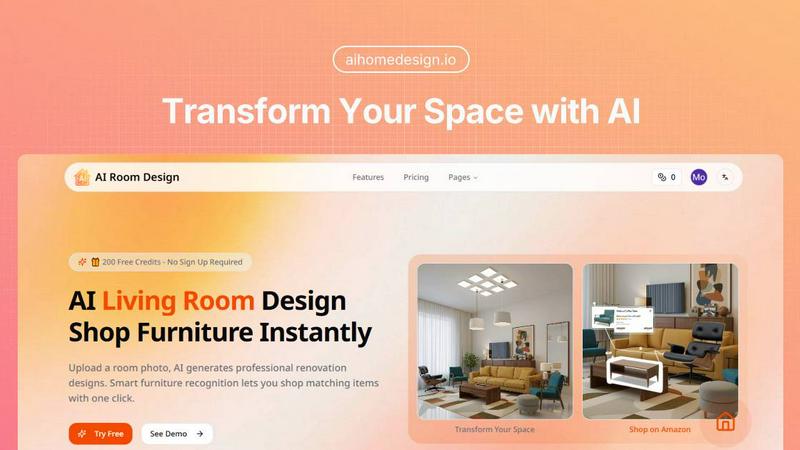
Transform your space effortlessly with AI Home Design, the quick and easy tool for stunning room redesigns.
Last updated: February 27, 2026

Remove Shadow From Photo
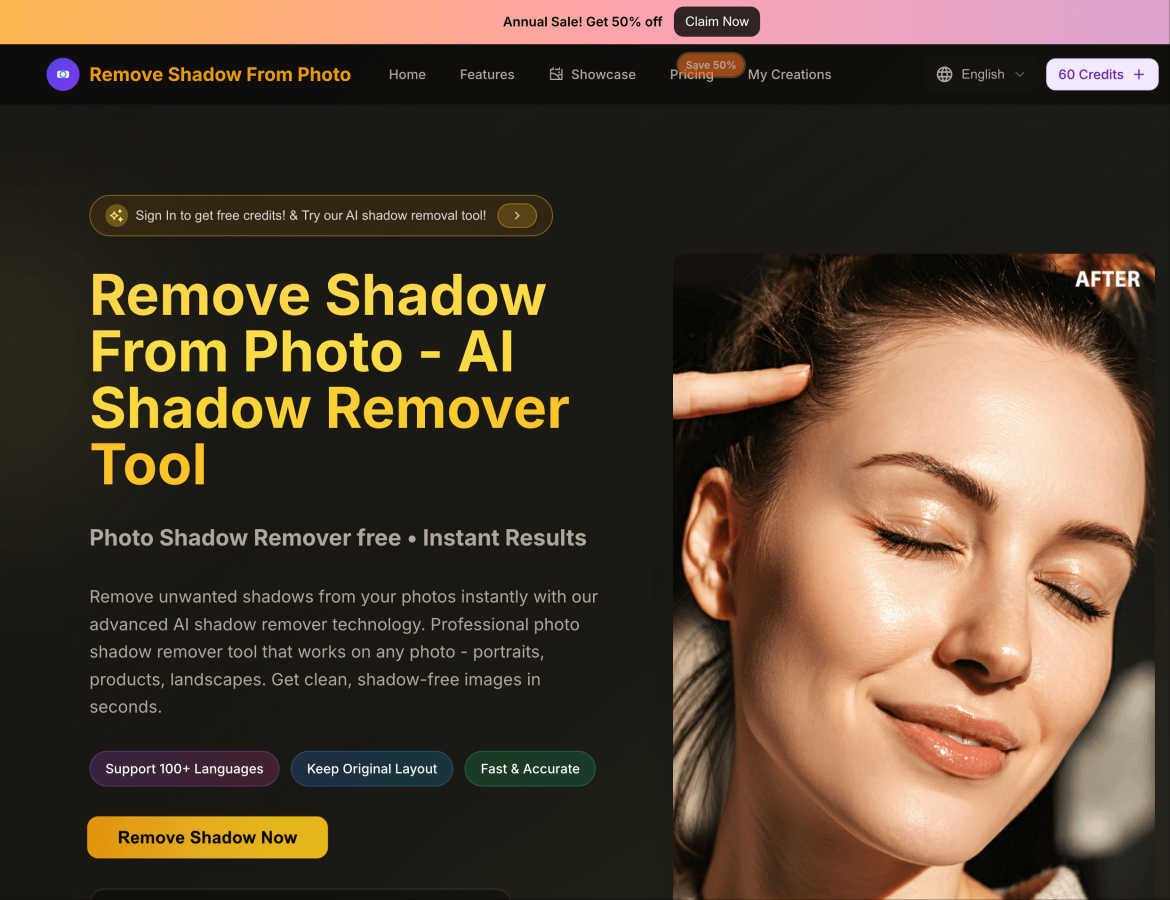
Instantly remove unwanted shadows from your photos with our AI tool for clean, professional results in seconds.
Visual Comparison
Ai Home Design
Remove Shadow From Photo
Feature Comparison
Ai Home Design
AI Room Redesign
The heart of Ai Home Design is its AI room redesign feature. Users can simply upload a room photo, and the AI instantly generates professional renovation designs, ensuring that the existing structure is preserved while giving it a fresh, stylish look. This feature is perfect for anyone who wants to visualize changes before committing to them.
AI 3D Panoramic Space Tour
Experience your redesigned room like never before with the AI 3D panoramic space tour. This feature creates immersive 360-degree views of your new design, allowing you to explore every corner virtually. It feels as though you are stepping into your newly designed space, providing a realistic preview of your transformation.
AI Home Design Video Tours
Take your design experience to the next level with AI-generated video tours. These 8-second cinematic walkthroughs bring your static designs to life, allowing you to envision how your space will look and feel. This feature adds a dynamic aspect to your home design journey, making it even more engaging.
Smart Furniture Recognition
Ai Home Design includes an intelligent furniture recognition system that analyzes your uploaded room photo. It identifies each piece of furniture, extracting details about their style, color, and materials. This makes it easier than ever to find matching products, ensuring that your final design is cohesive and stylish.
Remove Shadow From Photo
AI-Powered Shadow Detection
The core feature of Remove Shadow From Photo is its AI-powered shadow detection capabilities. This advanced technology analyzes your images to identify and remove shadows seamlessly, delivering high-quality results without requiring any manual adjustments.
Multi-Genre Support
No matter the type of image you are working with, this tool supports various genres including portraits, landscapes, product shots, and more. It can effectively handle shadows caused by different lighting conditions, ensuring versatile usage for all your photo needs.
Quick and Premium Processing Modes
The platform offers two processing modes: Quick Mode for immediate results on simple shadows and Premium Mode for more complex shadows. This flexibility allows users to choose based on their specific needs, balancing speed and quality effectively.
User-Friendly Interface
Designed with ease of use in mind, the interface allows users to upload images and navigate through the editing process effortlessly. With clear instructions and minimal steps, even beginners can achieve professional results without any confusion.
Use Cases
Ai Home Design
Redesigning Your Living Room
Imagine wanting to refresh your living room but not knowing where to start. With Ai Home Design, you can upload a photo of your current setup, choose a style, and within seconds, receive a complete redesign suggestion. This makes it easy to visualize new layouts and decor.
Planning a Bedroom Makeover
If you are considering giving your bedroom a makeover, Ai Home Design can help. Upload a picture of your bedroom, select your preferred design style, and watch as the AI generates a beautiful new concept for your space. It’s like having a personal designer at your fingertips.
Preparing for a Home Sale
Sellers can use Ai Home Design to enhance their home’s appeal before listing it. By uploading images of their rooms, they can explore potential redesigns that attract buyers. The tool helps in visualizing improvements that can make a significant difference in selling price.
Real Estate Staging
Realtors can leverage Ai Home Design to stage properties virtually. By uploading photos of the spaces, they can create appealing design concepts that showcase the property at its best. This can lead to quicker sales and higher offers from potential buyers.
Remove Shadow From Photo
Enhancing Portraits
Photographers can benefit immensely from this tool when editing portraits. By removing facial shadows, users can enhance features and achieve a more flattering, natural look, perfect for social media or professional portfolios.
E-Commerce Product Photography
For online retailers, clear and appealing product images are crucial. Remove Shadow From Photo helps sellers create eye-catching visuals by eliminating distracting shadows, ensuring that products are showcased in the best light possible.
Real Estate Photography
Real estate agents can use this tool to enhance property images by removing shadows that can make spaces look smaller or less inviting. This improvement can lead to better presentations and potentially faster sales.
Personal Photo Editing
Individuals looking to improve their personal images, such as family photos or vacation snapshots, can use Remove Shadow From Photo to remove unwanted shadows, creating cherished memories that look polished and professional.
Overview
About Ai Home Design
Ai Home Design is an innovative AI-powered platform designed to transform your interior spaces effortlessly. It allows users to upload photos of their rooms and receive professional design suggestions in seconds. This tool is perfect for homeowners, renters, or anyone looking to refresh their living spaces without the hefty price tag of hiring an interior designer. With a variety of design styles to choose from, including Scandinavian, Industrial, and Bohemian, Ai Home Design caters to diverse tastes. The platform's main value proposition lies in its ability to provide quick, stunning design solutions while integrating furniture shopping directly from Amazon. Plus, new users enjoy 30 free credits upon sign-up, making it easy to get started on your home transformation journey.
About Remove Shadow From Photo
Remove Shadow From Photo is an innovative online tool designed to enhance your images by eliminating unwanted shadows quickly and efficiently. Utilizing advanced AI technology, this platform allows users to transform their photos into shadow-free masterpieces with just a few simple clicks. Whether you're a professional photographer, a business owner needing product images, or simply someone looking to improve personal photos, this tool caters to a diverse audience. The main value proposition lies in its ability to provide professional-grade results in a matter of seconds, making it accessible to everyone, regardless of their technical skills. With support for multiple image formats and a user-friendly interface, Remove Shadow From Photo is your go-to solution for clean and polished images without the hassle of complicated editing software.
Frequently Asked Questions
Ai Home Design FAQ
How does Ai Home Design work?
Ai Home Design uses advanced AI algorithms to analyze uploaded room photos. Users select a design style, and the AI generates a professional redesign in seconds, complete with furniture recommendations.
What file formats can I upload?
You can upload room photos in JPEG, PNG, or WebP formats, with a maximum size of 10MB. This flexibility allows you to use images from various sources.
Can I shop for furniture directly through the platform?
Yes! Once your design is generated, Ai Home Design provides links to Amazon products that match the identified furniture in your design, making shopping convenient and straightforward.
Are there any costs associated with using Ai Home Design?
While you receive 30 free credits upon signing up, additional credits can be purchased for ongoing use. Various subscription plans are available that cater to different needs, allowing you to choose the one that fits your design ambitions.
Remove Shadow From Photo FAQ
How does the AI shadow remover work?
The AI shadow remover uses advanced machine learning algorithms trained on millions of images to automatically detect and eliminate unwanted shadows, providing high-quality results without manual adjustments.
What image formats does Remove Shadow From Photo support?
The platform supports popular image formats including JPG, PNG, and WEBP, with a maximum file size limit of 5MB, ensuring it can accommodate most user needs.
Is there a limit to the number of images I can process?
No, users can enjoy free, fast, and unlimited shadow removal. There are no restrictions on the number of images you can upload and edit, making it a great choice for bulk editing.
What if I need help using the tool?
Remove Shadow From Photo offers a user-friendly interface and straightforward instructions for all users. If you encounter any issues, there are resources available on the website to guide you through the process.