
Genstory vs SimpleDraw
Side-by-side comparison to help you choose the right AI tool.

Genstory
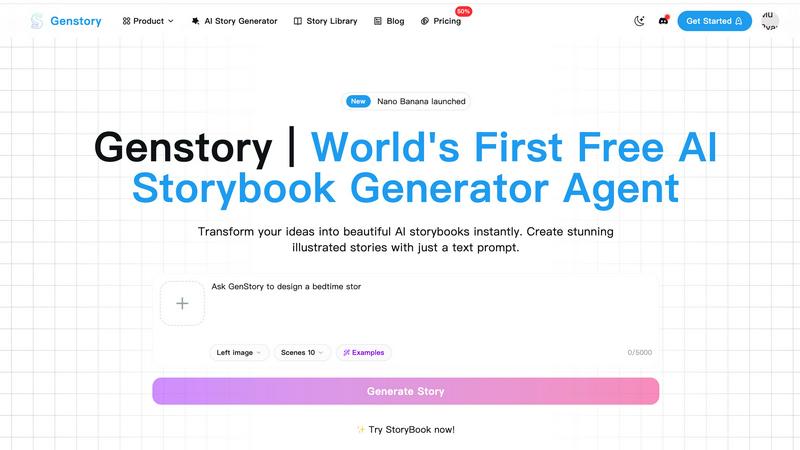
Turn your ideas into beautiful illustrated storybooks instantly with just a text prompt.
Last updated: February 27, 2026

SimpleDraw
Create simple, accurate scale drawings and floor plans for free in your browser.
Visual Comparison
Genstory
SimpleDraw
Feature Comparison
Genstory
Lightning-Fast AI Generation
Watch your story come to life in mere moments. Genstory's powerful AI engine completes the entire creation process, from writing the narrative text to generating all the accompanying illustrations, in just a few seconds. This means you can go from a spark of an idea to a finished, multi-page storybook faster than you can make a cup of coffee, making spontaneous creativity truly possible.
Simple, Natural Language Prompts
There's no need to learn complex commands or coding. Genstory is built for intuitive use. You guide the AI's creation through simple, natural conversation. Just type a straightforward prompt like "a story about a shy dragon who learns to roar" or "an adventure where my daughter explores a candy planet with a robot cat," and the AI understands your vision and builds upon it.
Multi-Format Storybook Output
Your created story isn't locked into one format. Genstory allows you to generate your tale as a downloadable PDF, perfect for printing and creating a physical keepsake, or as an interactive web story that's easy to share via a link with friends, family, or a classroom. This flexibility ensures you can enjoy and distribute your story in the way that suits you best.
Rich Library of AI-Generated Art
Every story is visually brought to life with unique, high-quality illustrations generated by AI. Each scene in your narrative receives a custom piece of artwork that matches the tone, characters, and setting you described. This feature ensures your digital picture book is not only fun to read but also stunning to look at, providing a complete and polished creative product.
SimpleDraw
Dedicated Floor Plan Mode
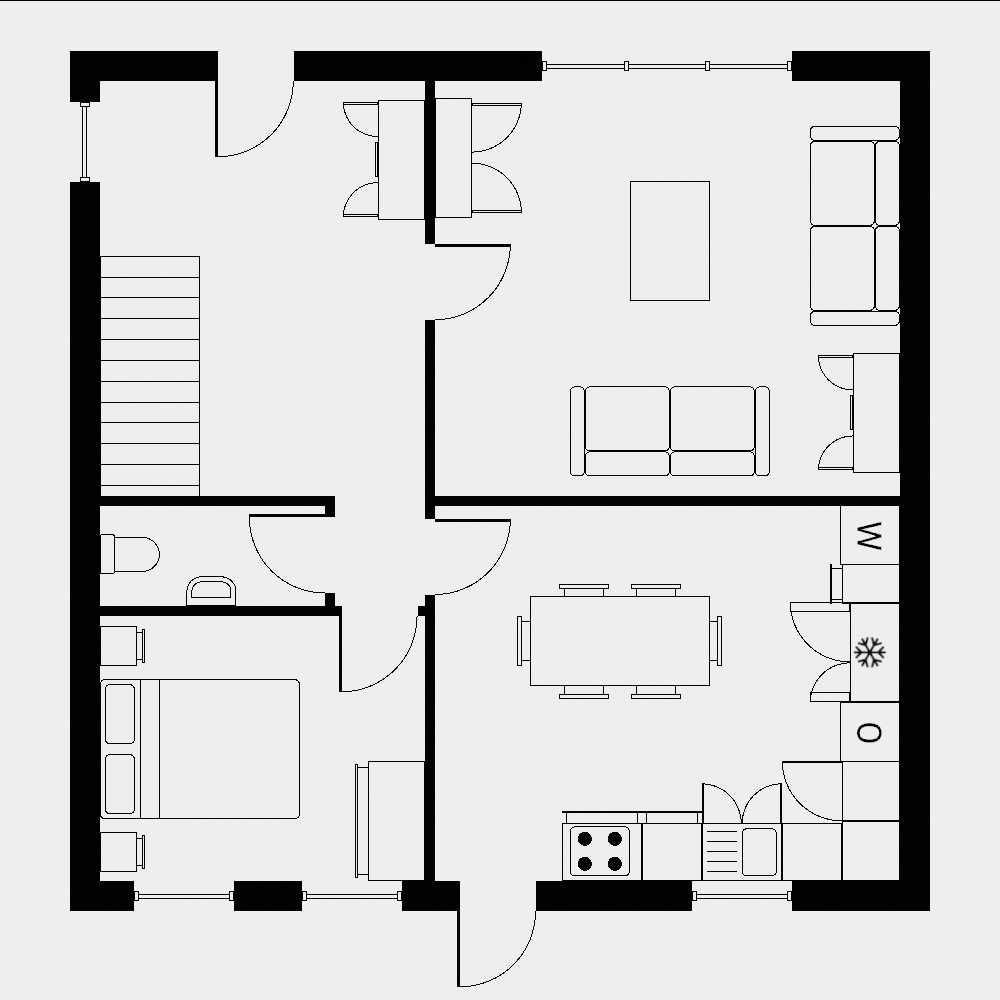
This specialized mode is optimized for creating interior layouts. You can draw walls, and add doors and windows with just a single click, dramatically speeding up the process of drafting a room or entire home layout. As you work, measurements update in real-time, allowing you to adjust your plan on the fly and ensure everything is perfectly to scale. It's the ideal starting point for any home project.
Smart Alignment & Snapping System
SimpleDraw intelligently assists you in placing lines and points exactly where you want them. As you move your mouse, the tool provides clear visual cues and automatically snaps elements to align with existing parts of your drawing. For ultimate control, you can use keyboard shortcuts to lock lines to perfect horizontal or vertical axes, guaranteeing straight, professional-looking results every time.
Complete Non-Destructive Editing
You have full freedom to experiment. Every element in your drawing—lines, shapes, measurements—can be modified, moved, or adjusted at any point in your process. Coupled with robust undo/redo functionality (and keyboard shortcuts), this means you can refine your design without fear of making permanent mistakes. You can also group elements to move or copy entire sections effortlessly.
Flexible Zoom & Direct Input Control
Zoom in on any area of your drawing for detailed work; the tool's snapping precision adapts to your zoom level for appropriate accuracy. For absolute precision, you can bypass the mouse entirely. Any element's position, line length, or angle can be defined by typing the values directly with your keyboard, ensuring your drawings meet exact specifications.
Use Cases
Genstory
Personalized Bedtime Stories for Parents
Never run out of fresh bedtime tales again. Parents can create unique, personalized adventures in seconds by making their child the main character, choosing their favorite animal sidekick, or inventing a magical world just for them. This creates a special, bonding experience and fosters a love for reading and imagination with stories tailored specifically to your child's interests.
Engaging Educational Materials for Teachers
Educators can use Genstory to explain complex concepts, illustrate historical events, or inspire a class with visual narratives. It's perfect for creating supplemental reading materials, visual aids for ESL (English as a Second Language) learners, prompts for creative writing exercises, or tailored stories for special education, making learning more engaging, accessible, and "sticky" for students.
Creative Prototyping for Writers & Creators
Aspiring authors, content creators, or game designers can use Genstory to quickly prototype story ideas and visualize characters and settings. It's an excellent tool for overcoming writer's block, brainstorming plot points, or creating a visual storyboard for a larger project. You can experiment with different genres and themes rapidly to see your concepts take shape.
Preserving Family Memories and Milestones
Turn a special family event, a funny anecdote, or a cherished memory into a beautiful storybook. Whether it's a child's first day of school, a family vacation, or a beloved pet's adventure, you can immortalize these moments in a custom, illustrated book. This creates a heartfelt, personalized keepsake that can be treasured for years and shared with relatives.
SimpleDraw
Home Renovation & Room Planning
Plan your next DIY project with confidence. Use SimpleDraw to create a scale drawing of a room before you move furniture, build a new deck, or install kitchen cabinets. Visualizing the space accurately helps you purchase the correct amount of materials and avoid costly measurement errors, making your renovation smoother and more successful.
Creating Detailed Floor Plans
Whether you're sketching ideas for a future home, mapping out your current apartment for a rental listing, or planning an office rearrangement, SimpleDraw's Floor Plan Mode is perfect for the task. Quickly lay out walls, add standard doors and windows, and experiment with different spatial configurations to find the most functional and appealing layout.
Designing Garden & Landscape Layouts
Plan your outdoor space effectively. Draw your garden to scale to plot out planting beds, patio areas, pathways, and the placement of new trees or shrubs. Having a scaled overview helps you understand spatial relationships and sun exposure, ensuring your garden design is both beautiful and practical before you break ground.
Drafting Simple Technical Schematics
Beyond floor plans, SimpleDraw is excellent for creating clear scale drawings for various projects. Use it to sketch a custom piece of furniture, plan a workshop storage system, or draw a diagram for a school or hobby project. The precision measurement tools and ability to input exact dimensions make it suitable for any task requiring an accurate visual plan.
Overview
About Genstory
Genstory is your creative companion for bringing stories to life. It's an advanced AI story generator agent that transforms a simple idea or prompt into a complete, beautifully illustrated digital picture book in seconds. Powered by cutting-edge Gemini Storybook technology, it handles the entire creative process for you. You just describe the story you have in mind using everyday language, and Genstory takes care of crafting a compelling narrative with vivid plots and generating exquisite, matching artwork. It's designed for anyone with a story to tell, making it perfect for parents looking for unique bedtime tales, educators creating engaging learning materials, or aspiring writers and creators seeking a fast way to visualize their ideas. The core value of Genstory is its simplicity and speed, removing technical and artistic barriers to make personalized, professional-looking storybooks accessible to everyone. You can easily share your creations as interactive web stories or downloadable PDFs for printing, turning imagination into a tangible, shareable reality with minimal effort.
About SimpleDraw
SimpleDraw is a free, online tool designed to make precise scale drawing accessible to everyone. It transforms the complex task of creating accurate floor plans and technical drawings into a simple, intuitive process that works directly in your web browser. Whether you're a homeowner planning a DIY renovation, a hobbyist designing a new garden layout, or someone who just needs a clear visual plan, SimpleDraw is built for you. Its core value proposition is powerful functionality wrapped in remarkable ease of use. There's no software to download, no account to create, and no cost to get started. You can begin crafting your scale drawing immediately with a focused set of tools that feel as natural as pen and paper, but offer the precision, flexibility, and undo power that physical media can't match. From drawing walls with a single click to entering exact measurements via your keyboard, SimpleDraw empowers you to bring your ideas to life accurately and efficiently.
Frequently Asked Questions
Genstory FAQ
How does Genstory create a story so quickly?
Genstory is powered by advanced Gemini Storybook technology, a sophisticated AI model specifically trained for narrative generation and image creation. It processes your natural language prompt, understands the context and desired elements, and simultaneously works on generating a coherent story structure and matching visual illustrations, all within its integrated system. This allows for near-instantaneous production of a complete storybook.
Can I customize the story after it's generated?
Yes, absolutely! The process includes a "Review & Customize" step. After the AI generates the initial storybook, you can read through the entire narrative and make adjustments to the text, such as changing character names, altering plot points, or refining the language. This ensures the final product perfectly matches your vision before you share or print it.
What kind of prompts work best with Genstory?
The best prompts are clear and descriptive but don't need to be overly complex. You can specify characters (e.g., "a curious astronaut cat"), settings (e.g., "in a underwater city made of glass"), a theme (e.g., "a story about kindness"), or a plot idea (e.g., "who loses his lucky wrench before a big race"). The more specific details you provide, the more tailored the story will be to your idea.
Is there a limit to how many stories I can create?
The provided context mentions a free AI storybook generator, suggesting there is a free tier with certain limitations, likely on the number of stories or features. For unlimited creation and access to all advanced features, you would need to explore their paid subscription plans. It's best to check the Genstory website or pricing page for the most current details on usage limits for free and paid users.
SimpleDraw FAQ
Is SimpleDraw really free to use?
Yes, absolutely! SimpleDraw is completely free to use. You can access all its core drawing tools, including the Floor Plan Mode and measurement systems, without any cost, login, or registration required. You can start creating your scale drawings immediately in your web browser.
Do I need CAD software experience to use SimpleDraw?
Not at all. SimpleDraw is specifically designed to be intuitive and accessible for beginners. It focuses on a simple but powerful set of tools that are easy to learn, with a smart alignment system to guide you. If you can use pen and paper, you can use SimpleDraw to create far more precise and editable drawings.
Can I save and share my drawings?
Yes, you can save your work. Drawings are stored locally in your web browser. For sharing and export, you can use your browser's standard print function to create a PDF or image file of your drawing, which you can then save, email, or share as needed.
What devices and browsers does SimpleDraw work on?
SimpleDraw is a web-based application, so it works on any modern device with a standard web browser, including desktop computers, laptops, tablets, and even smartphones. There is no specific app to download; you just need an internet connection to visit the SimpleDraw website and start drawing.