

AdGen
AdGen turns one photo into a vertical video ad for local businesses, with no filming or editing needed.
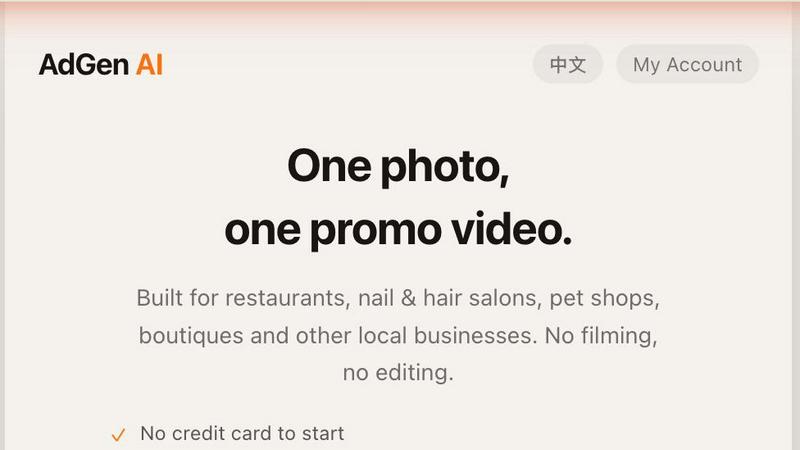
About AdGen
AdGen is a straightforward AI tool built specifically for local and service businesses that want to create professional short video ads without any filming, editing, or video production experience. You start with a single product photo you already have on your phone, upload it, pick your industry, and AdGen handles everything else. The tool automatically writes compelling ad copy, adds timed captions, scores background music, and delivers a finished vertical 9:16 video optimized for TikTok, Instagram Reels, YouTube Shorts, and Facebook Reels. This means a restaurant owner can turn a picture of their signature dish into a mouthwatering promo video in minutes, or a nail salon can transform a photo of their workspace into an engaging ad that attracts new clients. AdGen is designed for businesses that do not sell products through online store URLs and do not want to use AI avatars. Instead, it focuses on real photos of your actual business, products, or services. The tool includes per-industry presets for restaurants, cafes, salons, pet shops, boutiques, gyms, florists, e-commerce, and more. These presets automatically shape the lighting, camera movement, and ad angle based on what works best for your specific industry. There is no blank prompt box to fill, making the process simple and accessible for anyone. AdGen also offers a batch mode that turns one photo into several ad variants with different hooks, helping you fight creative fatigue and test what resonates with your audience. The output supports both English and Chinese with clean CJK captions, making it suitable for bilingual markets.
Features of AdGen
One Photo Workflow
AdGen eliminates the complexity of video creation by starting with just a single photo you already have. You do not need to film footage, edit clips on a timeline, or create complex storyboards. Simply upload a photo of your store, product, or dish, and the AI takes over. This feature is especially valuable for busy business owners who do not have time to learn video editing software or hire a professional videographer. The entire process from upload to finished video takes about 30 seconds, allowing you to create fresh content quickly whenever you need it.
Industry Specific Presets
Instead of forcing you to write a prompt or guess at settings, AdGen provides pre-built presets for a wide range of industries including restaurants, cafes, salons, pet shops, boutiques, gyms, florists, and e-commerce. Each preset is designed to optimize the lighting, camera movement, and overall ad angle for that specific type of business. For example, a restaurant preset will emphasize food presentation and ambiance, while a salon preset will highlight the workspace and results. This removes guesswork and ensures your ad looks professional and relevant to your industry.
Automatic Copy, Captions, and Music
AdGen writes the ad copy for you, adds timed captions that sync with the video, and selects background music that fits the mood of your industry and photo. You do not need to write any text, choose a song, or manually place captions. The AI handles all of these elements automatically to produce a finished video that is ready to post. The captions are clean and well positioned, and the music is scored to match the pacing of your ad. This saves you significant time and ensures your video has all the elements needed to capture attention on social media.
Batch Mode for Multiple Variants
Creative fatigue is a real challenge when running social media ads, and AdGen addresses this with its batch mode feature. You can take a single photo and generate several different ad variants, each with a unique hook or angle. This allows you to test different messages with your audience without needing to create new content from scratch each time. For example, one variant might focus on a special offer while another highlights the quality of your service. This feature helps you keep your content fresh and discover what truly resonates with your customers.
Use Cases of AdGen
Restaurant Promoting a Signature Dish
A local restaurant owner can take a photo of their most popular dish and turn it into a short video ad for Instagram Reels and TikTok. The AI will automatically enhance the lighting to make the food look appetizing, write copy that highlights flavors and ingredients, and add captions that make the video accessible to viewers watching without sound. The restaurant preset ensures the camera movement and ad angle focus on the dish in an appealing way. This helps the restaurant attract new customers who are scrolling through social media looking for their next meal.
Hair Salon Showcasing a New Style
A hair salon can use a single before and after photo or a photo of a completed hairstyle to create a promotional video. AdGen will write copy that describes the technique used and the benefits of the style, add music that matches the salon's vibe, and generate captions that explain the service. The salon preset optimizes the video to highlight the hair work and the salon environment. This allows the stylist to share their work on social media without needing to film a client during the actual appointment, which can be intrusive or impractical.
Pet Shop Advertising a New Product
A pet shop owner can photograph a new toy, treat, or accessory and quickly generate a video ad that showcases the product. The AI will write engaging copy that appeals to pet owners, add playful music that fits the pet industry, and create captions that highlight the product's features and benefits. The pet shop preset ensures the video feels warm and inviting. This is particularly useful for small pet shops that want to maintain an active social media presence without hiring a marketing team or spending hours editing videos.
Boutique Promoting a Seasonal Collection
A boutique owner can take a photo of a mannequin display or a styled outfit and turn it into a video ad for their seasonal collection. AdGen will write copy that emphasizes the fashion and style aspects, add music that matches the boutique's brand, and generate captions that describe the outfit pieces. The boutique preset focuses on the clothing details and overall aesthetic. This helps the boutique stay top of mind with customers and drive foot traffic or online inquiries, all from a single photo they already took for their website or social feed.
Frequently Asked Questions
How do I get started with AdGen?
You can create an account on the AdGen website without providing a credit card. There is no upfront commitment required. Once your account is created, you can upload a photo, select your industry, and generate a video. You only pay when you are ready to generate, either through a monthly subscription plan starting at 29 dollars per month or through pay as you go credit packs starting at 15 dollars. This allows you to try the tool and see the quality of the output before making any payment.
What happens if the generated video does not look right?
AdGen has a built in quality guarantee. If a generation does not come out to your satisfaction, the credits used for that generation are automatically refunded to your account. This means you are never charged for a bad result. You can then adjust your approach or try a different photo without worrying about wasting your budget. This policy reflects the tool's confidence in its output while protecting you from paying for something that does not meet your standards.
What types of businesses is AdGen best for?
AdGen is specifically built for local and service businesses such as restaurants, cafes, nail salons, hair salons, pet shops, boutiques, gyms, florists, and e-commerce stores. It is designed for businesses that want to promote their actual products, services, or physical location rather than digital products or online only stores. The industry specific presets are tailored to these business types, so the lighting, camera movement, and ad copy are optimized for what works best in each industry. If you run a service based business, AdGen is a great fit.
Can I use AdGen for multiple social media platforms?
Yes, every video generated by AdGen is in a vertical 9:16 format, which is the standard aspect ratio for TikTok, Instagram Reels, YouTube Shorts, and Facebook Reels. The finished video is ready to download and post directly to any of these platforms without any additional editing or resizing. The captions and music are embedded in the video, so they will display correctly regardless of which platform you choose. This makes it easy to share your ad across all your social media channels with a single generation.
Does AdGen support languages other than English?
Yes, AdGen supports bilingual output in both English and Chinese. The captions are generated with clean CJK characters, meaning they display properly for Chinese, Japanese, and Korean text. This is particularly useful for businesses that operate in bilingual markets or want to reach both English and Chinese speaking audiences. The ad copy and captions will be written in the language you select, ensuring your message is clear and professional for your target audience.
Pricing of AdGen
AdGen offers straightforward pricing with no hidden fees. You can choose between monthly subscription plans starting at 29 dollars per month, which you can cancel at any time. Alternatively, you can purchase pay as you go credit packs starting at 15 dollars, which give you flexibility to generate videos only when you need them. There is no credit card required to create an account, so you can explore the tool without any financial commitment. If a generation does not turn out as expected, the credits are automatically refunded, ensuring you only pay for results you are happy with.
Explore more in this category:
Similar to AdGen

BuildingNow Podcast
BuildingNow shares founder conversations and practical lessons on building products, finding customers, and growing a business.


Dame Hombro
Make a personalized Dame Hombro freestyle video from one person or pet photo.

Popstar AI
Popstar AI is an AI video generator that puts you in Drake's POPSTAR music video from one photo, with the original song and no watermark.

PageLint
AI copy audit for landing pages: 55 checks, each finding quotes your page and cites its source. Free 16-check audit, no signup.

Bulin 47 AI Videos
One photo in, a 15-second Bulin 47 street freestyle video with sound out: original dembow beat, lip-synced Spanish verse, crowd.

Posy
A link-in-bio page that looks hand-made. Pick a look, add your links and publish in a minute. Free, open source, and your AI can edit it for you.

Leadeon
AI growth tool for X and LinkedIn: write posts in your voice, schedule at your best times, find leads on X and see what works.