

AI Animation Video
Turn text or images into short animated clips with consistent characters, voice, and style in minutes.
About AI Animation Video
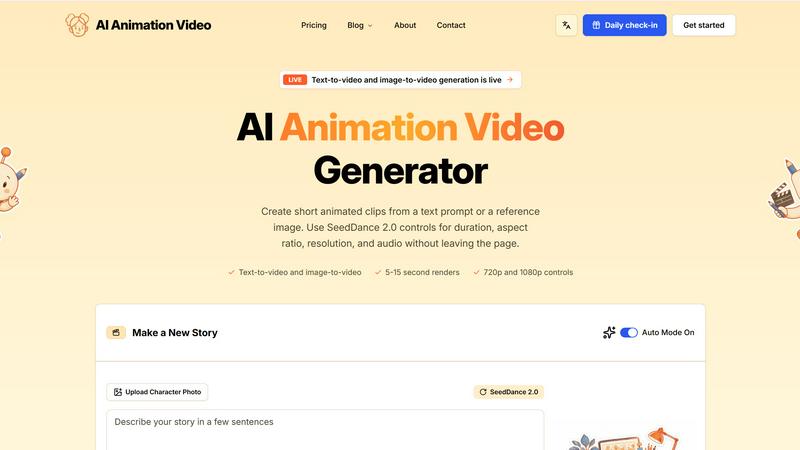
AI Animation Video is a browser-based tool designed to help anyone create story-led animated videos without needing to hire a full animation team or learn complex editing software. Whether you are a YouTuber, teacher, marketer, parent, or indie developer, this platform lets you turn ideas into animated shorts in minutes. You can start with a simple text prompt, a written script, or even a photo of a character. The tool then helps you build short scenes with stable character profiles, storyboards, voiceover, music, and captions. What makes AI Animation Video stand out is its focus on speed and character consistency. Your hero will look the same in every frame, across every episode, which is something viewers notice and appreciate. The platform is built for weekly creator content, short explainers, brand ads, kids stories, course videos, app demos, and game trailers. It is a practical solution for anyone who needs to produce animated videos regularly without sacrificing quality or spending weeks on production. The entire process happens in your browser, so there is no software to download and no learning curve to overcome. Most users ship their first animated short in a single sitting.
Features of AI Animation Video
Character Consistency
Your characters stay the same in every scene, which is a game-changer for storytelling. Upload one photo or describe your hero in a sentence, and the AI locks the face, outfit, and voice into a saved profile. You can reuse that profile across episodes, trailers, and shorts. Whether you switch scenes or change styles, your hero remains your hero. The platform also supports multiple voices per cast in a single render, so you can have full conversations between characters. This feature is perfect for series where viewers expect to see the same familiar faces every time.
Long-Form Scene Stitching
Most AI video tools cut you off at 30 seconds, right when the story starts. AI Animation Video breaks that barrier by stitching scenes together using shared first and last frames. This allows you to create multi-minute shorts and full episodes that feel cohesive. You can storyboard every cut for free with no watermark before committing a single video credit. If a scene does not work, you can re-roll it individually without rebuilding the entire project. The side-by-side prompt editor also lets you fine-tune each beat of your story.
Production Ready Output
Voice, music, captions, and support are all built into the platform. You get multilingual voiceover that fits each character, auto-music selection that matches the mood of your scene, and the option to burn captions into the video or export them as a sidecar SRT or VTT file. When a render hiccups, real humans reply within hours, and your credits stay safe. This means you can focus on telling your story instead of troubleshooting technical issues.
Text-to-Video and Image-to-Video Generation
You can create short animated clips from a text prompt or a reference image using advanced models like Omni-Flash-Ext and Seedance 2.0. The platform gives you control over duration (from 4 to 10 seconds), aspect ratio (16:9 or 9:16), and resolution (720p, 1080p, or 4K). All of this happens without leaving the page, making it a streamlined experience for rapid content creation.
Use Cases of AI Animation Video
YouTube Channel Content
YouTubers can use AI Animation Video to ship channel intros, explainer cuts, and full episodes without scaling their team. Your character keeps the same face from the first thumbnail to the 1,800th frame, which viewers actually notice and appreciate. This is ideal for creators who need to maintain a consistent brand identity while producing weekly content.
Classroom Explainers for Educators
Teachers and education creators can turn a curriculum unit or course module into a 3-minute cartoon during a lunch break. The same instructor character shows up across every lesson, helping students recognize the format and improve retention. It is a quick and engaging way to present complex topics without needing animation skills.
Marketing and Brand Ads
Marketers can brief the AI, lock their mascot, and ship a cartoon ad in one afternoon. This allows for rapid A/B testing of variants without re-briefing a vendor. It is perfect for creating mascot-led ad campaigns where speed and consistency matter more than frame-by-frame manual control.
Personalized Kids Stories
Parents can type a bedtime story idea and watch it come to life as a cartoon in about 20 minutes. This turns story time into a shared, visual experience that kids love. You can personalize the characters and scenes to match your child's imagination, making each story unique and memorable.
Frequently Asked Questions
How do I start creating an animation?
You can start by uploading a photo of your character or describing them in a sentence. Then, paste a script, type a prompt, or let the AI expand a one-line idea into structured scenes. Storyboards render with no watermark on the free tier, so you can iterate as much as you want before spending video credits. Finally, hit Generate to stitch everything into a multi-minute short with voiceover, music, and captions baked in.
Can I reuse characters across multiple videos?
Yes, absolutely. Once you upload a photo or describe your hero, the AI locks the face, outfit, and voice into a saved profile. You can reuse that profile across episodes, trailers, and shorts. This ensures your character stays consistent in every scene, which is great for building a recognizable series or brand.
What output formats and resolutions are supported?
You can export videos in 720p, 1080p, or 4K resolution. The platform supports both 16:9 and 9:16 aspect ratios, making it suitable for YouTube, TikTok, and other social platforms. You also have the option to burn captions into the video or export them as sidecar SRT or VTT files for accessibility.
Is there a free version or trial available?
Yes, the platform offers a free tier that allows you to storyboard your story without any watermark. You can iterate on your scenes as much as you want before committing video credits. This lets you plan and refine your project before you decide to generate the final video.
Explore more in this category:
Similar to AI Animation Video


Adobe Firefly Background Remover
Strip backgrounds from photos with one click.

shardstitch
ShardStitch helps recover and hand off AI coding work, with a visual website editor and SEO Guardrails MCP in development.

RemoveMate
AI background removal and image cleanup tools for product photos, portraits, social posts and everyday creative projects.

Krea 3
Krea 3 is an AI image editor that relights photos, swaps backgrounds and changes one object from a text prompt with GPT Image 2 and Nano Banana Pro.

Nano Pro
AI photo editor and image generator with Nano Banana models, up to 14 references and 4K output.

Remove Background
Free background remover that runs entirely in your browser — no uploads, no watermark, no account.

ihateimg
ihateimg.cv is a privacy-first collection of free image tools that run entirely in your browser. Convert, compress, resize, crop, edit, watermark, ins