

AI Architecture Generator
Turn your sketch or text prompt into a photorealistic HD render in 30 seconds, then edit, export, and ship designs from one surface.
About AI Architecture Generator
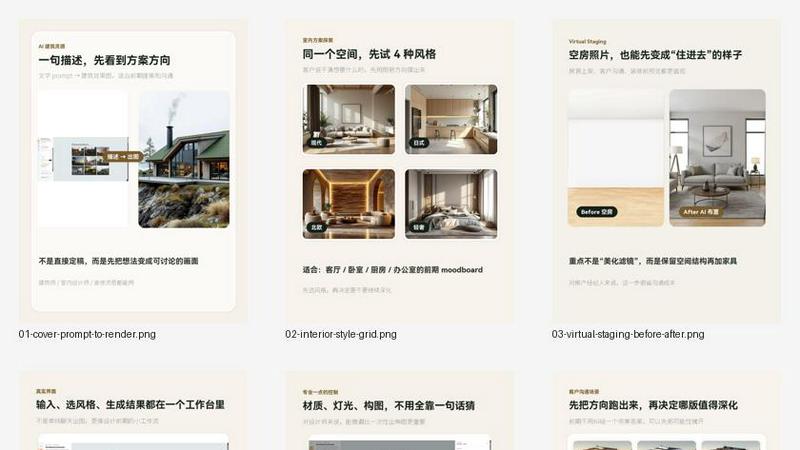
AI Architecture Generator is a powerful browser-based tool that transforms text prompts, sketches, and reference photos into stunning architectural renders in under 30 seconds. Designed for architects, interior designers, real estate professionals, and architecture students, this tool eliminates the need for complex rendering setups or expensive software. You can start with a simple description like "modern glass facade with green roof" or upload a rough sketch, and the AI generates photorealistic visuals that capture your design intent. The platform supports four core modes: Architecture for building exteriors, Interior for room concepts, Stage for virtual staging of empty spaces, and Floor Plan for schematic layouts. With a free tier offering three generations per day without requiring signup, it is incredibly accessible for testing ideas. Paid plans unlock 4K resolution, watermark-free exports, and higher generation limits. The tool also includes a Pro Mode for experienced designers who want full control over prompts, materials, lighting, and camera angles, plus a Template Mode for beginners who prefer one-click solutions. Whether you are pitching a client, iterating on a design, or learning architectural visualization, AI Architecture Generator streamlines the entire workflow from first concept to polished render.
Features of AI Architecture Generator
Sketch to Render AI
Upload a hand-drawn sketch, line drawing, axonometric view, or massing study, and the AI interprets your composition to generate a photorealistic render. This feature preserves the spatial relationships and proportions from your input while adding realistic materials, lighting, and context. It is perfect for quickly visualizing rough ideas without needing to build detailed 3D models from scratch.
Prompt-Based Style and Mood Control
Describe your design using natural language with up to 2000 characters. You can specify architectural styles like Modern, Brutalist, Scandinavian, Japanese, or Art Deco, and control mood, materials, lighting, and environment through keywords. The AI understands technical jargon such as "passive house," "parametric facade," or "BIM-ready," making it suitable for professional workflows where precision matters.
Virtual Staging for Empty Rooms
Upload a photo of an empty room, select a style from ten curated presets, and the AI instantly stages the space with furniture, decor, and appropriate lighting. This feature eliminates the need for expensive physical staging or manual Photoshop work. Outputs are auto-cropped to 16:9 for MLS compliance, and watermark-free exports are available on paid plans, saving real estate agents significant time and money.
Template Mode for Quick Generation
Browse a library of over 50 hand-tuned templates organized by style, room type, and use case. With one click, you can apply a template that includes optimized prompts for specific scenarios like luxury living rooms, Scandinavian bedrooms, or industrial kitchens. This mode is ideal for realtors, students, and anyone who wants professional results without writing prompts from scratch.
Use Cases of AI Architecture Generator
Architectural Concept Exploration and Client Pitches
Architects can rapidly generate multiple design concepts for a single project by varying prompts and styles. For example, you can create a modern office tower, a Brutalist civic center, and a Scandinavian mixed-use complex from the same base sketch. These renders are perfect for client presentations, design reviews, and stakeholder buy-in, accelerating the early stages of project development.
Interior Design Concept Generation for Residential and Commercial Spaces
Interior designers can visualize different room aesthetics without physical samples or mood boards. Describe a "Japanese-inspired bathroom with natural stone and bamboo accents" or an "industrial kitchen with exposed brick and pendant lighting" to get photorealistic results. This helps clients make informed decisions about materials, colors, and layouts before any construction begins.
Real Estate Listing Enhancement with Virtual Staging
Real estate agents can transform empty listing photos into staged, inviting spaces that attract more buyers. Upload a photo of a vacant living room, choose a style like "Luxury Modern" or "Scandinavian Minimalist," and receive a staged image in 30 seconds. This significantly reduces the cost and logistics of traditional staging while improving listing quality and time on market.
Student Design Projects and Portfolio Development
Architecture and design students can use the tool to quickly visualize their conceptual projects, experiment with different styles, and build a professional portfolio. The free tier allows three generations daily, making it accessible for homework assignments, studio projects, and personal exploration. Students can iterate rapidly, learning how different materials and lighting affect a design.
Frequently Asked Questions
How do I start using AI Architecture Generator for free?
You can start immediately without creating an account. Visit the website and you will receive three free generations per day. Simply type a description of your design, select a style, and click Generate. If you want to save your generations or access more features, you can sign up for a free account which tracks your daily quota and allows you to revisit past projects.
Can I upload my own sketches or reference photos?
Yes, absolutely. You can upload a sketch, line drawing, axonometric view, or any reference photo in JPG, PNG, or WebP format up to 10MB. The AI uses your upload as a composition anchor, preserving the spatial layout while adding realistic materials, lighting, and context. This is especially useful for iterating on hand-drawn concepts or adapting existing designs.
What is the difference between Pro Mode and Template Mode?
Pro Mode gives you full control with free-form prompts up to 2000 characters, an advanced keyword panel for materials and lighting, and workflow export options including Enhanced HD and GLB mesh preview. Template Mode is designed for speed and simplicity, offering over 50 curated templates with one-click generation. You can switch between modes within the same app depending on your needs.
Are the generated images suitable for professional use?
Yes, paid plans provide 4K resolution and watermark-free exports that are suitable for client presentations, marketing materials, and real estate listings. The images are photorealistic and can be used directly in brochures, websites, and proposals. The virtual staging outputs are auto-cropped to 16:9 for MLS compliance, saving you additional editing time.
Explore more in this category:
Similar to AI Architecture Generator

ImageGPT
ImageGPT is an all-in-one AI creative platform for generating, editing and transforming images and videos using AI.

Adobe Firefly Background Remover
Strip backgrounds from photos with one click.

AI Album Cover Maker
Create release-ready album covers from a prompt or photo. Generate, refine, and export art for singles, EPs, mixtapes, and playlists.

shardstitch
ShardStitch helps recover and hand off AI coding work, with a visual website editor and SEO Guardrails MCP in development.

RemoveMate
AI background removal and image cleanup tools for product photos, portraits, social posts and everyday creative projects.

Krea 3
Krea 3 is an AI image editor that relights photos, swaps backgrounds and changes one object from a text prompt with GPT Image 2 and Nano Banana Pro.

Nano Pro
AI photo editor and image generator with Nano Banana models, up to 14 references and 4K output.

Remove Background
Free background remover that runs entirely in your browser — no uploads, no watermark, no account.