

AI Carousel Creator
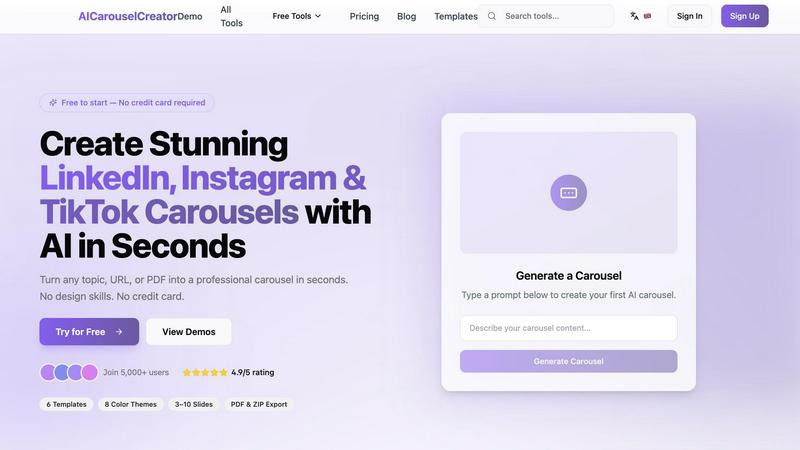
Turn any idea, URL, or PDF into a professional LinkedIn, Instagram, or TikTok carousel with AI in seconds and no design skills.
About AI Carousel Creator
AI Carousel Creator is a powerful, intuitive tool designed to help anyone generate professional, scroll-stopping carousels for LinkedIn, Instagram, and TikTok in just seconds. Whether you are a social media manager, a business owner, a content creator, or someone who simply wants to share ideas more effectively, this tool eliminates the need for complex design software or artistic skills. You can start with nothing more than a topic, a URL, or even a PDF document, and the AI will instantly transform your input into a beautifully designed, multi-slide carousel.
The core value proposition is simplicity and speed. You do not need a credit card to get started, and the entire process is broken down into three easy steps: describe your idea, customize the look and feel, and export your final carousel. With over 50,000 carousels already created and an average rating of 4.9 stars, the platform has proven its reliability and effectiveness. It offers 6 pre-designed templates, 8 color themes, and the flexibility to create carousels with 3 to 10 slides. The AI understands context and tone, allowing you to choose from four distinct presets: Professional, Casual, Educational, or Inspiring. Once you are happy with the content, you can export your work as a multi-page PDF or a ZIP file of individual images, ready to post directly to your social channels. This tool is perfect for anyone looking to boost engagement, share knowledge, or build a personal brand without spending hours on design.
Features of AI Carousel Creator
AI-Powered Generation
This is the heart of the product. You simply type a text prompt describing your topic or paste a URL, and the AI takes care of everything else. It intelligently structures the content into a logical flow, writes slide-ready text, and applies a professional layout. You do not need to worry about formatting, font choices, or image selection because the AI handles the entire design and content creation process for you, turning your raw idea into a polished carousel in moments.
High-Quality Visuals
Every carousel generated by the tool features beautiful, high-resolution images and a consistent visual style across all slides. The AI ensures that the color palette, typography, and graphic elements work together harmoniously to create a cohesive and professional look. This means your carousels will not only be informative but also visually appealing, which is crucial for capturing attention on fast-paced social media feeds like Instagram and LinkedIn.
Customizable Templates and Themes
While the AI does the heavy lifting, you still have full creative control. You can choose from 6 distinct templates to match the mood of your content, and then apply one of 8 color themes to align with your brand or personal style. You can also adjust the number of slides from 3 to 10 and select a tone preset (Professional, Casual, Educational, or Inspiring) to ensure the voice of the content matches your audience. Every slide can be edited inline after generation, giving you the final say on every word and detail.
Lightning Fast and One-Click Export
Time is money, and AI Carousel Creator is built for speed. You can generate a complete, multi-slide carousel in under 60 seconds. Once you are satisfied with the result, exporting is a single click. You can download your carousel as a multi-page PDF for presentations or as a ZIP file containing individual high-resolution images, which are perfect for direct uploads to Instagram, LinkedIn, or TikTok. This streamlined workflow saves you hours compared to traditional design methods.
Use Cases of AI Carousel Creator
Social Media Marketing and Brand Building
Marketing professionals and social media managers can use this tool to quickly produce a consistent stream of engaging content. You can turn a blog post into a LinkedIn carousel that explains a key industry insight, or create a step-by-step Instagram guide showcasing a product feature. The ability to maintain brand consistency through color themes and professional templates ensures every post reinforces your brand identity, helping you grow your following and drive engagement without a dedicated design team.
Educational Content and Thought Leadership
Experts, coaches, and educators can easily transform complex information into digestible, visual stories. For example, a financial advisor can create a carousel explaining "5 Steps to Start Investing," while a marketing consultant can share "10 Proven LinkedIn Carousel Ideas." The Educational and Professional tone presets are perfect for this, allowing you to present data, tips, and frameworks in a way that is easy for your audience to swipe through and understand, establishing you as a trusted authority in your field.
Repurposing Existing Content for Maximum Reach
Content creators often struggle with repurposing. AI Carousel Creator makes this effortless. You can paste a URL from a blog post, a newsletter, or even a PDF document, and the AI will extract the key points and format them into a carousel. This allows you to take a single piece of content and give it a second life on a different platform. A long-form article can become a viral LinkedIn carousel, and a PDF guide can be turned into an engaging Instagram tutorial, maximizing your content's value.
Personal Branding and Career Development
Individuals looking to build their personal brand on LinkedIn can use this tool to share their professional journey, insights, and achievements in a visually compelling way. You can create carousels about "Lessons Learned in My First Year as a Manager" or "My Top 5 Productivity Hacks." The Casual and Inspiring tone presets are ideal for this, helping you connect with your network on a more personal level. This consistent, high-quality content helps you stand out in a crowded feed and attract new opportunities.
Frequently Asked Questions
Do I need any design skills to use AI Carousel Creator?
No, you do not need any design skills whatsoever. The entire process is driven by AI. You simply describe your topic or paste a URL, and the AI automatically generates the content, layout, and visuals. You can then customize the template, color theme, and tone with simple clicks, and every slide can be edited inline if you want to make small adjustments. The tool is designed for complete beginners and experts alike.
Is there a free plan, and do I need a credit card to start?
Yes, you can start for free without providing a credit card. The platform is built to be accessible, allowing you to generate your first carousel immediately. This free access lets you experience the full power of the AI, customize your carousel, and export it. There are paid plans available for users who need more advanced features or higher usage limits, but you can absolutely get started and create professional carousels at no cost.
What platforms are the carousels optimized for?
The carousels you create are optimized for the most popular social media platforms, including LinkedIn, Instagram, and TikTok. When you export your carousel, you receive a multi-page PDF and a ZIP file of individual images. These formats are designed to be directly uploaded to these platforms, ensuring the dimensions and resolution are perfect for each channel. This means you can create one carousel and easily share it across multiple networks.
Can I edit the carousel after the AI generates it?
Absolutely. One of the key features is the ability to edit any slide inline after the AI has generated the initial carousel. You can change the text, swap out images, or rearrange the order of slides. This gives you complete control over the final output, allowing you to fine-tune the content to perfectly match your message and brand voice before you hit the export button.
Explore more in this category:
Similar to AI Carousel Creator

screenRIG
Signage and kiosk infrastructure for AI agents. Your agent publishes images, video, streams, web pages and apps to screens via one plugin.screenRIG is

ErgoAssessment
See your posture the way an ergonomist beside your desk would. Your camera, five body angles, plain fixes. Free, no signup.

Adobe Firefly Background Remover
Strip backgrounds from photos with one click.

Kingprompt
KingPrompt is a free prompt engineering workbench to build, tune, and structure prompts for Claude, GPT, Gemini, DeepSeek, and Llama.

ImgEnhancer
Free AI image enhancer that sharpens blurry photos, reduces noise, upscales resolution, and restores clarity online.

shardstitch
ShardStitch helps recover and hand off AI coding work, with a visual website editor and SEO Guardrails MCP in development.

Sayble
AI copilot that tells you what to say next on live sales calls, then writes the recap and follow-up.

RemoveMate
AI background removal and image cleanup tools for product photos, portraits, social posts and everyday creative projects.