

AI Formatter
AI Formatter instantly creates professional documents from your raw text using 1000+ templates.
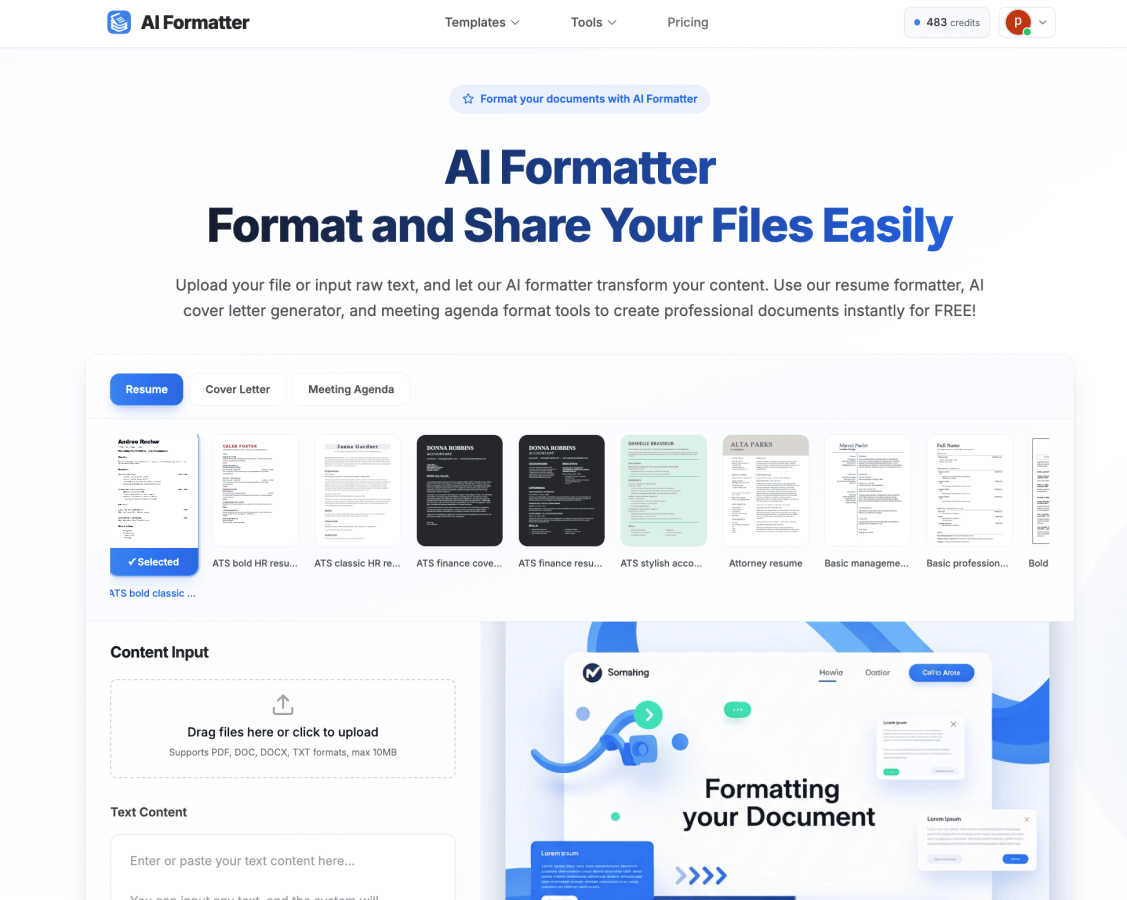
About AI Formatter
AI Formatter is your intelligent, cloud-based partner for creating polished and professional documents in seconds. It’s designed to take the tedious work out of document formatting, using advanced artificial intelligence to transform your raw text or uploaded files into beautifully structured documents tailored for success. The core promise is simple: you provide the content, and our AI handles the complex design, layout, and structuring.
Whether you're a job seeker aiming to craft a resume that sails past automated Applicant Tracking Systems (ATS), a busy professional needing a crisp meeting agenda in minutes, or a small business owner looking to standardize invoices and receipts, AI Formatter is built for you. It empowers anyone, regardless of design skill, to produce industry-specific, visually appealing documents. With a library of over 100 ready-to-use, ATS-optimized templates and a powerful online editor, you can generate resumes, cover letters, business communications, and more. The platform is committed to accessibility, offering free credits to get started, so you can experience the time-saving magic of handing your formatting worries over to a capable AI.
Features of AI Formatter
Intelligent One-Click Formatting
Simply upload your existing document (PDF, DOC, DOCX, TXT) or paste raw text into the input box. With one click, our AI analyzes your content, understands its context—whether it's a resume, cover letter, or agenda—and automatically applies perfect formatting. It intelligently structures headings, bullet points, and spacing, transforming a basic draft into a professionally polished document in seconds, saving you hours of manual work.
Extensive Template Library
Choose from a vast collection of over 162 professional, industry-specific templates. Each template is designed not just for visual appeal but for practical success, such as being optimized to achieve a 95%+ pass rate on Applicant Tracking Systems (ATS) for resumes. Whether you need a modern resume, a formal cover letter, a clear meeting agenda, or a business invoice, you’ll find a professionally designed starting point for any document.
Integrated AI Content Tools
AI Formatter goes beyond just styling text. It includes powerful built-in generators like the AI Cover Letter Generator and Resume Formatter. These tools can help you create compelling, personalized content from scratch or enhance your existing drafts. You can input a job description and your experience, and the AI will help draft a targeted cover letter or optimize your resume's wording and structure for maximum impact.
Flexible Editor & Multi-Format Export
After the AI works its formatting magic, you retain full control. Use the intuitive online editor to make adjustments, customize fonts and colors, or tweak any content. Once perfect, download your document in the format you need, including Word (DOCX), PDF, and more. You can also share documents directly from the platform, making collaboration and distribution effortless.
Use Cases of AI Formatter
Job Seekers & Career Changers
For anyone applying for jobs, AI Formatter is a game-changer. Upload your existing resume or paste your work history. The platform's ATS-optimized resume formatter ensures your document is parsed correctly by automated screening software, dramatically increasing your chances of getting an interview. Pair it with the AI cover letter generator to create a personalized, polished letter for each application in minutes.
Busy Professionals & Managers
Professionals who frequently organize meetings can instantly transform scattered notes into a clear, structured meeting agenda. Simply input your bullet points or upload a rough draft, select a professional meeting agenda template, and let the AI format it. This ensures every meeting has a clear purpose, agenda, and action items, projecting competence and saving preparation time.
Freelancers & Small Businesses
Creating consistent, branded business documents like invoices, proposals, and receipts is essential but time-consuming. With AI Formatter, freelancers and small business owners can input client and project details and generate polished, professional invoices instantly. This standardization looks professional, gets you paid faster, and eliminates the hassle of designing documents from scratch.
Students & Academics
Students can use AI Formatter to ensure their reports, essays, and project submissions meet strict formatting guidelines. By inputting their text and choosing an appropriate academic or formal template, they can achieve a clean, readable structure with proper headings and citations formatting, allowing them to focus on content quality rather than layout struggles.
Frequently Asked Questions
What file formats can I upload to AI Formatter?
AI Formatter supports a wide range of common document formats for upload, including PDF, DOC, DOCX, and plain text files (TXT). This flexibility allows you to start from almost any existing document you have. The maximum file size for uploads is 10MB.
How does the AI ensure my resume passes ATS systems?
Our resume templates are specifically designed and tested for ATS compatibility. The AI formatter applies clean, machine-readable formatting, uses standard section headings, and avoids elements like complex tables or graphics that can confuse ATS software. This structured approach is engineered to achieve a high pass rate, helping your resume get seen by a human recruiter.
Is AI Formatter free to use?
Yes, you can start using AI Formatter for free! The platform offers free credits upon sign-up, allowing you to try out the core formatting features, explore templates, and generate your first documents without any cost. This lets you experience the value before deciding if a premium plan with more advanced features and higher usage limits is right for you.
Can I edit my document after the AI formats it?
Absolutely! The AI provides the first draft of your perfectly formatted document, but you have the final say. The platform includes a powerful yet intuitive online editor. You can easily change text, adjust formatting, swap fonts, and customize any element to your exact liking before downloading or sharing the final version.
Explore more in this category:
Best Productivity & Management AI tools
Similar to AI Formatter

ColdCrow
AI cold email writer: turn one line about a prospect into personalized outreach with a deliverability score in seconds. Free trials, no credit card.

Ask Versa AI
AI verdicts for any two Amazon products, in seconds. Live specs plus real buyer reviews, scored 0-100, one clear winner. Free, no account.

Panzoe
Panzoe is an all-in-one AI platform for personal productivity, business automation, AI assistants, content creation, and custom AI solutions.

Verla AI
AI academic assistant for writing, research, presentations, and coding

TryThatTool
Discover AI tools worth trying. Compare options, explore practical reviews, and build your own AI stack based on your goals and budget.

ROIpad
Stop losing enterprise deals to inferior products with better copy. Discover the exact messaging gaps your competitors left wide open.

JustTools
JustTools offers a growing collection of free online tools that run directly in your browser, with no sign-up and no uploads.
