

AI Image Editor
Transform your images effortlessly with our AI Image Editor for generation, editing, restoration, and upscaling all in one platform.
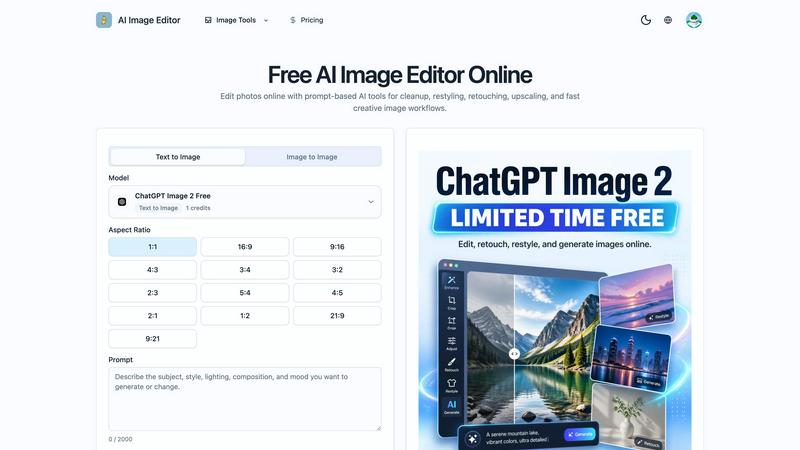
About AI Image Editor
AI Image Editor is a powerful online tool designed to streamline the image editing process for creators, marketers, and teams alike. This versatile platform allows users to generate, retouch, restore, upscale, and animate images all within a single browser workspace. Whether you are starting from scratch with a text prompt or enhancing an existing image, AI Image Editor provides an intuitive and efficient workflow. Its unique features enable quick cleanups, retouching, and style transformations, making it ideal for various applications, from e-commerce product images to engaging social media content. The incorporation of a dedicated ChatGPT Image 2 workflow allows users to approach image editing with a prompt-first mindset, ensuring that the final results align closely with their creative vision. With AI Image Editor, you can create polished, export-ready assets without the hassle of switching between multiple tools.
Features of AI Image Editor
Text-to-Image Generation
This feature allows users to create entirely new visuals by entering descriptive prompts. Whether you need a unique image for a marketing campaign or a fresh concept for a project, the text-to-image functionality generates high-quality visuals that meet your specifications.
Image-to-Image Transformation
With the image-to-image option, users can take an existing photo and modify its style, background, or mood. This is particularly useful for maintaining brand consistency while exploring new artistic directions or adapting visuals for different contexts.
Multiple Reference Uploads
AI Image Editor supports the uploading of multiple reference images, enabling users to combine various elements such as subjects, styles, and compositions into a single generation. This feature provides greater control over the final outcome and allows for more precise adjustments.
Prompt-Guided Vibe Control
This innovative feature lets users manipulate aspects like mood, color palette, and lighting through concise prompts. By maintaining clarity and intention in the prompts, users can achieve the desired artistic direction while keeping the editing process efficient.
Use Cases of AI Image Editor
E-commerce Image Enhancement
Retailers can utilize AI Image Editor to transform simple product images into captivating lifestyle visuals. This not only enhances product presentation but also increases engagement on product pages and social media platforms.
Social Media Content Creation
Content creators can quickly generate eye-catching visuals tailored for different social media channels. With the ability to create multiple versions of an image, teams can experiment with various styles and themes to see what resonates best with their audience.
Brand Consistency Maintenance
For brands looking to maintain a cohesive visual identity, AI Image Editor allows for the generation of a series of images that align stylistically. This ensures that marketing materials remain visually connected, reinforcing brand recognition across campaigns.
Campaign Variants Development
Marketing teams can leverage AI Image Editor to produce multiple ad variations from a single approved image. This capability is invaluable for targeting different audiences or adapting content for various platforms without needing to conduct new photo shoots.
Frequently Asked Questions
What can an AI image generator do?
An AI image generator can create new images from text prompts, modify existing images, and produce variations while maintaining essential elements. This versatility makes it ideal for various creative applications.
How does the text-to-image feature work?
The text-to-image feature allows users to enter descriptive prompts, which the AI then interprets to generate unique visuals. You can specify details such as style, colors, and themes to guide the output.
Can I upload multiple reference images?
Yes, AI Image Editor allows the upload of multiple reference images. This feature enables users to combine different aspects from various images, giving them more control over the final result.
How can I ensure my images remain consistent?
You can maintain visual consistency by specifying which elements should remain stable during the editing process. This ensures that key features, like brand colors or product silhouettes, are preserved across different images.
Explore more in this category:
Similar to AI Image Editor


Try OC Maker
Create OCs from text or images, customize their look, and turn them into animated videos with AI.

xfiles
Free PDF, image and audio tools that process your files locally in your browser. No account or added watermarks.

IconCreator
IconCreator is an AI-powered logo and app icon generator. Create professional logos, app icons, favicons, and brand assets in minutes.

Dame Hombro
Make a personalized Dame Hombro freestyle video from one person or pet photo.

Popstar AI
Popstar AI is an AI video generator that puts you in Drake's POPSTAR music video from one photo, with the original song and no watermark.

Reword Image
Change the text already printed inside a photo, screenshot or poster, without the original design file.

Bulin 47 AI Videos
One photo in, a 15-second Bulin 47 street freestyle video with sound out: original dembow beat, lip-synced Spanish verse, crowd.