

AI Interior Design Free
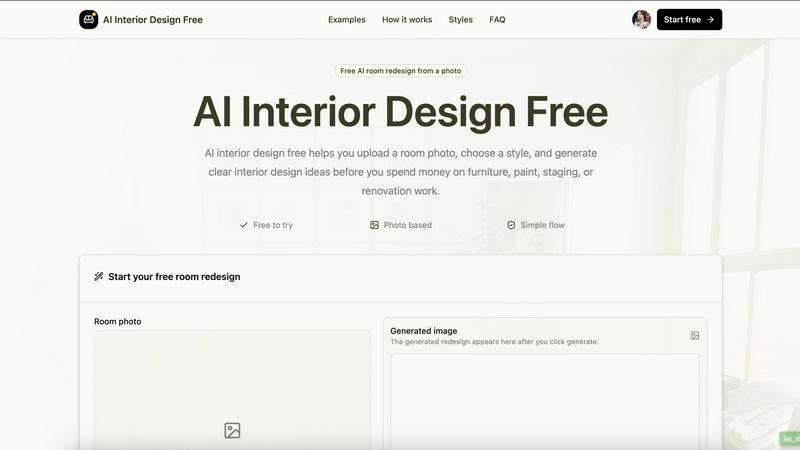
Upload a room photo, pick a style, and instantly see a free AI redesign to guide your furniture and decor decisions.
About AI Interior Design Free
AI Interior Design Free is a practical, accessible tool that helps anyone turn a simple photo of their room into AI-generated interior design ideas. Instead of spending hours learning complicated design software or hiring a professional just to explore possibilities, users can upload a room image, choose a design style, and quickly preview visual redesign concepts before spending any money on furniture, paint, staging, or renovation work. The core value proposition is simple: see a new direction for your space without any upfront cost or technical expertise.
This tool is designed for a wide audience. Homeowners can test different layouts and color schemes before committing to expensive purchases. Renters can explore temporary, non-permanent styling options that work within lease restrictions. Real estate agents and creators can generate staging visuals to help market properties faster. Interior design enthusiasts can experiment with styles they are curious about, from Modern to Japandi to Art Deco. The platform is built around a straightforward, three-step workflow: upload a bright room photo, choose a room type and a design style, and then review the generated redesign. The result serves as a visual brief for layout, color, furniture, and lighting decisions. It eliminates guesswork and helps users make confident, informed choices about their living spaces. By focusing on one useful transformation at a time, the tool avoids the overwhelm of crowded editors and keeps the experience clean, fast, and focused on what matters most: getting a clear, actionable room idea.
Features of AI Interior Design Free
Photo-Based Room Redesign
The core feature allows users to upload a simple, bright photo of their room and receive an AI-generated redesign in a chosen style. The tool is designed to work with everyday phone photos, making it accessible to anyone. For best results, the photo should show walls, floors, windows, and large furniture clearly. The AI analyzes the room's layout, lighting, and existing elements to generate a believable and useful visual concept, not just a generic image.
Simple Three-Step Workflow
The entire process is streamlined into three intuitive steps: Upload, Choose, and Review. First, users upload a room photo with good lighting and visible structural elements. Second, they select the room type (like living room or bedroom) and a design style from a curated list. Third, they review the generated image as a visual brief for layout, color, furniture, and lighting. This simplicity removes the learning curve associated with traditional design software.
Curated Design Style Library
Users can pick from a diverse set of ten popular design styles to guide the AI. These include Modern, Minimal, Scandinavian, Industrial, Luxury, Japandi, Coastal, Bohemian, Mid-Century, and Art Deco. Each style comes with a clear description of its key characteristics, such as clean lines for Modern or warm restraint for Japandi. This library helps users quickly explore different moods and directions without needing to describe their vision in complex terms.
Privacy-Aware Upload Flow
The tool is built with user privacy in mind. Before a user shares their room image, the FAQ section clearly explains how uploads are handled. This transparency helps users feel secure about their personal space photos. The focus on a simple, single-image transformation also minimizes data exposure, ensuring that the user's privacy is respected throughout the design exploration process.
Use Cases of AI Interior Design Free
Before Shopping for Furniture and Decor
One of the most practical uses is testing a design direction before making any purchases. Instead of buying a sofa, rug, or paint color based on a hunch, users can upload their current room and see how a Modern or Coastal redesign would look. This visual preview helps identify which colors, furniture sizes, rugs, or fixtures are worth getting a real quote for, saving time, money, and the hassle of returns.
Home Staging for Real Estate Listings
Real estate agents and rental hosts can use the tool to quickly generate staging visuals for property listings. By uploading a photo of an empty or cluttered room, they can show potential buyers or renters how the space could look with a specific style, such as Minimal or Scandinavian. This provides a quick, low-cost visual for listing prep that helps people imagine themselves living in the space.
Planning a Renovation Project
Homeowners planning a renovation can use the generated image as a clear visual brief to share with partners, clients, or contractors. Instead of relying on vague descriptions or magazine clippings, they can show a specific layout, lighting plan, and color direction. This reduces miscommunication and helps everyone involved agree on the design goals before any demolition or construction begins.
Exploring Different Design Styles for Inspiration
Design enthusiasts and curious homeowners can use the tool purely for inspiration. By uploading a photo of a room and trying different styles like Japandi, Bohemian, or Art Deco, they can explore aesthetics they have never considered before. This low-pressure experimentation helps users discover new preferences and understand how different design principles apply to their actual living space, without any commitment.
Frequently Asked Questions
What kind of photo should I upload for the best results?
For the best results, upload a bright room photo taken in daylight or with steady overhead light. Make sure the photo shows two walls when possible, and keep the room tidy but honest. Avoid heavy shadows and extreme closeups. The AI works best when it can clearly see the walls, floor, windows, and any large furniture pieces in the room.
Is my uploaded photo private and secure?
Yes, your privacy is a priority. The tool is designed with a privacy-aware flow, and the FAQ section explains how uploads are handled before you share your room image. The platform focuses on a simple, single-image transformation to minimize data exposure. You can review the privacy details on the website to understand exactly how your data is managed.
Can I use this tool for any room in my house?
Yes, the tool supports a wide variety of room types that people actually live in. You can upload photos of a living room, bedroom, kitchen, bathroom, dining room, home office, entryway, kids room, studio apartment, or balcony. Simply select the appropriate room type when you start the redesign process.
What design styles are available to choose from?
The tool offers a curated library of ten popular design styles. These include Modern, Minimal, Scandinavian, Industrial, Luxury, Japandi, Coastal, Bohemian, Mid-Century, and Art Deco. Each style has a clear description of its key characteristics, such as clean lines for Modern or layered patterns for Bohemian, helping you pick the right direction for your space.
Explore more in this category:
Similar to AI Interior Design Free

Vikas Editor AI
AI photo and video creative studio for Indian creators and global users, with cinematic portraits, fashion edits, festival greetings, and photo-to-vid

MoodLens
Understand any photo in seconds — objects, plants, food, faces, birth charts & more.

Pavo AI
Pavo AI turns text prompts into polished AI images in seconds, then refines them with image-to-image editing.

showcase
Create photorealistic product images, lifestyle scenes and videos for furniture and home & living from your existing product photos.

ModelSnap
AI fashion model generator for clothing product photos, lookbooks, and social visuals.

trykissai
AI kiss generator: add a photo of each person, pick a kiss scene, and get a kiss photo or a 5–7 second clip. 30 free credits.

MoveFrame
Turn any photo into a 5 or 10 second AI video. Free daily credits, no sign-up, 9:16 for TikTok and Reels, MP4 download.

Zipic
Native image compression for Mac and Windows (Windows beta), with a local CLI and AI skill for automated image workflows.