

AllInOneTools
AllInOneTools is a free online toolbox with over 100 PDF, image, text, SEO, and developer tools that work instantly without any signup required.
About AllInOneTools
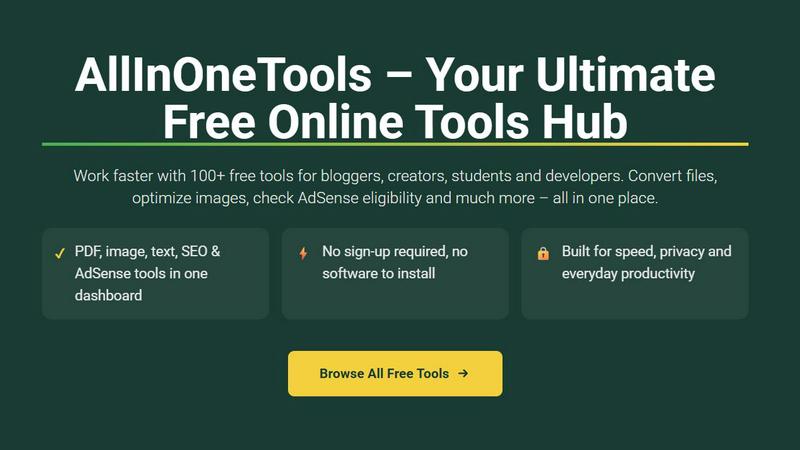
AllInOneTools is a completely free online platform that puts over 100 powerful tools right at your fingertips, all in one convenient dashboard. Whether you are a student rushing to meet a deadline, a developer needing quick code utilities, a marketer optimizing content, or a creator managing digital assets, this platform is designed to make your daily tasks faster and simpler. The core value proposition is that you can handle everything from PDF conversions and image compression to SEO checks, financial calculations, and text formatting directly in your browser. There is absolutely no sign-up required, no software to install, and no hidden fees. The platform prioritizes speed, simplicity, and privacy, ensuring that your files are processed securely on your device without being stored on external servers. This means you can work with sensitive documents or personal data with complete peace of mind. AllInOneTools is built for anyone who wants to boost their productivity without the hassle of switching between multiple applications or paying for premium subscriptions. With a mobile-friendly interface, it works seamlessly on phones, tablets, and desktops, making it your ultimate go-to hub for everyday digital tasks.
Features of AllInOneTools
PDF and Image Conversion Tools
This feature provides a comprehensive suite for handling PDFs and images. You can easily convert PDFs to Word, Excel, or image formats, and vice versa. For images, the tools allow you to compress files without losing quality, resize them for specific platforms, and convert between formats like JPG, PNG, and WebP. All processing happens directly in your browser, so your files remain private and are never uploaded to a remote server. This is ideal for quickly preparing documents for submission or optimizing images for websites and social media.
SEO and Website Utility Tools
AllInOneTools includes a powerful set of utilities for bloggers, marketers, and webmasters. You can check AdSense eligibility for your website, analyze meta tags, generate sitemaps, and test page speed. There are also tools for keyword density analysis and backlink checking. These features help you understand how your site performs in search engines and identify areas for improvement. The best part is that you can run these checks instantly without needing to sign up for any service, making it a great resource for quick website audits and SEO optimization.
Text and Developer Utilities
For developers and writers, this category offers a variety of handy tools. You can format and beautify code for languages like JSON, HTML, CSS, and JavaScript. There are also text utilities for counting words and characters, converting text case (uppercase, lowercase, title case), and removing duplicate lines. Additionally, you will find tools for generating lorem ipsum text and escaping or unescaping HTML entities. These utilities save time on repetitive formatting tasks and help ensure your code or text is clean and properly structured.
Financial and Academic Calculators
This feature turns AllInOneTools into a practical assistant for both personal finance and schoolwork. You can instantly calculate EMI for loans, GST amounts for invoices, and SIP returns for investments. For students, there are academic calculators for percentage, average, and grade point calculations. The calculators are straightforward with clear input fields and instant results, making them perfect for quick financial planning or homework help. No more fumbling with spreadsheets or complex formulas when you can get answers in seconds.
Use Cases of AllInOneTools
Streamlining Content Creation for Bloggers and Marketers
A blogger needs to prepare a new article for their website. They can use the SEO tools to check their site's AdSense eligibility and analyze keyword density. Then, they compress featured images using the image tools to ensure fast page loading. Finally, they use the text utilities to format their article and convert it to a clean PDF for backup. All these tasks are completed in one place without switching between different websites or software, saving significant time and effort.
Simplifying Daily Financial Planning
An individual wants to understand the cost of a new car loan and calculate their monthly budget. They can use the EMI calculator to input the loan amount, interest rate, and tenure to see their monthly payment. Next, they use the GST calculator to estimate the tax on a recent purchase. Finally, they check their SIP investment returns using the SIP calculator. This allows them to make informed financial decisions quickly, all from a single, free platform.
Helping Developers with Code and File Tasks
A developer receives a messy JSON file from an API response. They use AllInOneTools to format and beautify the code, making it readable. Later, they need to convert a client's logo from PNG to WebP for better web performance. They use the image conversion tool to do this instantly. Finally, they generate a QR code for a new app download link using the QR code generator. This workflow covers common developer needs without requiring any local installations.
Assisting Students with Academic Work
A student is working on a research paper with multiple file formats. They start by converting a PDF research paper into a Word document for easier editing. They then use the text counter to ensure their essay meets the word count requirement. To add a data visualization, they use the image tools to compress a high-resolution chart. Finally, they generate a barcode for a project reference. AllInOneTools provides a complete toolkit for managing their academic project from start to finish.
Frequently Asked Questions
Is AllInOneTools really free to use?
Yes, AllInOneTools is completely free to use. There are no hidden charges, subscription fees, or premium tiers. All 100+ tools are accessible to everyone without any payment. You can use the platform as much as you want, for as many tasks as you need, without ever entering your credit card information.
Do I need to create an account or sign up?
No, you do not need to create an account or sign up to use AllInOneTools. The platform is designed for instant access. You can simply visit the website, select the tool you need, and start working immediately. This commitment to no sign-up ensures your privacy and saves you time.
How does AllInOneTools protect my privacy and files?
AllInOneTools is built with privacy in mind. Most tools process your files directly in your browser using client-side technology. This means your files, images, and text data are never uploaded to any server. They remain on your device and are deleted from your browser's memory once you close the tab. This ensures that your sensitive information stays completely private.
What types of tools are available on the platform?
The platform offers a wide variety of tools across several categories. These include PDF tools (merge, split, compress, convert), image tools (compress, resize, convert), text tools (word counter, case converter, code formatter), SEO tools (AdSense checker, meta tag analyzer), calculators (EMI, GST, SIP), and developer utilities (JSON formatter, QR code generator). There are over 100 tools in total, covering most common daily tasks.
Explore more in this category:
Similar to AllInOneTools

xfiles
Free PDF, image and audio tools that process your files locally in your browser. No account or added watermarks.

IconCreator
IconCreator is an AI-powered logo and app icon generator. Create professional logos, app icons, favicons, and brand assets in minutes.

Reword Image
Change the text already printed inside a photo, screenshot or poster, without the original design file.

Bulin 47 AI Videos
One photo in, a 15-second Bulin 47 street freestyle video with sound out: original dembow beat, lip-synced Spanish verse, crowd.

IdeaAize Free AI Tools
IdeaAize Free AI Tools is a suite of 50+ free online utilities that run 100% in your browser — no registration, no file uploads, no watermarks.

Spaceora
Turn room and outdoor photos into AI interior, virtual staging, garden and landscape design concepts.

Artcraft AI
AI image and video studio in your browser: generate and edit images, turn photos into videos, edit clips by sentence.

TokenSave
Free AI token counter and cost calculator for ChatGPT, Claude and Gemini, plus a private Claude Code usage analyzer.