

AnimeGenerator
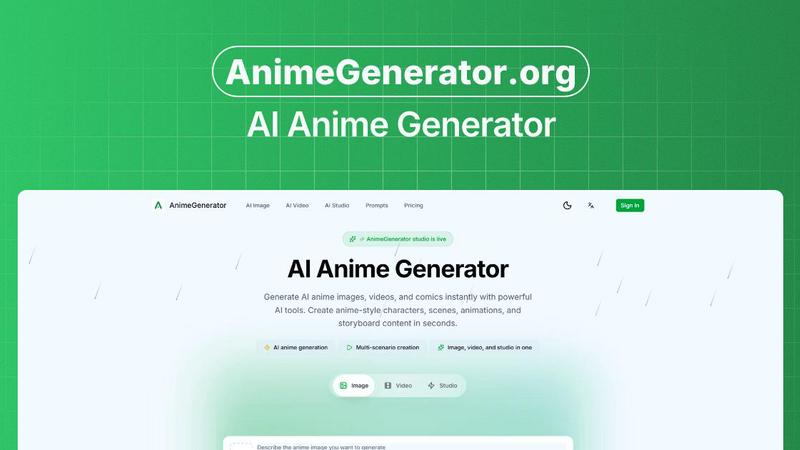
AnimeGenerator lets you create AI anime images, videos, and motion comics with dedicated tools for characters, scenes, and storyboards.
About AnimeGenerator
AnimeGenerator.org is a powerful AI-driven platform designed to make anime creation accessible to everyone, from solo creators and indie animators to professional studios. At its core, this tool streamlines complex animation workflows into intuitive, guided steps, allowing you to generate anime images, videos, and motion comics in mere seconds. Instead of spending hours on manual drawing, rigging, or complex software, you can describe your vision in plain language and let the AI bring it to life. The platform offers dedicated creation modes for images, videos, and a full studio experience, all in one place. Whether you need a single character portrait, a dynamic action scene, a full storyboard, or a complete motion comic with lip-synced dialogue, AnimeGenerator handles the heavy lifting. It uses advanced AI models like GPT Image 2 and Nano Banana Pro to interpret your prompts and generate high-quality, production-ready content. The main value proposition is speed and consistency: you can go from an idea to a polished visual in minutes, and the platform helps maintain character and style fidelity across multiple scenes. With over 18,000 motion comic clips created and 6,000 active creators, it is a trusted tool for modern anime production. The friendly, guided interface means you do not need to be a professional artist or animator to create compelling anime content, making it a perfect companion for storytellers, content creators, and social media producers who need to publish regularly.
Features of AnimeGenerator
Story Scripting
This feature lets you generate complete plot arcs and scenes directly from your prompts. Instead of staring at a blank page, you describe the premise, characters, and desired mood, and the AI produces a structured narrative with clear scene setups, dialogue intent, and emotional beats. This is perfect for creators who need a solid foundation before moving into visual production, saving hours of brainstorming and outlining.
Storyboard and Shot Design
Once your script is ready, AnimeGenerator can auto-create shot lists and composition guides. It takes the narrative and translates it into a visual sequence, suggesting camera angles, framing, and pacing that feels intentional and cinematic. This feature turns your story into a concrete plan for production, helping you visualize the flow before generating the final images or animations.
Character Library
Consistency is a major challenge in anime, and this feature solves it by providing reusable character sheets. You can create and save detailed character profiles, including their appearance, outfits, and key poses. When generating new scenes, you reference this library to ensure your characters look the same from episode to episode, maintaining a cohesive visual identity across your entire project.
AI Voice and Lip Sync
This feature adds an audio dimension to your animations by generating emotional voice styles that are automatically synced with your character's mouth movements. You can input dialogue, choose a voice style that matches the scene's mood, and the AI handles the rest. This eliminates the tedious manual work of lip-syncing, allowing you to focus on performance and storytelling.
Use Cases of AnimeGenerator
Rapid Storyboarding for Indie Creators
Indie creators often face a bottleneck when moving from script to visuals. AnimeGenerator allows you to input a script and instantly generate a storyboard with clean shot progression and pacing. For example, Maya Chen, an indie creator, uses it to go from a written scene to a visual sequence in minutes, allowing her to spend more time polishing the final product rather than rebuilding from scratch. This makes weekly or even daily content publishing realistic.
Consistent Character Animation for Short-Form Series
Short-form animators on platforms like YouTube Shorts or Instagram Reels need to maintain character consistency across many episodes. Ethan Park uses AnimeGenerator's Character Library to keep his characters on-model from scene to scene. He can generate a new episode's frames, and the AI ensures the protagonist's hair, outfit, and facial features remain identical, making his series look cohesive and professional episode after episode.
Voice-Over and Lip-Sync for Motion Comics
Voice actors and motion comic creators can leverage the AI Voice and Lip Sync feature to speed up production. Jordan Lee, a voice actor, used to spend hours manually fixing lip-sync issues. With AnimeGenerator, he can tweak a line of dialogue and regenerate the animation without breaking the entire scene. This allows for rapid iteration and experimentation with different voice tones and emotional deliveries.
Vertical Content Creation for Social Media
Social video producers face unique challenges with vertical compositions, especially when subtitles and close-ups are involved. Aisha Khan uses AnimeGenerator's multi-format export to switch between vertical and landscape instantly. The AI's framing choices are optimized for Shorts and Reels from the start, ensuring that characters are well-positioned and text is readable. This streamlines the process of repurposing a single scene for multiple platforms.
Frequently Asked Questions
How do I generate my first anime image?
Start by writing a detailed prompt describing your character, scene, pose, lighting, and mood. Then, choose an AI model like GPT Image 2 or Nano Banana Pro and select your desired aspect ratio, such as 9:16 for shorts or 16:9 for episodes. You can optionally upload reference images for style consistency. Finally, click generate, review the outputs, and make quick prompt adjustments to refine the result.
Can I maintain character consistency across multiple scenes?
Yes, absolutely. The Character Library feature allows you to create and save reusable character sheets. Once you define a character's appearance, you can reference that sheet in future generations. This ensures your characters look the same from scene to scene, which is critical for series or multi-scene projects.
What types of content can I create with AnimeGenerator?
You can create a wide range of anime content including static images, animated videos, and motion comics. The platform has dedicated modes for each. For images, you can generate characters and scenes. For videos, you can create dynamic animations. The Studio mode combines scripting, storyboarding, character management, voice, and lip-sync for a complete production pipeline.
Is this tool suitable for beginners with no animation experience?
Yes, it is designed to be friendly and approachable. The process is broken down into simple, guided steps: write a prompt, choose a model, add references, and generate. You do not need any drawing or animation skills. The AI handles the complex technical work, allowing you to focus on your creative vision and storytelling.
Explore more in this category:
Similar to AnimeGenerator

Video Frame Extractor
Free online video frame extractor — extract frames in your browser, no upload.

Promptclay
Free-to-copy AI image prompt library. Each prompt is shown next to the image it made.

ModelSnap
AI fashion model generator for clothing product photos, lookbooks, and social visuals.

The Kiss
Turn two photos into a cinematic AI kissing video. Pick one of 13 kiss video templates; 30 free credits on sign-up.

trykissai
AI kiss generator: add a photo of each person, pick a kiss scene, and get a kiss photo or a 5–7 second clip. 30 free credits.

Medrecords AI
Medrecords AI turns large medical files into chronologies, summaries and report drafts. Every line links to its source page. From 10 cents a page.

MoveFrame
Turn any photo into a 5 or 10 second AI video. Free daily credits, no sign-up, 9:16 for TikTok and Reels, MP4 download.

MarsDataAI
MarsDataAI is an AI relationship assistant