

AnyToURL
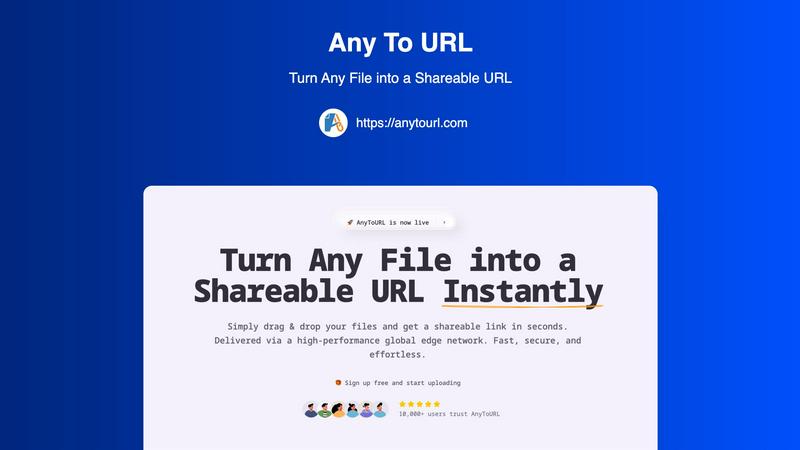
AnyToURL instantly turns your files into shareable links for quick and easy online sharing.
About AnyToURL
AnyToURL is your go-to solution for sharing files online without the usual hassle. It's a brilliantly simple platform that transforms any file—be it a screenshot, a video, a PDF, or a code snippet—into a direct, shareable web link in just seconds. Think of it as creating an instant, temporary home for your file on the web, where anyone with the link can access it. It's designed for anyone who needs to share digital content quickly, from professionals collaborating on projects to friends sharing a batch of photos. The core value proposition is effortless speed and security. By leveraging a high-performance global edge network (powered by Cloudflare), AnyToURL ensures your files are delivered at lightning speed to anyone, anywhere. With a focus on a seamless user experience through drag-and-drop uploading and thoughtful features like password protection and in-browser previews, it removes the friction from file sharing, making collaboration straightforward and efficient.
Features of AnyToURL
Drag & Drop Simplicity
Uploading files couldn't be easier. Simply drag your file from your computer and drop it onto the AnyToURL webpage. There are no complicated forms to fill out or confusing menus to navigate. This intuitive process gets your file ready for sharing in an instant, saving you valuable time and effort, especially when you're sharing quick screenshots or documents on the fly.
Instant Shareable Links
The moment your upload is complete, AnyToURL generates a short, clean URL for your file. There's no waiting. You can immediately copy this link with a single click and paste it into an email, a chat message (like Slack or Teams), a social media post, or even embed it on a website. This instant link generation is the heart of making file sharing fast and effortless.
Smart File Preview
Recipients of your link will enjoy a seamless viewing experience. Instead of being forced to download a file to see its contents, common file types like images, PDFs, and documents preview directly within their web browser. This allows for quick reviews, feedback, and collaboration without cluttering up anyone's downloads folder, making it perfect for sharing design mockups or draft documents.
Global Edge CDN & Security
Your files are delivered via a high-performance global edge network, ensuring anyone in the world can access them with minimal delay. On the security front, AnyToURL offers password protection for sensitive files, giving you control over who can view your content. The platform also emphasizes strict file isolation and has a zero-tolerance policy for malware, keeping your data safe.
Use Cases of AnyToURL
Designers Sharing Mockups
UX and graphic designers can instantly share design mockups, wireframes, and prototypes with clients or team members. The smart preview feature allows stakeholders to view the designs directly in their browser for quick feedback, speeding up the review cycle and streamlining the collaboration process without needing specialized software.
Marketing Teams Distributing Assets
Marketing professionals can use AnyToURL to quickly distribute campaign assets, brand guidelines, high-resolution images, or press kits to internal teams, external agencies, or partners. The fast global delivery ensures everyone gets the files quickly, and the preview function lets recipients check content without having to download large files first.
Product Managers Sharing Documentation
Product managers and teams can effortlessly share product specifications, requirement documents, roadmaps, and other resources with distributed team members or stakeholders. The secure, link-based sharing is perfect for ensuring everyone has the latest version, and the global CDN guarantees fast access for team members in different geographical locations.
Individuals Sharing Personal Media
Anyone can use AnyToURL for everyday sharing, like sending a batch of vacation photos to family, sharing a video clip with a friend, or distributing a PDF invitation for a party. It eliminates the file size restrictions often found in email and avoids the need for both parties to be on the same cloud storage platform or messaging app.
Frequently Asked Questions
What file types does AnyToURL support?
AnyToURL supports a wide range of over 50 common file types. This includes images (like JPG, PNG, GIF), documents (PDF, DOCX, PPTX), code files (TXT, JS, PY), and various archive formats. You can confidently upload most files you need to share for work or personal use.
How long do my files stay available?
For users on the free tier, uploaded files are available for 24 hours before they expire and are deleted from the system. This is perfect for temporary sharing needs. If you require permanent storage, you can upgrade to a paid plan which allows you to keep your files accessible indefinitely.
Is there a file size limit?
Yes. Free users can upload files up to 50MB in size, which is sufficient for many documents, high-quality images, and short videos. Paid plans offer significantly higher limits, extending up to 10GB per file, catering to users who need to share very large videos, datasets, or project archives.
How does the password protection work?
When you upload a file, you have the option to set a password for it. Once enabled, anyone who clicks the shareable link will be prompted to enter the exact password you set before they can view or download the file. This adds a crucial layer of security for sensitive or confidential documents.
Explore more in this category:
Similar to AnyToURL

@fuck.it - email with attitude
Private email. Pure. Secure. Exclusive. No ads, no tracking, no data selling. GDPR compliant, EU-hosted.

xfiles
Free PDF, image and audio tools that process your files locally in your browser. No account or added watermarks.

this+that
An AI agent that reads every email and chat message your team gets, turns requests into tasks, and does what they ask.

Toolbit.ai
Describe your task and Toolbit finds the right AI tool. Compare tools side by side, see top rankings, and follow daily AI news and guides.


RunMyWealth
Smart, private financial calculators for mortgage, FIRE, and debt. 100% free, runs locally in your browser, no signup required.

Nutrition Fact Label
Free FDA-compliant nutrition facts label generator with recipe-to-label nutrition, allergen checks and 152 label formats for 114 countries.
