

AskFormulas
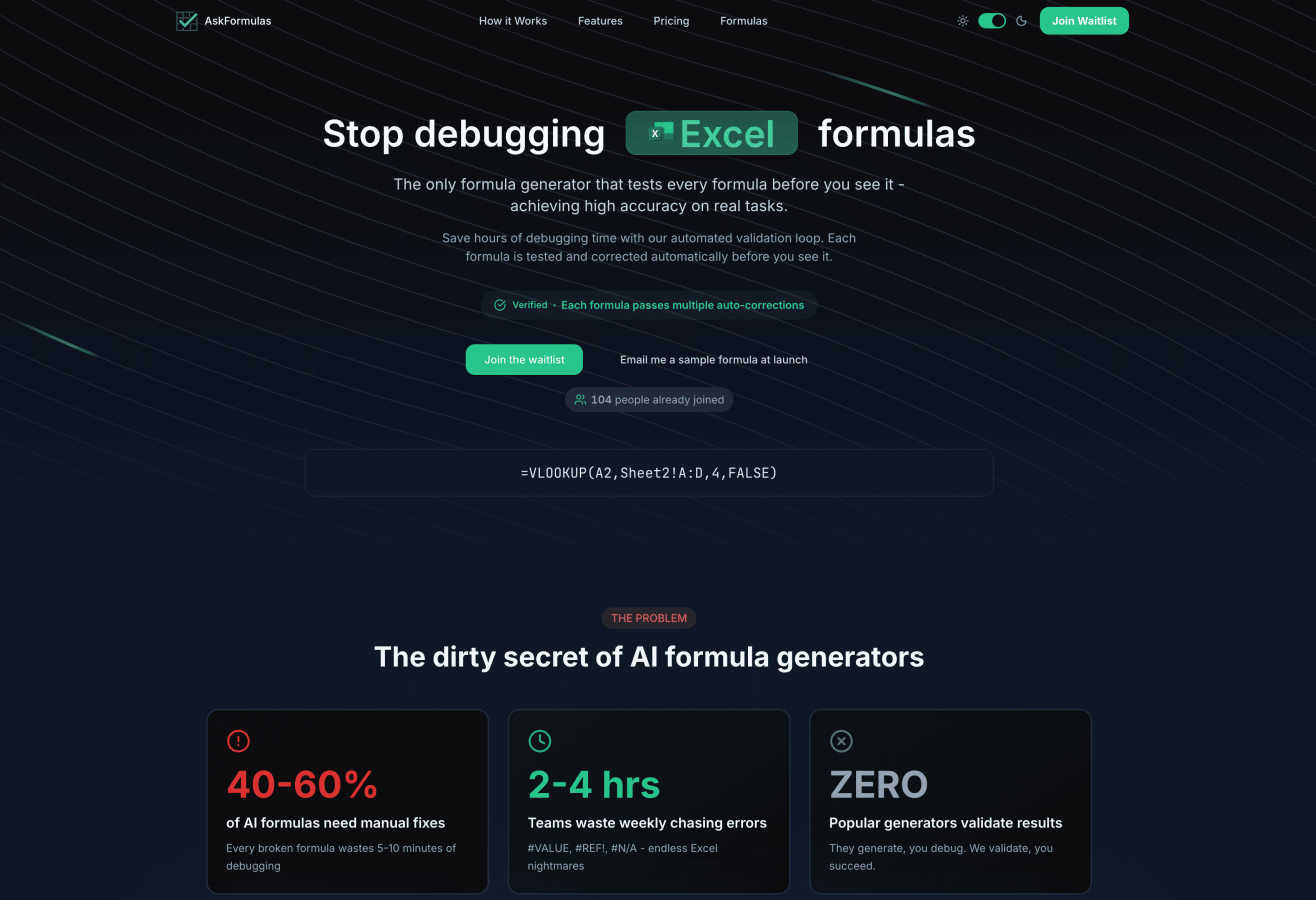
AskFormulas generates and validates Excel and Sheets formulas, ensuring they work perfectly every time with zero.
About AskFormulas
AskFormulas is your intelligent assistant designed to simplify and enhance the process of creating accurate spreadsheet formulas. It specifically targets the common frustrations faced by users of Excel and Google Sheets, such as dealing with broken formulas and perplexing error messages like #REF! and #VALUE!. Unlike many AI formula generators that can have a staggering error rate of 40-60%, AskFormulas employs a unique automated validation loop that rigorously tests every formula generated. Our advanced AI not only creates the formula you request but also checks it against real data in a secure environment, ensuring accuracy before it reaches you. With a clear "Verified" badge accompanying each successful output, AskFormulas saves users countless hours on debugging. This tool is perfect for financial analysts, managers, small business owners, or anyone needing reliable spreadsheet solutions. Its core mission is simple: eliminate the hassle of broken formulas and empower users with instant, trustworthy results.
Features of AskFormulas
Automated Validation Loop
Each formula generated by AskFormulas undergoes a meticulous three-step validation process. This includes analysis of your natural language request, testing the formula in a secure sandbox environment, and multiple rounds of auto-corrections to ensure accuracy. This feature guarantees that users receive correct formulas every time, eliminating the need for manual debugging.
Natural Language Input
AskFormulas allows users to input their formula requests in plain English, making it incredibly user-friendly. There is no need for intricate knowledge of spreadsheet syntax. Simply describe your requirement, such as "Sum all values in column B where column A contains the word Sales," and the system will convert it into a functional formula.
Cross-Platform Compatibility
Whether you are using Excel or Google Sheets, AskFormulas seamlessly adapts to both platforms. With a simple toggle, users can switch between the two, and the AI automatically adjusts the formula syntax accordingly. This feature ensures that users can work efficiently, regardless of their preferred spreadsheet application.
Smart Error Detection
AskFormulas is equipped with smart error detection capabilities that proactively identify and correct any issues within the generated formulas. This means no more encountering frustrating errors like #REF! or #VALUE! Instead, the system auto-corrects formulas multiple times, ensuring high accuracy and reliability.
Use Cases of AskFormulas
Financial Analysis
Financial analysts can leverage AskFormulas to build complex models and perform data analysis with confidence. By generating validated formulas quickly, they can focus on interpreting results rather than troubleshooting errors, significantly improving productivity.
Report Automation
Managers looking to automate reports can benefit from AskFormulas by generating precise formulas that pull data from various sources. This streamlined approach not only saves time but also enhances the accuracy of the reports generated.
Small Business Management
Small business owners, who may lack extensive spreadsheet expertise, can use AskFormulas to create effective financial statements, sales reports, and inventory tracking sheets without the worry of syntax errors or formula inaccuracies.
Educational Use
Educators and students can utilize AskFormulas for learning and teaching spreadsheet skills. By generating accurate formulas based on natural language requests, users can better understand how to manipulate data effectively without getting bogged down by technicalities.
Frequently Asked Questions
How accurate are the generated formulas?
The formulas generated by AskFormulas undergo a rigorous automated validation process, significantly enhancing their accuracy. Each formula is tested in a secure environment before being delivered, ensuring that users receive reliable outputs.
Does it work with both Excel and Google Sheets?
Yes, AskFormulas is designed to work seamlessly with both Excel and Google Sheets. Users can easily switch between platforms, and the system automatically adjusts the formula syntax for compatibility.
How many formulas can I generate with each plan?
The number of formulas you can generate varies by subscription plan. For example, the Starter plan allows 500 formulas per month, while the Pro plan offers 2,000 formulas per month, catering to different user needs.
Can I access my previously generated formulas?
Absolutely! AskFormulas includes a formula history feature that automatically saves your last 10 generated formulas. This ensures you can easily access and reuse your previous formulas without losing any important work.
Explore more in this category:
Similar to AskFormulas

ColdCrow
AI cold email writer: turn one line about a prospect into personalized outreach with a deliverability score in seconds. Free trials, no credit card.

Ask Versa AI
AI verdicts for any two Amazon products, in seconds. Live specs plus real buyer reviews, scored 0-100, one clear winner. Free, no account.

Panzoe
Panzoe is an all-in-one AI platform for personal productivity, business automation, AI assistants, content creation, and custom AI solutions.

TryThatTool
Discover AI tools worth trying. Compare options, explore practical reviews, and build your own AI stack based on your goals and budget.

ROIpad
Stop losing enterprise deals to inferior products with better copy. Discover the exact messaging gaps your competitors left wide open.

JustTools
JustTools offers a growing collection of free online tools that run directly in your browser, with no sign-up and no uploads.


Novastart
Novastart brings apps and files onto an infinite canvas where people and AI agents can work together.