

AssetCenter
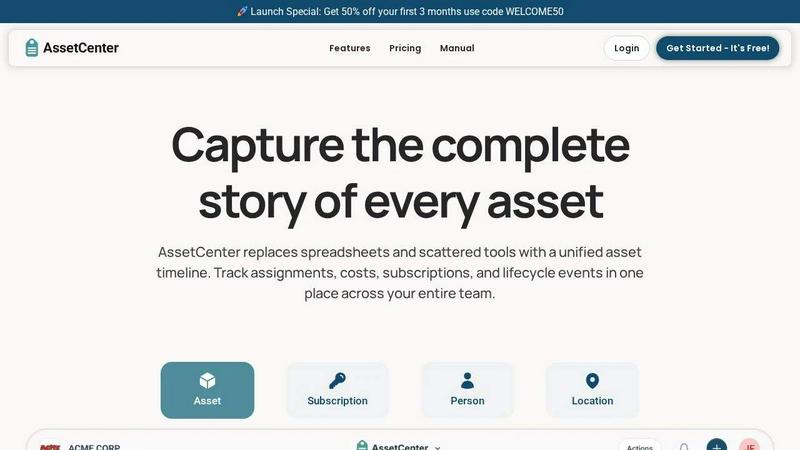
AssetCenter gives you a complete timeline for every asset, subscription, and person so you never lose track of what happened.
About AssetCenter
AssetCenter is a modern, user-friendly asset management platform designed to give organizations complete visibility and control over every asset they own. Instead of juggling scattered data across spreadsheets, emails, and multiple systems, AssetCenter brings everything together into one clear, unified timeline. From the moment an asset is acquired to its final decommission, every single event—purchases, assignments, maintenance, transfers, notes, and more—is captured in a single chronological view. This creates a single source of truth that is easy to understand and act on. AssetCenter is built for flexibility and supports any industry, including healthcare, construction, education, government, nonprofits, IT, agriculture, manufacturing, and entertainment. You can create custom categories and fields to model your real-world workflows without rigid constraints. Assets can be assigned to people, locations, or departments, with every change automatically recorded for full accountability and traceability. With built-in lifecycle tracking, depreciation insights, and an intuitive dashboard, AssetCenter helps teams make smarter decisions, reduce inefficiencies, and stay organized. Best of all, you can get started in minutes with a free trial that includes 25 assets, no time limit, and no credit card required.
Features of AssetCenter
Unified Timeline for Every Resource
Every asset, subscription, person, and location in AssetCenter has its own dedicated timeline. This feature allows you to see everything that has happened to a resource at a glance, from acquisition and assignment to maintenance and decommission. You can quickly view the complete history of any item, including who handled it, when changes occurred, and what specific actions were taken. This eliminates the need to search through multiple systems or ask colleagues for context.
Customizable Timeline Events
AssetCenter recognizes that every organization works differently. That is why it includes prebuilt events for the three main stages of an asset’s life: acquisition, lifecycle, and decommission. You can start using these events immediately or fully customize them to match your specific workflows. You can also create your own events from scratch, such as logging maintenance, repairs, vandalism, oil changes, firmware updates, or factory resets. This flexibility ensures the platform adapts to you, not the other way around.
Comprehensive Dashboard Visibility
The dashboard in AssetCenter brings everything together in one place. It gives you a high-level view of your entire organization’s resources, allowing you to track costs, stay ahead of expirations, and identify end-of-life assets. You can see recent activity across all your assets, subscriptions, people, and locations without jumping between different pages. This centralized view helps you spot trends, catch issues early, and make informed decisions quickly.
Custom Categories and Bulk Import
AssetCenter allows you to create unlimited, industry-specific categories to organize your assets exactly how your business needs. Whether you are tracking vehicles, machinery, software licenses, or office equipment, you can easily add or adjust categories as your organization grows. To help you get started quickly, AssetCenter provides bulk import Excel templates. Simply download the templates, fill them in with all your assets, subscriptions, people, and locations, and upload the completed file to import everything into the application in minutes.
Use Cases of AssetCenter
IT Asset Management for Growing Companies
A mid-sized technology company needs to track hundreds of laptops, monitors, software licenses, and peripherals assigned to remote employees. With AssetCenter, the IT team can create custom categories for hardware and subscriptions, log each assignment to a specific person, and record maintenance events like repairs or upgrades. The unified timeline shows the full lifecycle of each device, helping the team plan for replacements and avoid unexpected costs.
Equipment Tracking for Construction Firms
A construction company manages expensive machinery, tools, and vehicles across multiple job sites. Using AssetCenter, they can assign equipment to specific locations and departments, log maintenance events like oil changes and inspections, and record transfers between sites. The dashboard provides visibility into where every piece of equipment is located and its current condition, reducing downtime and preventing loss or theft.
Asset Management for Nonprofit Organizations
A nonprofit organization receives donated assets such as computers, furniture, and office supplies that need to be tracked for grant reporting and internal accountability. AssetCenter allows them to record the acquisition cost and donor information, assign items to staff members or program locations, and log any repairs or transfers. The clear timeline ensures every asset’s history is documented, making audits and reporting straightforward.
Subscription and License Management for Schools
A school district manages dozens of software subscriptions and digital licenses for students and teachers. With AssetCenter, they can track subscription start and end dates, renewal costs, and which departments or individuals are using each license. The platform’s expiration alerts help the district avoid lapses in service and budget for renewals. The unified timeline gives a complete view of each subscription’s lifecycle from purchase to cancellation.
Frequently Asked Questions
How do I get started with AssetCenter?
Getting started is simple. Visit the AssetCenter website and click on the "Start Your Free Trial" button. You can create a free account without providing a credit card. Once your account is set up, you can begin by creating the asset categories that fit your organization. Use the bulk import Excel templates to quickly load all your existing assets, subscriptions, people, and locations into the application. You will be up and running in minutes.
Is there a free trial, and what does it include?
Yes, AssetCenter offers a free trial that includes 25 assets with no time limit and no credit card required. During the trial, you get full access to the entire platform, including all features like the unified timeline, customizable events, dashboard, and bulk import. This allows you to thoroughly evaluate how AssetCenter can help your organization gain better visibility and control over your assets.
Can AssetCenter be customized for my industry?
Absolutely. AssetCenter is built for flexibility and supports any industry. You can create unlimited, custom categories and fields to model your real-world workflows. Whether you are in healthcare, construction, education, government, nonprofit, IT, agriculture, manufacturing, or entertainment, you can tailor the platform to fit your team’s unique needs. You can also customize the timeline events to match how your organization works.
How does AssetCenter handle asset assignments and accountability?
AssetCenter allows you to assign assets to people, locations, or departments. Every time an assignment changes, the platform automatically records the event on the asset’s timeline. This creates a complete and auditable history of who was responsible for each asset at any given time. This feature ensures full accountability and traceability, making it easy to track down lost items or verify usage for compliance purposes.
Pricing of AssetCenter
AssetCenter offers a straightforward pricing model. You can get started with a free trial that includes 25 assets with no time limit and no credit card required. For full details on paid plans and pricing tiers, please visit the AssetCenter pricing page on their website. Use code WELCOME50 to get 50% off your first 3 months.
Explore more in this category:
Similar to AssetCenter


RunMyWealth
Smart, private financial calculators for mortgage, FIRE, and debt. 100% free, runs locally in your browser, no signup required.

sakuttoAI
A free suite of online tools for everyday tasks like PDF compression, image conversion, text diff and CSV to Excel.

VoiceVibe
Talk to your computer: dictate, rewrite, ask about your screen, launch AI agents.

imgtxtapp.laviolab.com
imgtxtapp.laviolab.com is a Telegram-based image-to-text converter that turns photos, screenshots, scanned documents into editable text

AFFLIGO
AFFLIGO is a free online toolkit for everyday file tasks. Easily edit PDFs, compress images, convert file formats, and get things done.

SafePDF
Free online PDF tools to merge, split, compress, convert, sign, and edit PDFs privately in your browser. No signup required.

ColdCrow
AI cold email writer: turn one line about a prospect into personalized outreach with a deliverability score in seconds. Free trials, no credit card.