

Blur Image Online
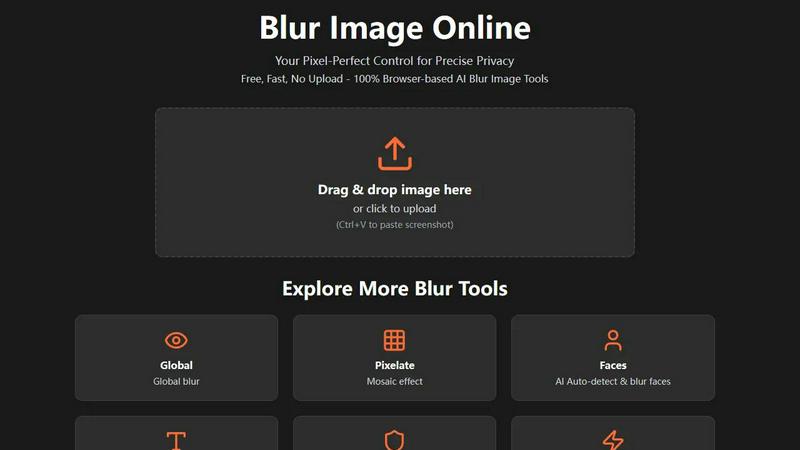
Blur faces and text online for free with our fast, browser-based AI tools.
About Blur Image Online
Welcome to Blur Image Online, your go-to, browser-based solution for protecting privacy and adding creative flair to your photos. In today's digital world, sharing an image can accidentally reveal sensitive details like faces, license plates, addresses, or confidential documents. Our tool is designed for anyone who values privacy and simplicity—from social media users and bloggers to professionals in photography, real estate, and business. The core value proposition is powerful: you get professional-grade, AI-powered blurring effects without ever needing to upload your images to a server. Everything happens securely in your own web browser, ensuring your data stays 100% private on your device. With seven specialized tools, we offer unparalleled control, allowing you to selectively blur specific areas, apply artistic effects, or let our smart AI automatically find and obscure sensitive content like text and faces. It's completely free, requires no registration, and delivers fast, pixel-perfect results for anyone looking to share images confidently and creatively.
Features of Blur Image Online
Selective Blur
The Selective Blur tool puts you in the driver's seat. Using an intuitive brush, you can manually paint blur exactly where you need it. This is perfect for tasks like hiding a specific object in a room, creating a beautiful background blur (bokeh effect) to make a subject pop, or carefully obscuring a single piece of information in a screenshot. You have full control over the brush size and blur strength for meticulous, professional-grade edits.
AI Blur Faces
Protect identities in group photos or public shots effortlessly. Our AI Blur Faces tool automatically detects every face in your image and applies a blur with one click. For ultimate precision, you can switch to Manual Drawing Mode to add more blur to certain areas or use the eraser to restore clarity to faces you don't want to hide, giving you a perfect blend of automation and hands-on control.
AI Blur Text
Safely share images of documents, receipts, or screenshots. The AI Blur Text tool scans your image and automatically identifies and blurs all text elements. You can choose from different blur styles (like a smooth Gaussian blur or a pixelated look) to suit your needs. After the AI does its job, you can refine the results with manual brush and eraser tools to ensure no sensitive word or number is visible.
Motion Blur
Unleash your creativity with the Motion Blur tool. This feature lets you simulate movement by adding directional blur to any part of your image. By adjusting the angle and distance, you can create effects ranging from a subtle sense of speed for a moving car to dramatic light trails for artistic shots. It's an easy way to add dynamic energy and a professional touch to static photographs.
Use Cases of Blur Image Online
Protecting Privacy on Social Media
Before posting a photo of a fun public event or your new home, use Blur Image Online to obscure faces of strangers, your license plate, or your house number. This simple step helps you share life's moments on platforms like Instagram or Facebook without compromising your own or others' privacy, giving you peace of mind.
Securing Sensitive Documents
Need to share a proof of address, a contract snippet, or a receipt online for verification? Use the AI Blur Text or Blur Sensitive Info tool to automatically find and obscure all personal details like account numbers, addresses, and names. This allows you to share the necessary document securely without exposing confidential information.
Enhancing Professional Photography
Photographers can use the Selective and Global Blur tools to create stunning depth-of-field effects, drawing the viewer's eye to the main subject by artistically blurring the background. It's a quick way to achieve a professional, polished look similar to high-aperture lens effects, directly in the browser without complex software.
Creating Engaging Content
Bloggers, educators, and content creators can use the Pixelate and Motion Blur tools to censor information in tutorials or create visually engaging graphics. For example, pixelate a competitor's logo in a comparison video thumbnail or add motion blur to a product image to suggest speed and innovation, making your content more dynamic and visually appealing.
Frequently Asked Questions
Is Blur Image Online really free to use?
Yes, absolutely! Blur Image Online is completely free. You can access all seven of our blur tools—including the AI-powered features for faces and text—without any cost, registration, or hidden fees. We believe in providing powerful privacy tools accessible to everyone.
Are my images kept private and secure?
Your privacy is our top priority. Our tool is 100% browser-based, meaning your images are processed directly on your own device and are never uploaded to our servers. Additionally, we automatically strip EXIF data (which can contain location and camera info) from your images, providing two strong layers of privacy protection.
Can I undo the blur effect after applying it?
Within your editing session, you can absolutely undo and redo actions using the controls provided. The non-destructive editing workflow allows you to adjust blur strength and use the eraser tool to restore areas. However, once you export and save the final image, the blur is permanently applied and cannot be reversed by AI, which is intentional for security.
What image formats are supported?
Blur Image Online supports all common image formats, including JPG, PNG, WebP, and BMP. You can upload images in these formats, edit them, and then download your final blurred image in a high-quality format suitable for web use or printing.
Explore more in this category:
Similar to Blur Image Online

Budgetpixel AI
Create and edit AI images, videos, music, and designs in one workspace, with multiple models, reusable characters, and API access.

Try OC Maker
Create OCs from text or images, customize their look, and turn them into animated videos with AI.

xfiles
Free PDF, image and audio tools that process your files locally in your browser. No account or added watermarks.

IconCreator
IconCreator is an AI-powered logo and app icon generator. Create professional logos, app icons, favicons, and brand assets in minutes.

this+that
An AI agent that reads every email and chat message your team gets, turns requests into tasks, and does what they ask.

Reword Image
Change the text already printed inside a photo, screenshot or poster, without the original design file.

Bulin 47 AI Videos
One photo in, a 15-second Bulin 47 street freestyle video with sound out: original dembow beat, lip-synced Spanish verse, crowd.

Posy
A link-in-bio page that looks hand-made. Pick a look, add your links and publish in a minute. Free, open source, and your AI can edit it for you.