

BrevTool
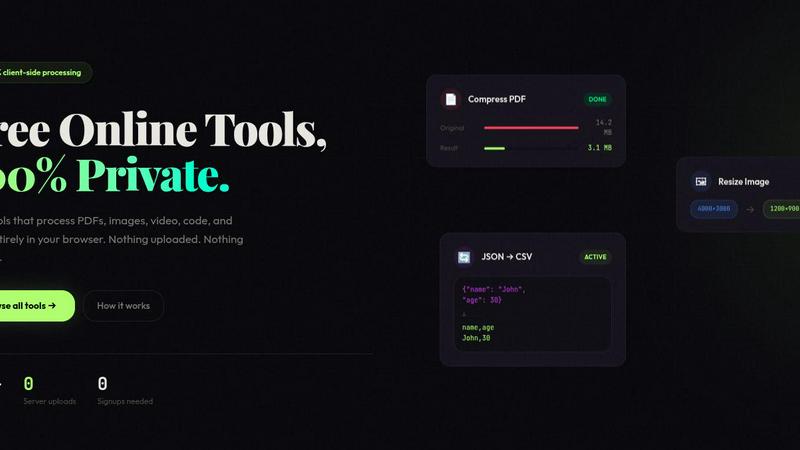
BrevTool offers over 120 free online tools for managing PDFs, images, videos, and code, all processed locally for your privacy.
About BrevTool
BrevTool is a versatile online suite that comprises over 120 free utilities designed to streamline the digital workflow for a diverse range of users, including creators, developers, and everyday individuals. This comprehensive platform allows users to perform various tasks such as editing PDFs, compressing images, converting audio and video formats, and even manipulating data, all within a single, user-friendly interface. BrevTool emphasizes privacy and speed, processing files directly in the browser without any uploads, ensuring that users' data remains secure. With no sign-ups required and instant processing capabilities, BrevTool stands out as an essential tool for anyone looking to enhance their productivity and efficiency in digital tasks.
Features of BrevTool
Zero-Upload Architecture
BrevTool’s zero-upload architecture means that all file processing happens directly in your browser using WebAssembly. This ensures that your data remains private, as it never leaves your device, not even metadata.
Instant Processing
Say goodbye to frustrating upload progress bars. With BrevTool, you can drop your file and receive results almost instantaneously. Processing begins the moment you interact with the tool, allowing for a seamless user experience.
Diverse Tool Categories
BrevTool offers a wide array of tool categories, including PDF tools, image processing utilities, audio and video converters, developer utilities, and calculators. This extensive collection ensures that users can find the right tool for virtually any task they need to accomplish.
User-Friendly Interface
The intuitive design of BrevTool allows users to easily navigate through various tools. Whether you are a tech-savvy developer or a casual user, you will find it simple to access and utilize the tools you need without any steep learning curve.
Use Cases of BrevTool
Creative Professionals
Graphic designers and content creators can take advantage of BrevTool's image compression and PDF editing features to enhance their workflow. Whether resizing images for a website or merging PDFs for client presentations, the tools are tailored to meet their needs.
Developers
Developers can utilize BrevTool's extensive suite of developer tools, such as JSON formatters and regex testers, to streamline their coding processes. These utilities facilitate quick data manipulation and validation, saving valuable time during development.
Everyday Users
For everyday users handling documents and multimedia, BrevTool provides essential tools like PDF converters and audio extractors. Users can easily transform files for personal use, such as converting MP4 videos to MP3 audio files for mobile playback.
Financial Analysts
With a range of calculators and crypto tools, financial analysts can utilize BrevTool for quick calculations and conversions. From mortgage calculations to crypto profit assessments, these tools help analysts make informed decisions efficiently.
Frequently Asked Questions
What types of tools does BrevTool offer?
BrevTool offers a vast array of tools across various categories, including PDF editing, image processing, audio and video conversion, developer utilities, calculators, and data tools, among others.
Is my data safe when using BrevTool?
Yes, BrevTool prioritizes user privacy by processing all files directly in your browser. This means that your data never leaves your device, ensuring complete security and confidentiality.
Do I need to create an account to use BrevTool?
No, BrevTool is completely free to use and does not require any sign-ups or accounts. You can access all tools instantly without any restrictions.
Are there any file size limits when using BrevTool?
BrevTool does not impose any file size limits on its tools. Users can process files of varying sizes without the hassle of upgrading to a pro version or encountering watermarks.
Explore more in this category:
Similar to BrevTool

TestNeo
TestNeo.ai is an AI-native engineering and release assurance platform that helps teams automate web and API testing using natural language.


APIKO AI API
One OpenAI-compatible endpoint for text, image and video models from OpenAI, Anthropic, Google, DeepSeek and more.

VoiceVibe
Talk to your computer: dictate, rewrite, ask about your screen, launch AI agents.

BlazePhoenix
On-chain DEX aggregator: the swap route is computed inside the transaction that executes it. No API key, no signup.

Booksmaker.ai
Books Maker AI is the AI-powered platform that turns your idea into a professional book.

Toolara Music
Describe a song in plain text and get a complete track — vocals or instrumental, custom lyrics, up to 120 seconds, MP3 download