

ChatGPT Image 2
ChatGPT Image 2 is your go-to platform for effortless AI image editing and video creation, perfect for unleashing your creativity.
About ChatGPT Image 2
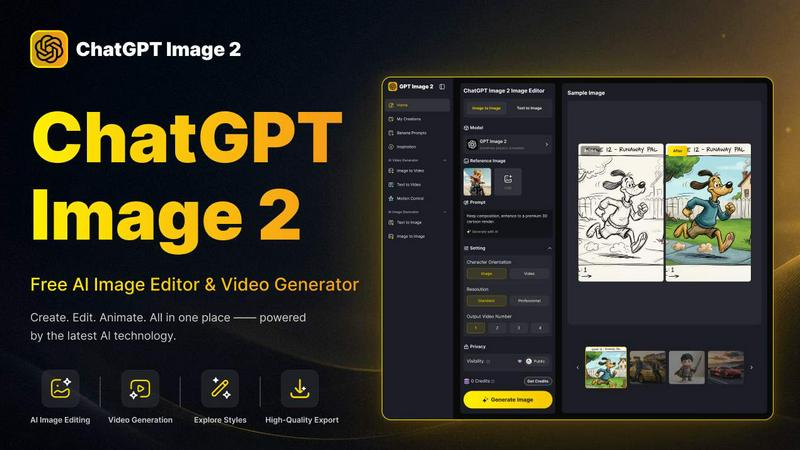
ChatGPT Image 2 is a cutting-edge, free AI image and video generator tailored for creators, marketers, designers, and anyone in need of high-quality visuals without the complexities of traditional design software. This innovative platform allows users to seamlessly transform their creative ideas into polished image or video content by generating images from text prompts, editing existing photos, and even converting images into dynamic videos. With its user-friendly interface, ChatGPT Image 2 supports a streamlined creative workflow—enabling users to move effortlessly between text-to-image, image-to-image, and image-to-video creation within a single platform. Whether you're looking to create stunning artwork, social media visuals, product images, marketing assets, or even character concepts, ChatGPT Image 2 offers an all-in-one solution that simplifies the creative process, making it accessible and efficient for everyone.
Features of ChatGPT Image 2
Powerful AI Image Editing
ChatGPT Image 2 includes advanced AI editing capabilities that allow users to modify visuals with precision. Whether you're restyling images, swapping elements, or enhancing details, this tool provides a seamless workflow for fast and professional-quality editing.
Text to Image Generation
This feature enables users to create unique images from textual descriptions, providing a powerful way to bring ideas to life. The AI understands context and can generate visuals that match the specified requirements, making it perfect for marketers and content creators.
Image to Video Transformation
Users can easily convert their images into engaging videos through ChatGPT Image 2’s intuitive interface. This feature is ideal for those looking to animate their visuals and create dynamic content for social media or marketing campaigns without complicated software.
Near-Perfect Text Rendering
ChatGPT Image 2 excels in generating images with clear and precise text. This feature is particularly beneficial for creating marketing materials, UI concepts, and product packaging, ensuring that any text included is legible and aesthetically integrated into the overall design.
Use Cases of ChatGPT Image 2
Social Media Content Creation
Marketers can utilize ChatGPT Image 2 to produce eye-catching social media visuals quickly. By generating images from text prompts or editing existing photos, users can maintain a consistent and engaging online presence without investing excessive time or resources.
Product Visualization
E-commerce businesses can take advantage of the platform’s capabilities to create stunning product images. Whether it involves generating new visuals or enhancing existing ones, ChatGPT Image 2 ensures high-quality representations of products that attract customers.
Character Design for Gaming
Game developers and writers can use the tool to visualize character concepts by generating images from textual descriptions. This feature helps in brainstorming and refining character designs, making it easier to communicate ideas within development teams.
Educational Content Development
Educators and content creators can create informative visuals for presentations or online courses using ChatGPT Image 2. The ability to generate realistic images and illustrations enhances learning materials, making them more engaging for students.
Frequently Asked Questions
Is ChatGPT Image 2 free to use?
Yes, ChatGPT Image 2 is a free AI image and video generator, providing users with an accessible platform for creating high-quality visuals without any upfront costs.
Can I edit existing images with ChatGPT Image 2?
Absolutely! ChatGPT Image 2 allows users to upload and edit existing images, enabling modifications to enhance their quality, style, or content to better fit the desired outcome.
What types of files can I upload?
Users can upload JPG, PNG, or WEBP images up to 10MB in size, with a minimum width and height of 300 pixels, allowing for a wide range of image editing possibilities.
How does the text-to-image generation work?
The text-to-image feature uses advanced AI algorithms to interpret text prompts and generate corresponding images. Users can input descriptive text, and the tool will create visuals that match the description provided.
Explore more in this category:
Similar to ChatGPT Image 2

Bulin 47 AI
Turn one portrait into a vertical AI-generated freestyle performance video.

Klype AI
Writes LinkedIn and social posts in your own measured voice and checks every draft for AI tells and invented claims.

Bulin47
One photo → viral freestyle AI video. Join the Bulin 47 / Kevin Wai trend in seconds.

Bulin 47 AI
Bulin 47 AI puts your face into the viral Bulin 47 freestyle video from one photo. Get a 5–19-second vertical MP4 for TikTok and Reels.

Segmentit
Turn objects in your photos into 3D assets. Select, refine, preview and export in one browser-based workspace.

Vidpop
Vidpop plans, designs and posts three carousel posts a week for your business, with captions, and on Pro an AI-presenter UGC video ad. iPhone app.

DailyHook AI
Turns industry news into sourced, product-relevant marketing hooks for founders, marketers and AI agents.

Hotel Lobby AI
Two photos become one hotel lobby video. One person stands on each side of the hanging microphone. No prompt.