

ComicsMaker
ComicsMaker turns your written prompts into comic strips, manga panels, and storyboards you can arrange and export in your browser.
About ComicsMaker
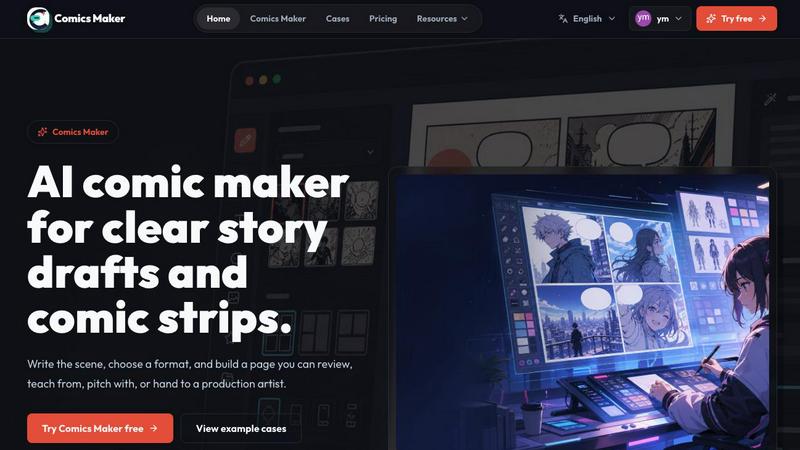
ComicsMaker is an AI comic maker and comic strip maker built for creators, educators, marketers, and teams who need visual stories fast. It turns prompts into comic panels, manga-style drafts, storyboards, and social-ready comic pages with clear control over layout, tone, reading flow, and style direction. The tool helps you move from a rough idea to a structured comic draft without starting from a blank canvas. You can plan the beats, generate panels, then add dialogue and arrange the page in your browser. ComicsMaker is designed for anyone who needs to communicate visually, whether you are a teacher creating classroom visuals, a marketer building campaign concepts, a team working on product storyboards, or a creator drafting character moments and explainer comics. The workspace is intuitive and focused, letting you describe a scene in plain language and quickly turn it into a multi-panel comic page. You can choose from single panel, three panel, or 2x2 page formats, and keep captions and dialogue close to the panel plan. The tool also helps maintain consistent visual direction by letting you lock style notes, character details, and reference language so every panel belongs to the same world. With its focus on planning, generating, and revising comic pages, ComicsMaker is a practical solution for turning one scene into an editable comic page with panel planning, generated drafts, dialogue controls, and project export. It is available with a free plan for testing and paid plans for regular use.
Features of ComicsMaker
Scene to Panel Planning
Start with one scene by naming the character, setting, visible action, and change. You can write the scene in plain language, and ComicsMaker helps you plan the beats and shape it into panels. This feature ensures you have a clear structure before generating any images, saving time and helping you focus on story clarity. You can review pacing and check whether each panel has one clear job before moving to production.
Flexible Layout Options
ComicsMaker offers a clean middle panel for making layout decisions. You can choose from single panel, 3 panel strip, 2x2 page, and vertical flow formats. The studio keeps panel count, pacing, shot type, and reading order visible before you spend time on polish. Simple controls for size, tone, and production notes let you experiment with different arrangements quickly.
Style Consistency Controls
Keep the look consistent enough to continue your project. Use style notes, character details, and reference language so every panel belongs to the same world. You can lock the visual direction before generating, reuse character and environment notes across multiple panels, and export drafts that an artist or teammate can understand. This feature is essential for maintaining professional quality across longer projects.
Dialogue and Caption Management
Add dialogue and captions close to the panel plan. ComicsMaker lets you keep text organized and aligned with your visual draft. You can review dialogue space and ensure each panel has the right amount of text before generating final images. This feature helps you create comic pages that are ready for social sharing, classroom use, or team feedback.
Use Cases of ComicsMaker
Classroom Visuals and Educational Comics
Teachers can use ComicsMaker to create explainer comics for lessons. By describing a scene related to the topic, educators can generate visual stories that help students understand complex concepts. For example, a science teacher can create a comic about the water cycle, with each panel showing a different stage. The tool makes it easy to produce classroom visuals that are engaging and easy to follow.
Marketing Campaign Concepts
Marketers can draft campaign concepts quickly using ComicsMaker. Describe a product moment or a customer journey, and the tool generates a comic sequence that tells the story visually. This is useful for social media posts, email campaigns, or website content. The ability to control layout and tone helps match the brand style and message.
Product Storyboards and Team Communication
Teams working on product development can use ComicsMaker to create storyboards for new features or user flows. By generating comic panels that show a user interacting with a product, teams can communicate ideas clearly without lengthy documents. The export feature allows sharing prompts, notes, and panels as project data for further iteration.
Creative Drafting for Character Moments
Creators and artists can draft character moments and emotional turns using ComicsMaker. Describe a quiet scene or a dramatic reveal, and the tool helps structure the story into readable panels. This is perfect for manga-style drafts, webcomics, or graphic novel concepts. The style consistency controls ensure that character and environment details remain coherent across the draft.
Frequently Asked Questions
How does ComicsMaker turn a scene into a comic?
You start by writing a scene in plain language, naming the character, setting, visible action, and change. ComicsMaker then helps you plan the beats and generate panels based on your input. You can choose layout options like single panel, 3 panel strip, or 2x2 page. After generating, you add dialogue and captions directly in your browser.
Can I control the visual style of my comic?
Yes, ComicsMaker provides style consistency controls. You can use style notes, character details, and reference language to ensure every panel belongs to the same world. You can lock the visual direction before generating images, and reuse character and environment notes across panels. This helps maintain a consistent look throughout your project.
What file formats can I export from ComicsMaker?
ComicsMaker allows you to export drafts that an artist or teammate can understand. The tool supports project export in JSON format, which includes prompts, notes, and panel data. This makes it easy to hand off your work for further production or revision. The current editor follows the same workflow across all plans.
Is there a free version of ComicsMaker?
Yes, ComicsMaker includes a free plan that provides 10 starter credits for testing image generation. This allows you to try the tool and see if it fits your workflow before committing to a paid plan. The free plan gives you access to the same editor and project export features as the paid plans, so you can evaluate the full experience.
Explore more in this category:
Similar to ComicsMaker

Try OC Maker
Create OCs from text or images, customize their look, and turn them into animated videos with AI.

xfiles
Free PDF, image and audio tools that process your files locally in your browser. No account or added watermarks.

IconCreator
IconCreator is an AI-powered logo and app icon generator. Create professional logos, app icons, favicons, and brand assets in minutes.

Reword Image
Change the text already printed inside a photo, screenshot or poster, without the original design file.

Bulin 47 AI Videos
One photo in, a 15-second Bulin 47 street freestyle video with sound out: original dembow beat, lip-synced Spanish verse, crowd.

Leadeon
AI growth tool for X and LinkedIn: write posts in your voice, schedule at your best times, find leads on X and see what works.

Ozil Goal AI
Make the Ozil goal AI video from one photo. You chip the keeper and score. 15 s, 9:16, 720p, no watermark. Ready for TikTok.

IdeaAize Free AI Tools
IdeaAize Free AI Tools is a suite of 50+ free online utilities that run 100% in your browser — no registration, no file uploads, no watermarks.