

CZNull
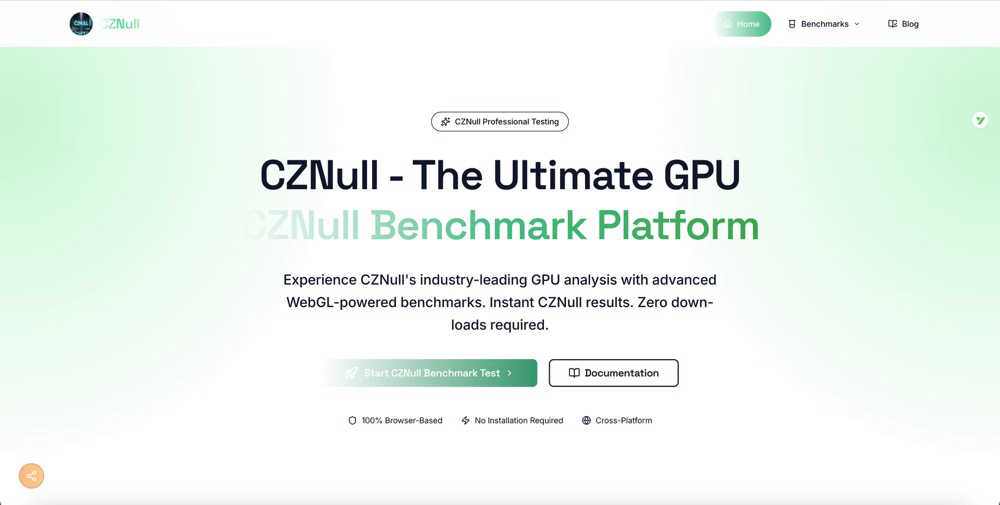
CZNull lets you test your GPU's performance instantly in your browser with advanced benchmarks and real-time analytics.
About CZNull
CZNull is a cutting-edge online benchmarking tool that allows users to assess the performance of their computer or mobile device's graphics card without any technical expertise. Designed for accessibility, CZNull leverages advanced WebGL 2.0 technology to run demanding tests directly in your web browser, making it an ideal solution for gamers, developers, and everyday users alike. With CZNull, you can gain valuable insights into your GPU's capabilities by running a series of performance tests that measure frame rates, rendering efficiency, and computational power. The platform is completely free and requires no downloads or installations, ensuring that it can be used on virtually any device with a modern browser. Whether you are curious about your frame rates while gaming, need to test an application across different devices, or simply want to understand your hardware better, CZNull delivers real-time metrics and adaptive tests that ensure accurate results for all types of systems, from budget laptops to high-end gaming rigs.
Features of CZNull
Advanced GPU Analysis
CZNull employs a multi-dimensional testing approach that evaluates everything from texture processing to complex compute shaders. This comprehensive analysis ensures you get a thorough understanding of your GPU's true capabilities, helping you identify strengths and weaknesses.
Real-Time Analytics
With CZNull's intuitive dashboard, you can watch system metrics update live as tests are conducted. This feature allows you to track FPS, frame times, and resource usage in real time, providing immediate insights into your hardware's performance.
Adaptive Testing
The intelligent workload scaling feature of CZNull guarantees accurate results for any hardware configuration. Whether you are using integrated graphics or a flagship GPU, the adaptive testing adjusts the workload to match your system's capabilities, ensuring fair and reliable results.
Comprehensive Testing Portfolio
CZNull's extensive benchmark library is designed to stress-test all GPU components. Each specialized test focuses on distinct hardware features, enabling you to reveal performance characteristics and discover potential optimization opportunities.
Use Cases of CZNull
Gamers Testing Frame Rates
Gamers can use CZNull to determine how well their graphics card performs under various gaming scenarios. By running specific benchmarks, they can identify frame rates and rendering capabilities, ensuring a smooth gaming experience.
Developers Testing Across Devices
Developers can utilize CZNull to test their applications across different devices and hardware configurations. By understanding how their software interacts with various GPUs, they can optimize performance and enhance user experience.
Hardware Enthusiasts Benchmarking Performance
For hardware enthusiasts, CZNull provides a platform to benchmark and compare GPU performance across different systems. This allows them to make informed decisions when upgrading or building new rigs.
Casual Users Understanding Their Hardware
Even casual users who are curious about their hardware can benefit from CZNull. By running simple tests, they can gain insights into their GPU's capabilities, making it easier to understand what their device can handle.
Frequently Asked Questions
How does CZNull work?
CZNull works by leveraging WebGL 2.0 technology to run a series of performance tests directly in your browser. This allows it to evaluate various aspects of your GPU without requiring any downloads or installations.
Is CZNull safe to use?
Yes, CZNull is completely safe to use. It runs in your browser's sandbox environment, ensuring no changes are made to your system and that your privacy is maintained throughout the testing process.
Can I use CZNull on any device?
CZNull is designed to be cross-platform, working seamlessly on Windows, macOS, Linux, and mobile devices. As long as you have a modern browser, you can run benchmarks on virtually any device.
What types of tests does CZNull perform?
CZNull performs a range of tests that cover visual rendering and computational power. This includes assessing frame rates, rendering efficiency, shader processing, and more, providing a comprehensive analysis of your GPU's performance.
Explore more in this category:
Similar to CZNull

TestNeo
TestNeo.ai is an AI-native engineering and release assurance platform that helps teams automate web and API testing using natural language.

APIKO AI API
One OpenAI-compatible endpoint for text, image and video models from OpenAI, Anthropic, Google, DeepSeek and more.

sakuttoAI
A free suite of online tools for everyday tasks like PDF compression, image conversion, text diff and CSV to Excel.

BlazePhoenix
On-chain DEX aggregator: the swap route is computed inside the transaction that executes it. No API key, no signup.

SiteScoper
AI Website UX Auditor & Instant SEO Checker

AFFLIGO
AFFLIGO is a free online toolkit for everyday file tasks. Easily edit PDFs, compress images, convert file formats, and get things done.

SightRadar
Face recognition API, a drop-in replacement for AWS Rekognition. Index, search, compare and detect faces, billed per photo with no subscription.
