

Deep Nostalgia AI
Deep Nostalgia AI brings your old photos to life by adding realistic smiles and gentle movement, creating shareable memory videos.
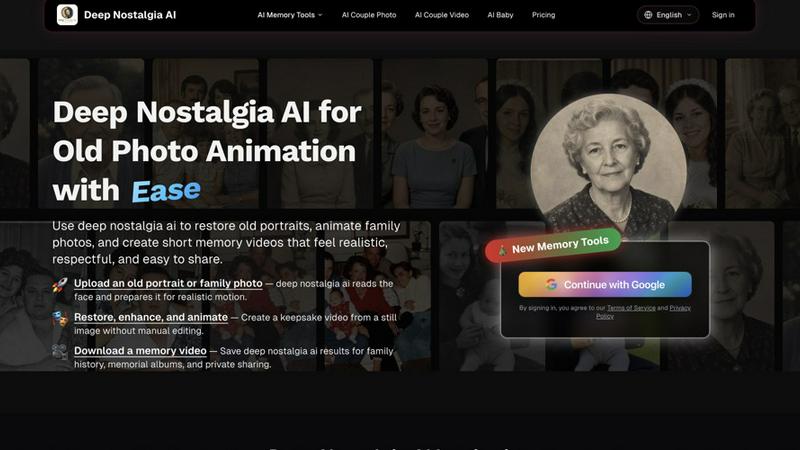
About Deep Nostalgia AI
Deep Nostalgia AI is an advanced AI-powered photo animation tool that transforms old photos, family portraits, and historical images into realistic moving videos. Using cutting-edge facial motion technology, Deep Nostalgia AI can animate faces, generate natural expressions, eye movements, and smiles, bringing cherished memories back to life. The tool is designed for genealogy enthusiasts, content creators, historians, and anyone who wants to relive the past through AI-powered photo animation. You simply upload a photo, and the AI creates lifelike animations in seconds, preserving family history in a new interactive way. Deep Nostalgia AI focuses on subtle, respectful motion that feels like a genuine memory rather than a gimmicky filter. The platform offers a clean, intuitive workflow that requires no technical skills or video editing experience. It also includes restoration and enhancement features to clean up scratches, faded contrast, and other imperfections before animation. Whether you want to animate a grandparent portrait, create a tribute video, or build a family history clip, Deep Nostalgia AI provides a powerful yet gentle way to connect with the past. The tool is accessible online, supports private sharing, and works best with clear, front-facing portraits for the most realistic results.
Features of Deep Nostalgia AI
Realistic Facial Motion Animation
Deep Nostalgia AI uses advanced facial motion technology to generate natural expressions, including soft smiles, gentle blinking, and subtle head movements. The AI analyzes the unique features of each face in the photo to create motion that feels authentic and respectful. Unlike basic animation tools that produce robotic or exaggerated movements, Deep Nostalgia AI focuses on subtlety, ensuring the final video preserves the original mood and personality of the person in the image. This feature is ideal for creating keepsake videos that feel like warm memories rather than artificial filters.
Photo Restoration and Enhancement
Before animating an old photo, Deep Nostalgia AI offers built-in restoration tools to improve image quality. You can clean scratches, repair faded contrast, and enhance facial details to ensure the best possible animation results. The restoration process works seamlessly with the animation pipeline, allowing you to prepare a faded portrait for more realistic motion. This feature is particularly valuable for historical photos or family portraits that have aged poorly over time, giving you a chance to revive both the image and the memory it holds.
Fast and Easy Processing
Deep Nostalgia AI is designed for speed and simplicity. Most workflows move from upload to preview in just a few minutes, allowing you to generate Deep Nostalgia AI videos without any video editing software. The platform guides you through each step: upload a clear portrait, choose a memory motion style, and let the AI process the animation. This fast turnaround makes it practical for creating multiple memory clips for family albums, genealogy projects, or remembrance slideshows without spending hours on manual editing.
Customizable Animation Styles
Deep Nostalgia AI provides a selection of natural animation styles that you can choose from to match the mood of the original photo. You can opt for a soft smile with gentle blinking, a quiet reunion moment, or subtle eye movement that preserves the person's expression. After generating the animation, you can compare previews, restore additional details, and select the version that feels most respectful for the person in the image. This customization ensures each memory video is tailored to the specific portrait and the emotional context you want to convey.
Use Cases of Deep Nostalgia AI
Family History and Genealogy Projects
Genealogy enthusiasts can use Deep Nostalgia AI to animate old family portraits, wedding pictures, and parent photos for interactive family history presentations. By bringing ancestors to life with subtle motion, you create a more engaging way to share family stories with younger generations. For example, you can animate a great-grandparent's portrait from the 1920s and include it in a family history slideshow for reunions or private sharing. The tool helps preserve memories in a format that feels personal and memorable, making genealogy research more tangible and emotionally resonant.
Tribute and Memorial Videos
Deep Nostalgia AI is a respectful tool for creating tribute videos from old photos of loved ones who have passed away. You can animate a grandparent portrait with gentle movement and a soft smile to create a keepsake video for memorial albums, remembrance slideshows, or private family sharing. The subtle motion helps evoke the person's presence without feeling artificial or disrespectful. This use case is especially meaningful for families who want to honor their loved ones' memory in a new, interactive way while maintaining a tone of reverence and warmth.
Content Creation for Social Media and Storytelling
Content creators, historians, and storytellers can use Deep Nostalgia AI to add emotional depth to historical narratives or personal stories. For example, you can animate a historical figure's portrait for a documentary-style video, or bring an old family photo to life for a social media post about heritage. The tool works well for creating short, shareable clips that capture attention and convey a sense of history. Since the animation is subtle and realistic, it enhances storytelling without distracting from the message or the person in the image.
Personal Memory Preservation for Private Albums
Individuals can use Deep Nostalgia AI to animate their own family photos for private albums, digital scrapbooks, or personal remembrance. You can upload a clear portrait from a wedding, birthday, or holiday gathering and create a short memory video that feels like a living snapshot. The tool supports private sharing, so you can keep the results within your family or personal collection. This use case is ideal for anyone who wants to relive cherished moments in a new way, preserving family history for future generations without needing technical video editing skills.
Frequently Asked Questions
What types of photos work best with Deep Nostalgia AI?
Deep Nostalgia AI works best with clear, front-facing portraits that have good lighting and visible facial details. Photos where the face is unobstructed, with both eyes visible and a neutral or smiling expression, produce the most realistic animations. Avoid photos with heavy shadows, blur, or extreme angles. If your photo is faded or scratched, use the built-in restoration tools to clean it up before animation for better results.
Is Deep Nostalgia AI free to use?
Deep Nostalgia AI offers a free tier that allows you to animate a limited number of photos, with basic processing and standard quality output. For unlimited animations, faster processing, and HD quality exports, you can subscribe to a paid pricing plan. The free version is great for testing the tool or creating a few memory videos, while paid plans are better suited for genealogy projects, content creation, or frequent use.
How long does it take to generate a Deep Nostalgia AI video?
Most animations are processed within a few minutes, from upload to preview. The exact time depends on the photo quality, the complexity of the animation style, and server load. Simple animations with subtle motion typically process faster than those requiring extensive restoration or complex movements. You can expect a typical workflow to take between 2 to 5 minutes for a single portrait.
Can I use Deep Nostalgia AI for commercial purposes?
Deep Nostalgia AI is primarily designed for personal, family, and educational use. For commercial purposes, such as creating content for a business, documentary, or paid project, you should review the platform's Terms of Service or contact support for licensing information. The tool includes options for private sharing, which is ideal for family history projects, but commercial use may require a specific plan or permission.
Pricing of Deep Nostalgia AI
Deep Nostalgia AI offers flexible pricing plans to suit different needs. The free plan allows you to animate a limited number of photos with standard processing and basic quality. For users who need more, the Pro plan provides unlimited animations, faster processing, HD quality exports, and priority support. There is also a Team plan for genealogy groups or content creators who need multiple accounts and shared access. Pricing is designed to be affordable for personal use while offering advanced features for professionals. You can view the full pricing details and start with a free trial by visiting the pricing page on the website.
Similar to Deep Nostalgia AI

Reword Image
Change the text already printed inside a photo, screenshot or poster, without the original design file.

Artcraft AI
AI image and video studio in your browser: generate and edit images, turn photos into videos, edit clips by sentence.

PXDMD
Free AI image editor: remove backgrounds, erase objects and watermarks, and color-grade photos in seconds.

AFFLIGO
AFFLIGO is a free online toolkit for everyday file tasks. Easily edit PDFs, compress images, convert file formats, and get things done.

AI Image Tools
Text to image, photo edits, background removal and restoration. Pick Nano Banana, FLUX, Seedream or GPT Image and see the price first.

MeiGen AI
AI photo editor and image generator: upload a photo, describe the change in plain English, pick GPT Image 2, Nano Banana Pro or Seedream.

Base97
Free browser-based image, PDF and audio tools — no uploads, no sign-up, 100% private.

AIPetGen
AI pet image generator with photo-to-pet and free credits