

DR Checker
DR Checker helps you build trust by verifying your website's domain reputation.
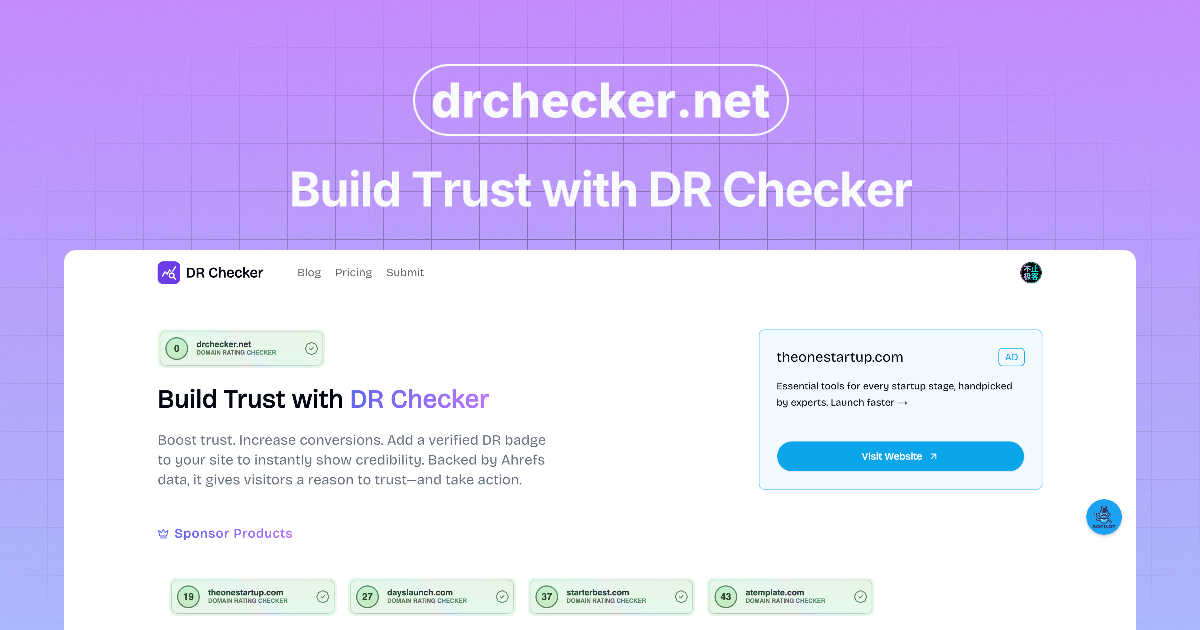
About DR Checker
DR Checker is your friendly, web-based assistant for keeping your website healthy, fast, and secure. At its core, it's a powerful link detective that scans every corner of your site to find problematic connections that could be dragging you down. Think of it as a routine check-up for your website's circulatory system. It meticulously hunts for broken links that lead to frustrating 404 errors, invalid URLs that confuse search engines, and even sneaky malicious links that could compromise your visitors' safety or your site's reputation. This tool is perfect for website owners, developers, and digital marketers who want to protect their SEO rankings, ensure a flawless user experience, and maintain a professional online presence without needing to be a technical expert. By providing clear, actionable reports, DR Checker simplifies website maintenance, turning a complex task into a straightforward process. Please note: This deployment is temporarily paused, but its core mission remains to empower you with the insights needed for a clean, trustworthy, and high-performing website.
Features of DR Checker
Comprehensive Website Crawling
DR Checker uses advanced crawling technology to deeply analyze your entire website structure, just like a search engine would. It doesn't just skim the surface; it follows every internal and external link to build a complete map of your site's connections. This ensures no problematic link, whether on your homepage or buried deep in a blog post from years ago, goes unnoticed. You get a truly thorough report that covers every page.
Broken & Invalid Link Detection
This feature is the heart of DR Checker. It automatically identifies and flags all broken links that result in common errors like "404 Page Not Found" or "500 Server Error." It also detects invalid URL formats and links pointing to expired domains. This saves you hours of manual checking and helps you quickly fix pathways that would otherwise lead your visitors to dead ends, harming their experience and your site's credibility.
Malicious Link Identification
Beyond broken links, DR Checker proactively scans for connections that could pose a security threat. It helps identify links to known phishing sites, malware-hosting domains, or other questionable resources. This protective layer is crucial for safeguarding your visitors and preventing your reputable site from being associated with harmful content, which can also negatively impact your search engine standing.
Intuitive Reporting Dashboard
After its scan, DR Checker presents all its findings in a clear, organized, and easy-to-understand dashboard. The reports highlight issues with severity levels, direct URLs, and the source pages where the bad links are found. This intuitive interface is designed for both technical and non-technical users, allowing anyone to review the results and take immediate, informed action to clean up their site.
Use Cases of DR Checker
Routine Website Maintenance
Website owners and administrators can schedule regular scans with DR Checker as part of their monthly or quarterly maintenance routine. This proactive approach helps catch new broken links that appear over time as linked-to pages change or external sites go offline, ensuring the site remains polished and functional without constant manual oversight.
Pre-Launch Website Audits
Developers and agencies can use DR Checker to perform a final comprehensive audit on a new website or a major update before it goes live. Catching and fixing broken or insecure links before launch prevents a poor first impression for users and avoids early SEO penalties, ensuring the site launches in a strong, optimized state.
SEO Performance Optimization
Digital marketers and SEO specialists rely on DR Checker to protect and improve search engine rankings. Search engines like Google penalize sites with too many broken links. By systematically finding and fixing these issues, marketers can improve crawl efficiency, enhance user experience signals, and maintain a healthy link profile that supports better visibility in search results.
Enhancing User Trust and Safety
For content-heavy sites like blogs, news portals, or educational resources that link to many external sources, DR Checker is essential for maintaining trust. It ensures that readers are never directed to harmful or deceptive sites, thereby protecting the audience and upholding the website's reputation as a reliable and safe source of information.
Frequently Asked Questions
How does DR Checker scan my website?
DR Checker uses a sophisticated web crawler, similar to those used by search engines like Google. You simply provide your website's URL, and the tool systematically visits all your public pages, follows every link it finds (both internal and external), and records the HTTP status code it receives from each destination. It then compiles this data into an easy-to-read report of any links that are broken, invalid, or potentially malicious.
What kind of links does DR Checker detect?
DR Checker is designed to detect a wide range of problematic links. This primarily includes broken links that lead to "404 Not Found" or other server errors. It also finds invalid URLs with typos or incorrect formatting, links to domains that have expired or are no longer active, and links that point to websites known for hosting malware, phishing schemes, or other malicious content.
Do I need technical skills to use DR Checker?
Not at all! DR Checker is built with a user-friendly interface specifically for both technical and non-technical users. The process is as simple as entering your website address and starting a scan. The results are presented in a clear dashboard with plain-language explanations, so you can understand the issues and know exactly which pages to fix, even if you're not a developer.
How often should I run a link check on my site?
We recommend running a comprehensive scan at least once a month for active websites. If you publish new content very frequently (like daily blog posts) or run an e-commerce site with constantly changing product pages, you might want to scan more often, such as weekly. It's also a best practice to run a scan after any major website update or content migration to catch any new issues that may have been introduced.
Explore more in this category:
Similar to DR Checker

Leadeon
AI growth tool for X and LinkedIn: write posts in your voice, schedule at your best times, find leads on X and see what works.

FollowX Today
Swipe to match with verified solo founders in your niche. Form 7-day mutual follow pacts, earn points, and grow a feed full of builders who engage in

ViewMax Studio
AI video generator that turns one prompt into shorts, UGC-style ads and faceless videos, with script, voiceover and captions.


Klype AI
Writes LinkedIn and social posts in your own measured voice and checks every draft for AI tells and invented claims.

SiteScoper
AI Website UX Auditor & Instant SEO Checker


ColdCrow
AI cold email writer: turn one line about a prospect into personalized outreach with a deliverability score in seconds. Free trials, no credit card.