

Edit Stamp
Easily upload images to create and customize unique stamp templates online, with no signup required and quick export options.
About Edit Stamp
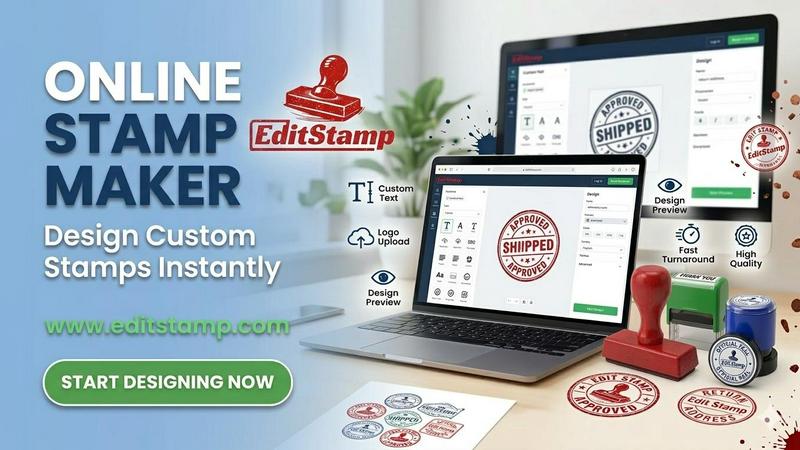
Edit Stamp is an intuitive online stamp creator that allows users to design and customize their own stamps directly in their web browser, eliminating the need for complex design software like Photoshop or Illustrator. It caters to a wide audience, from freelancers needing quick signature stamps to small business owners wanting to add their logos to documents. Users can effortlessly upload images, choose from a variety of pre-made templates, and customize their stamps with text, colors, and layouts. The platform supports multiple export formats, including SVG, PNG, and PDF, making it suitable for both digital use and professional production. Edit Stamp's user-friendly interface, combined with its powerful customization options, empowers anyone to create professional-looking stamps in minutes without any design experience.
Features of Edit Stamp
User-Friendly Interface
Edit Stamp boasts a simple and intuitive interface that allows users to easily navigate through the design process. This makes it accessible for everyone, regardless of their design skills, enabling quick creation and editing of stamps.
Multiple Export Formats
Once you are satisfied with your design, Edit Stamp allows you to export your stamp in various formats, such as SVG, PNG, and PDF. This versatility ensures that your stamps can be used for both digital applications and high-quality physical prints.
Customizable Templates
The platform offers a wide range of pre-made templates that users can select and customize. You can personalize each template by adding your text, adjusting colors, and modifying layouts, ensuring that your stamp reflects your unique style or brand identity.
No Signup Required
One of the standout features of Edit Stamp is that you can start creating your stamps immediately without the need for account registration. This means you can dive right into the design process, making it a hassle-free experience.
Use Cases of Edit Stamp
Business Branding
Small business owners can use Edit Stamp to create custom stamps featuring their logos and business information. These stamps can be added to official documents, invoices, or marketing materials, enhancing brand visibility.
Personalization for Events
Individuals planning weddings or special events can design unique stamps for invitations or thank-you cards. Edit Stamp allows you to add personal touches, such as names and dates, making each stamp a memorable keepsake.
Notary Public Services
Notaries can create professional seals to authenticate documents. Edit Stamp offers the functionality to design notary stamps that meet legal standards, ensuring that your documents are properly validated.
Artistic Creations
Artists and designers can leverage Edit Stamp to create custom artwork stamps that can be used in various projects. Whether for scrapbooking, card making, or other creative endeavors, the platform provides tools to bring artistic visions to life.
Frequently Asked Questions
How do I create a stamp with Edit Stamp?
To create a stamp, simply upload your image or choose a template from the library. Customize it by adding text, adjusting colors, and making any other changes. Once satisfied, export it in your desired format.
Is Edit Stamp really free to use?
Yes, Edit Stamp is free to use. There are no hidden fees, and you can create and download your stamps without signing up for an account.
What formats can I export my stamp in?
You can export your stamp in several formats, including PNG, SVG, EPS, and PDF. This flexibility allows you to use your stamps for various purposes, whether digital or print.
Can I save my designs for later use?
Yes, Edit Stamp allows you to save your templates, enabling you to return and make edits or reuse your designs at any time without starting from scratch.
Explore more in this category:
Similar to Edit Stamp

xfiles
Free PDF, image and audio tools that process your files locally in your browser. No account or added watermarks.

IconCreator
IconCreator is an AI-powered logo and app icon generator. Create professional logos, app icons, favicons, and brand assets in minutes.

Reword Image
Change the text already printed inside a photo, screenshot or poster, without the original design file.

Bulin 47 AI Videos
One photo in, a 15-second Bulin 47 street freestyle video with sound out: original dembow beat, lip-synced Spanish verse, crowd.

Ozil Goal AI
Make the Ozil goal AI video from one photo. You chip the keeper and score. 15 s, 9:16, 720p, no watermark. Ready for TikTok.

IdeaAize Free AI Tools
IdeaAize Free AI Tools is a suite of 50+ free online utilities that run 100% in your browser — no registration, no file uploads, no watermarks.

Spaceora
Turn room and outdoor photos into AI interior, virtual staging, garden and landscape design concepts.

Artcraft AI
AI image and video studio in your browser: generate and edit images, turn photos into videos, edit clips by sentence.