

Eliminar Fondo
Instantly remove backgrounds from any image with Eliminar Fondo, your professional and easy-to-use AI tool.
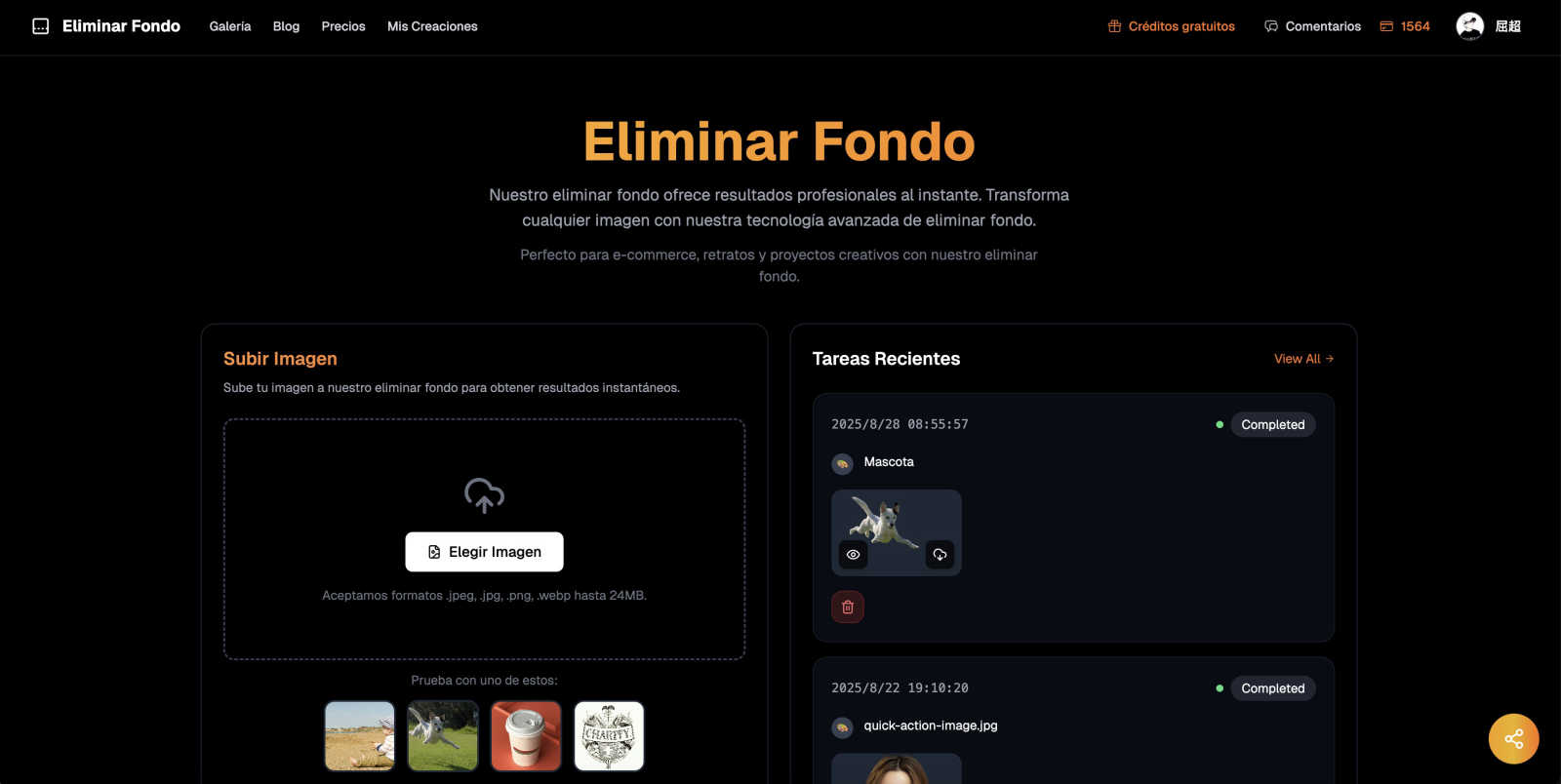
About Eliminar Fondo
Eliminar Fondo is a powerful and user-friendly online tool designed to remove backgrounds from images quickly and efficiently. Utilizing advanced artificial intelligence technology, it transforms the way users edit photos by making professional-level results accessible to everyone, regardless of their design skills. Whether you are an e-commerce entrepreneur looking to enhance your product listings, a digital marketer crafting eye-catching advertisements, or an individual wanting to create stunning social media posts, Eliminar Fondo simplifies the process. Users simply upload their images, and within seconds, the AI intelligently detects the subject, delivering a clean and precise cutout with a transparent background. With processing times of just 3-5 seconds, users can maintain the original quality while saving valuable time. This tool is perfect for anyone needing reliable, fast, and completely free background removal services, allowing creativity to flourish without the complexities of traditional photo editing software.
Features of Eliminar Fondo
Ultra-Fast Processing
With an average processing time of just 3-5 seconds, Eliminar Fondo allows users to remove backgrounds without the long wait times associated with traditional editing software. This ultra-fast feature ensures you can focus on your projects rather than spending time on tedious editing.
High-Quality Output
Eliminar Fondo maintains the original quality of your images while providing high-definition outputs. Users receive their final images in PNG format, preserving details and ensuring that the results are suitable for professional use, whether for online stores or marketing materials.
One-Click Removal
The tool's one-click background removal feature makes it incredibly easy to use. With just a simple upload, the AI takes over, detecting subjects with impressive accuracy and removing backgrounds seamlessly. This user-friendly approach is ideal for both beginners and experienced designers.
Support for Multiple Formats
Eliminar Fondo supports a variety of image formats, including JPEG, PNG, and WebP, with a maximum size of 24MB. This versatility allows users to work with their preferred image files, making it a convenient option for diverse projects.
Use Cases of Eliminar Fondo
E-Commerce Product Images
For online store owners, having high-quality product images with clean backgrounds is crucial. Eliminar Fondo helps create professional-looking product photos, enhancing the appeal and visibility of items in a crowded marketplace.
Creative Marketing Materials
Marketers can leverage Eliminar Fondo to design unique and eye-catching promotional content. By removing backgrounds from images, they can easily create tailored graphics that stand out and effectively communicate their brand messages.
Social Media Content Creation
Individuals and businesses looking to amp up their social media presence can use Eliminar Fondo to craft stunning posts. The tool allows for quick customization of images, making it easy to create visually appealing content that engages followers.
Personal Projects and Fun
Whether it’s for a personal blog, a family photo album, or a creative project, Eliminar Fondo provides an effortless way to enhance images. Users can experiment with backgrounds and create fun compositions without needing extensive design knowledge.
Frequently Asked Questions
How does Eliminar Fondo work?
Eliminar Fondo uses advanced deep learning algorithms trained on millions of images to accurately identify subjects and remove backgrounds. This technology preserves fine details, such as hair and edges, delivering professional results in seconds.
What types of images work best with Eliminar Fondo?
The tool is optimized for portraits, products, pets, and various objects. Clear, well-lit images yield the best results, ensuring that backgrounds are removed cleanly while maintaining the integrity of the subjects.
What image formats does Eliminar Fondo support?
Eliminar Fondo supports JPEG, PNG, and WebP formats, with files up to 24MB in size. This flexibility allows users to upload their preferred image types and receive high-quality outputs with transparent backgrounds.
How quickly can I expect my images to be processed?
Most images are processed in just 3-5 seconds, depending on their size and complexity. This quick turnaround makes Eliminar Fondo an efficient choice for anyone needing fast background removal services.
Explore more in this category:
Similar to Eliminar Fondo

Reword Image
Change the text already printed inside a photo, screenshot or poster, without the original design file.

Artcraft AI
AI image and video studio in your browser: generate and edit images, turn photos into videos, edit clips by sentence.

sakuttoAI
A free suite of online tools for everyday tasks like PDF compression, image conversion, text diff and CSV to Excel.

imgtxtapp.laviolab.com
imgtxtapp.laviolab.com is a Telegram-based image-to-text converter that turns photos, screenshots, scanned documents into editable text

AnyFileKit Image Translator
Translate the text in screenshots, photos and manga, with the translation drawn back over the original image.

PXDMD
Free AI image editor: remove backgrounds, erase objects and watermarks, and color-grade photos in seconds.

SightRadar
Face recognition API, a drop-in replacement for AWS Rekognition. Index, search, compare and detect faces, billed per photo with no subscription.

Restore Old Photos - Retrocap
AI photo restoration app for iPhone and Android: repair scratches and tears, colorize black-and-white photos, sharpen faces and animate old portraits.