

Flidget
Flidget helps SaaS and online businesses spot users at risk of leaving, ask why at cancellation, and manage follow-up from one dashboard.
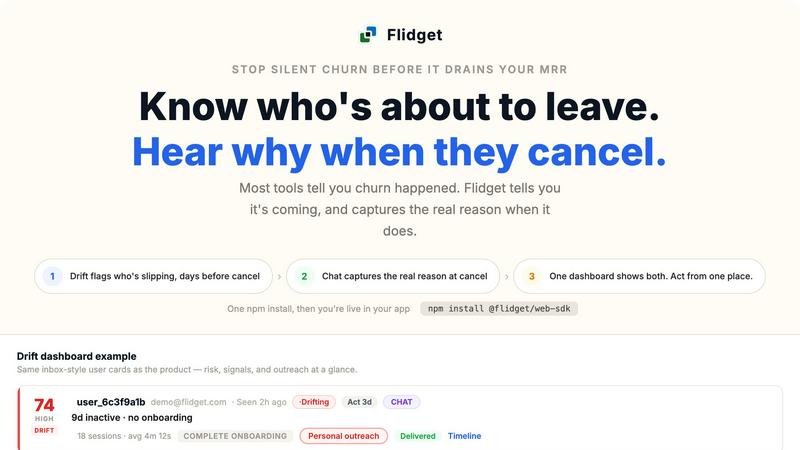
About Flidget
Flidget combines two retention tools in a single dashboard. Its drift detection assigns users a Healthy, Risky, or Drifting status based on activity, recent sessions, and whether they reached important product features. A risk inbox gives teams a reason to act, while configurable emails can be sent automatically from the business's own domain or manually from a user profile.
Retention Copilot appears when someone tries to cancel, abandon checkout, or leave a page. It asks a brief question and accepts a text or voice reply; the existing flow continues afterward. Teams can add it with a script on relevant pages. Drift detection takes more setup: choose meaningful actions in the dashboard and send an event from the app when they occur.
A useful distinction for setup
The exit conversation can work on its own, while drift scoring depends on receiving product events. Flidget is aimed at teams that can instrument those actions and want to combine early risk signals with direct cancellation feedback.
Features of Flidget
- Daily Healthy, Risky, or Drifting user labels with plain-language reasons.
- Exit conversations that accept text or voice replies.
- Risk inbox, exit transcripts, and user details in one dashboard.
- Configurable rescue email templates, with automatic or manual sending.
Use Cases of Flidget
- Identify users whose usage is declining before they reach a cancellation page.
- Ask for feedback during subscription cancellation or checkout abandonment.
- Follow up with trial users who have not completed onboarding or reached a key feature.
- Review cancellation reasons alongside drift signals when deciding how to improve retention.
Frequently Asked Questions
What does Retention Copilot show users?
It opens a short chat when someone tries to cancel, abandon checkout, or leave a page. Users can respond by text or voice, and the existing flow continues afterward.
What is needed for drift detection?
Choose the user actions that matter in the dashboard, then send an event from your app whenever one occurs. Flidget says to verify incoming data in staging before shipping.
Can the two tools be used separately?
Yes. The exit conversation can be added on its own. Drift scoring requires product activity events from your app.
Pricing of Flidget
The site advertises a 14-day free trial with 50 exit chats and 50 drift users, and says no credit card is required.
Similar to Flidget

Stairtop
Use live MLS evidence to help real estate agents explain pricing, adjust listings, and guide buyers through offers.

SpiderFoot.app
SpiderFoot.app is a browser-based OSINT workspace that searches public sources for username matches and organizes results for careful review.


MCPfolio
MCPfolio helps users find MCP servers for AI clients, with listings that describe capabilities, setup steps, hosting options and sign-in details.

DomainRating
DomainRating offers free Domain Rating checks plus portfolio tracking, historical trends, and a live badge for websites and SEO teams.

PaperTrack
PaperTrack shares sensitive PDFs through trackable links with page-level analytics, recipient watermarks, access controls, and data rooms.

Vonsel
Vonsel turns live Google Maps searches into local business leads with owner details, contact data, filters, and export options.

MentionReach
MentionReach checks whether ChatGPT, Gemini, and Claude recommend your app or website, showing visibility, rank, cited pages, and suggested fixes.