

Frame.Extractor
Frame.Extractor is a privacy-first tool that lets you effortlessly extract high-quality frames from any video directly in your browser.
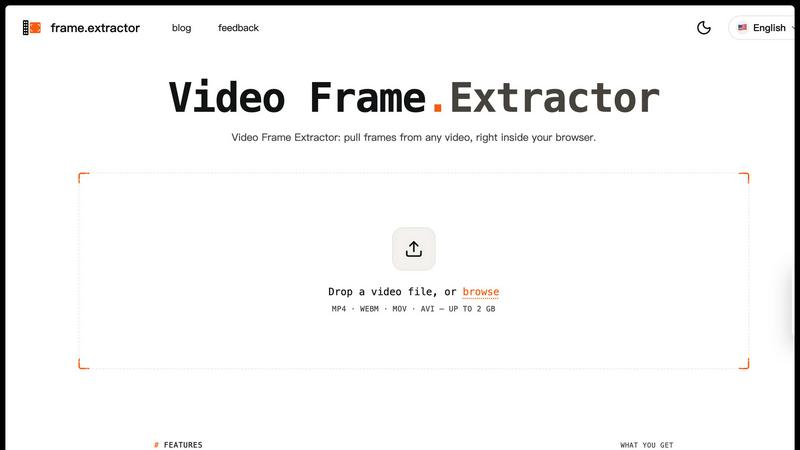
About Frame.Extractor
Frame.Extractor is a cutting-edge, privacy-first tool that empowers users to extract high-quality frames from videos quickly and efficiently, all within their web browser. This innovative solution is tailored for creators, marketers, and developers who require seamless thumbnail selection, scene capture, and visual asset creation without compromising their data privacy. With Frame.Extractor, users can effortlessly pull frames from various video formats, including MP4, WebM, MOV, and AVI, all while keeping their files securely on their devices. The main value proposition of Frame.Extractor lies in its client-side processing, which ensures that no video files are uploaded or stored on external servers, making it an ideal choice for those who prioritize confidentiality. Whether you are building a video project or showcasing AI tools, Frame.Extractor offers a simple and effective workflow for secure frame extraction.
Features of Frame.Extractor
100% Client-Side Processing
Frame.Extractor operates entirely on the client side, meaning that frames are decoded directly by your browser. This ensures that your video file remains on your device, eliminating any concerns about data privacy or unauthorized access.
Support for Multiple Codecs
With Frame.Extractor, you can drop in any video file format that your browser can read, including MP4 (H.264), WebM, MOV, and AVI. This flexibility allows you to work with a wide range of video sources without compatibility issues.
Native Resolution Output
Frame.Extractor renders each extracted frame at the full native resolution of the video by default. For larger files, you can choose an optional max-width down-scaling feature, ensuring that you get the best quality frames tailored to your needs.
Versatile Export Formats
When it comes to exporting your extracted frames, Frame.Extractor offers multiple formats, including PNG, JPEG, and WebP. You can adjust the quality settings of your exports, allowing you to choose the format that best fits your workflow and project requirements.
Use Cases of Frame.Extractor
Thumbnail Creation for Videos
Content creators can use Frame.Extractor to quickly select and extract high-quality frames from their videos to create eye-catching thumbnails. This helps enhance video visibility and attract more viewers on platforms like YouTube.
Scene Analysis for Marketers
Marketers can harness Frame.Extractor to pull specific frames from promotional videos for analysis or social media posts. This facilitates effective campaign strategies by allowing teams to focus on the most impactful visual content.
Asset Generation for Developers
Developers working on video-related projects can utilize Frame.Extractor to generate visual assets from videos. This tool aids in creating datasets or reference images that are essential for machine learning or application development.
Educational Content Production
Educators and e-learning developers can use Frame.Extractor to extract frames from instructional videos. These frames can be incorporated into presentations, lesson plans, or online courses to enhance visual engagement and learning.
Frequently Asked Questions
Does my video get uploaded anywhere?
No, Frame.Extractor operates entirely on your device. Your video file is read locally by the browser, ensuring that it never leaves your control or is uploaded to any server.
What resolution do I get?
By default, Frame.Extractor extracts frames at the native resolution of your video. You have the option to downscale to a max-width if you are working with particularly large files.
Which formats are supported?
Frame.Extractor supports a variety of video formats, including MP4 (H.264), WebM, MOV, and AVI. If it is a format your browser can play, you can extract frames from it.
How many frames can I pull at once?
You can extract as many frames as you like from your video, whether it’s every Nth frame, every N seconds, or a single frame at a specific timestamp. The tool allows you to preview before final extraction for accuracy.
Explore more in this category:
Similar to Frame.Extractor


Assistly
An AI receptionist on your website that answers visitors 24/7 from your own content and captures every lead.

WidgIq
Provide an AI-powered customer support widget for your website


Valundis
AI reads a local business's Google reviews, drafts a reply to each in the reviewer's language, and guards 24/7 against fake-review attacks.

Tooltrim
Find the right software for your workflow, compare alternatives, avoid overlapping tools, and build a smarter, leaner software stack.`

