

Gemini Omni
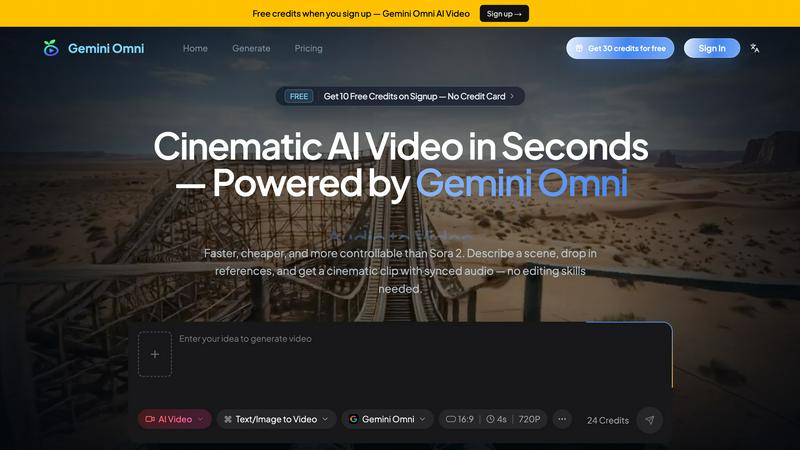
Gemini Omni turns your text, images, audio, and video into a cinematic AI clip in seconds, all for free.
About Gemini Omni
Gemini Omni is a free AI video generator powered by Google's omni-modal model, designed to make professional-quality video creation accessible to everyone. It is a tool that transforms simple creative briefs into cinematic clips with synchronized native audio, eliminating the need for expensive software or editing skills. You can describe a scene, drop in reference images or clips, and get a polished video in seconds. Gemini Omni is built for content creators, marketers, social media managers, and product demo teams who need high-quality video quickly and affordably. Its main value proposition is speed, control, and ease of use, offering faster and more controllable results than competitors like Sora 2. The tool accepts text, images, video, and audio together in a single prompt, allowing for rich, multimodal input. With capabilities like text-to-video, image-to-video, native audio generation, and in-chat iterative editing, Gemini Omni empowers users to produce cinematic videos without technical hurdles. It is ideal for anyone from solo creators to large teams, providing a free tier to start and affordable paid plans for higher resolutions and more features. The tool also features character consistency and real-world scene logic, ensuring outputs are coherent and visually compelling.
Features of Gemini Omni
Multimodal Input
Gemini Omni accepts up to 15 references in a single prompt, including text, images, video clips, and audio. This means you can describe a scene, upload a character photo for face lock, include a video clip for camera movement, and add an audio file for rhythm and tone, all in one go. No tool-chaining or complex workflows are needed, making the creative process seamless and efficient.
Native Audio Sync
Dialogue, ambient sounds, and music are generated synchronously with the visuals, creating a fully immersive experience. You can specify sound cues like glass clinks at exact timestamps or ambient jazz in a restaurant scene, and Gemini Omni will produce them in sync with the video. This eliminates the need for separate audio editing or synchronization steps.
In-Chat Conversational Editing
You can refine scenes through natural language without re-prompting from scratch. For example, you can ask to replace a background with a concert hall stage, keep the pose and wardrobe identical, and re-sync the audio, all within the same chat. This iterative approach saves time and gives you granular control over the final output.
Character Consistency
Upload one portrait, and Gemini Omni locks the face, clothing, and style across the entire video clip. This ensures the character remains visually consistent from frame to frame, making it ideal for narratives, interviews, or any content where identity matters. No morphing or drifting occurs, even in complex multi-shot sequences.
Use Cases of Gemini Omni
Marketing and Social Media Content
Marketers and social media managers can quickly generate eye-catching video ads, product demos, or social clips without hiring a production team. You can describe a scene, drop in a product image, and get a cinematic video with synced music and voiceover, all in under a minute. This speeds up campaign creation and allows for rapid iteration on different creative concepts.
Product Demos and Tutorials
Product demo teams can create high-quality walkthroughs by combining text instructions with reference images or clips. For example, you can show a software interface in action, add voiceover audio, and generate a polished tutorial video with consistent visual branding. This makes it easy to explain complex features or processes to customers.
Short Film and Storyboard Visualization
Filmmakers and storytellers can use Gemini Omni to visualize scenes from a script or storyboard. You can describe a multi-shot sequence, upload character reference photos, and generate a short film clip with ambient audio. This is perfect for pre-visualization, pitch decks, or testing creative ideas before full production.
Music Videos and Beat-Driven Content
Musicians and content creators can generate music videos by uploading an audio track and describing visuals that sync with the beat. For instance, you can create a rap music video for a character, with visuals that match the rhythm and mood of the song. This allows for rapid music video production without expensive equipment or editing software.
Frequently Asked Questions
How does Gemini Omni compare to other AI video generators like Sora 2?
Gemini Omni is faster, more controllable, and more affordable than Sora 2. It offers native audio sync, in-chat conversational editing, and supports up to 15 references per prompt. It also provides higher resolution options up to 4K and is free to get started, making it a more accessible choice for creators and marketers.
Can I use my own images and audio in the video generation?
Yes, you can upload up to 15 references, including images, video clips, and audio files. Gemini Omni reads them all in one pass, allowing you to use a character photo for face lock, a video clip for camera movement, and an audio file for rhythm and tone. This multimodal input makes the tool highly flexible.
Is there a free version of Gemini Omni?
Yes, Gemini Omni offers a free tier with 10 credits, generating videos at 720P resolution with a watermark. You get 10 free credits upon signup with no credit card required. This allows you to test the tool and create several clips before deciding on a paid plan.
What is in-chat conversational editing and how does it work?
In-chat conversational editing lets you refine your video through natural language commands without starting over. For example, you can say, "Take this clip and replace the background with a concert hall stage, keep the pose and wardrobe identical, and re-sync the audio." Gemini Omni will apply these changes while maintaining the original video's timing and structure.
Pricing of Gemini Omni
Gemini Omni offers a free tier and three paid subscription plans. The Free plan gives you 10 credits, 720P resolution, and includes a watermark. The Lite plan costs $29.90 per month and provides 1080P resolution. The Pro plan is the most popular, priced at $35 per month, offering 1080P and 4K resolution options. For the best value, the Annual Pro plan is available at $300 per year, which breaks down to a lower monthly cost compared to the monthly Pro plan. All paid plans remove the watermark and provide higher resolution outputs for professional use.
Explore more in this category:
Similar to Gemini Omni

Video Frame Extractor
Free online video frame extractor — extract frames in your browser, no upload.

Promptclay
Free-to-copy AI image prompt library. Each prompt is shown next to the image it made.

ModelSnap
AI fashion model generator for clothing product photos, lookbooks, and social visuals.

The Kiss
Turn two photos into a cinematic AI kissing video. Pick one of 13 kiss video templates; 30 free credits on sign-up.

trykissai
AI kiss generator: add a photo of each person, pick a kiss scene, and get a kiss photo or a 5–7 second clip. 30 free credits.

MoveFrame
Turn any photo into a 5 or 10 second AI video. Free daily credits, no sign-up, 9:16 for TikTok and Reels, MP4 download.

Dola AI
Create AI videos from text or images with Dola AI. Free sign-up credits, pick a video model, download your clips. Image generation also available.

Tiny Desk AI
Make the viral Outstanding desk-concert meme from 1 to 5 photos: you sing lead, friends take keys, vocals and sax. 19s 9:16, $8.99.