

Gemini Omni
Gemini Omni gives you structured prompts and demos to easily generate, edit, and remix professional AI videos directly in your chat.
About Gemini Omni
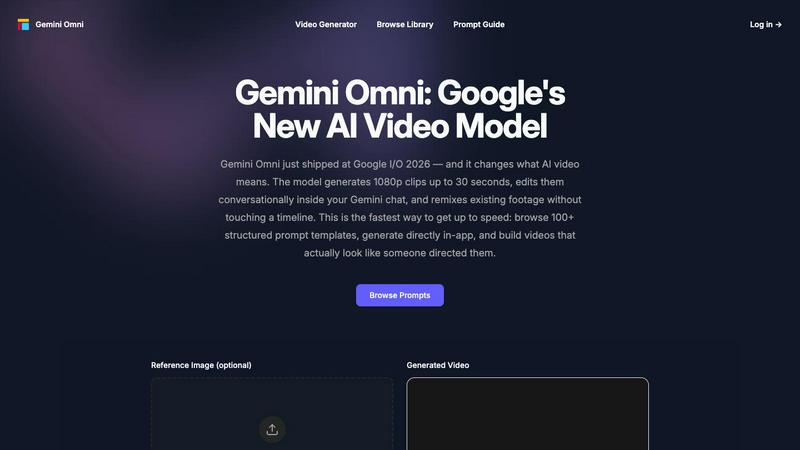
Gemini Omni is a specialized prompt template and creation platform designed to help you get the most out of Google's new AI video model, which was unveiled at Google I/O 2026. This powerful model can generate 1080p video clips up to 30 seconds long, edit them conversationally within your Gemini chat, and even remix existing footage without needing to touch a traditional timeline. Our platform serves as your ultimate companion for mastering this technology, offering over 100 structured video prompt templates that give you precise control over every aspect of your AI-generated videos. Whether you are a content creator, marketer, filmmaker, or hobbyist, Gemini Omni helps you define camera movement, subject, action, environment, and style with incredible accuracy. Instead of guessing what will work, you can browse real generation demos to see exactly what each prompt produces, then use our in-app testing workflow to refine your ideas before finalizing your video. The main value proposition is simple: we take the guesswork out of AI video generation, allowing you to create professional-looking videos that actually look like someone directed them, all without needing years of filmmaking experience. Our friendly, approachable platform bridges the gap between complex AI capabilities and everyday creative use, making advanced video generation accessible to everyone.
Features of Gemini Omni
100+ Structured Prompt Templates
Our library contains over 100 carefully crafted prompt templates that cover a wide range of video styles, from cinematic masterpieces to commercial advertisements and nature documentaries. Each template is structured with specific parameters for camera movement, subject description, action sequences, environmental details, and stylistic choices. This means you can copy a proven template, drop it into Gemini Omni, and get consistent, high-quality results every time, saving you hours of trial and error.
Real Generation Demos
See exactly what Gemini Omni produces when given a structured prompt before you commit to creating your own video. Every demo clip in our library was generated from a template available on our platform, so you can preview the output, copy the exact prompt, and test it yourself. This transparency helps you understand how different prompt structures affect the final video, giving you the confidence to experiment and create your own unique variations.
In-App Testing Workflow
Our integrated testing environment allows you to refine your prompts directly within the platform without switching between multiple tools. You can upload a reference image up to 10MB in PNG, JPG, or WebP format, describe your video in natural language, set the duration from 5 seconds up to 30 seconds, and generate your video instantly. The workflow is designed to be intuitive, letting you iterate quickly until your video looks exactly how you imagined it.
Precision Control Over Video Elements
Gemini Omni gives you granular control over every aspect of your AI video, including camera movement types like crane shots, arc shots, and tracking shots, as well as subject details, action descriptions, environmental settings, and stylistic choices. You can specify resolution up to 8K, framerate up to 120fps, aspect ratios like 2.35:1, and even post-production effects like color grading, film grain, and lens flares. This level of detail ensures your videos have a professional, directed feel rather than random AI outputs.
Use Cases of Gemini Omni
Cinematic Storytelling for Content Creators
Content creators can use Gemini Omni to produce stunning cinematic sequences for their social media channels, YouTube videos, or short films without needing expensive camera equipment or a production crew. For example, you can create a dramatic crane shot revealing a lone hiker on a canyon edge, or a smooth 180-degree arc shot around a singer on stage. The platform handles all the technical camera work, letting you focus on the creative vision.
Commercial and Advertising Production
Marketers and advertising professionals can generate high-quality commercial videos quickly and cost-effectively. The platform supports structured prompts for product showcases, brand storytelling, and surreal visual effects, such as a surreal tennis ball loop or a macro insect survival thriller. You can iterate on concepts rapidly, test different visual styles, and produce polished ad content in minutes rather than weeks.
Educational and Training Video Creation
Educators and trainers can leverage Gemini Omni to create engaging visual explanations and demonstrations for their courses. The ability to specify environments, actions, and camera movements makes it easy to illustrate complex concepts through dynamic video sequences. For instance, you could generate a macro nature video to teach biology concepts or a cinematic historical reenactment for history lessons, all without needing a film studio.
Rapid Prototyping for Filmmakers and Directors
Professional filmmakers and directors can use Gemini Omni as a pre-visualization tool to quickly prototype scenes and shots before committing to expensive production. The platform allows you to test different camera angles, lighting setups, and visual styles in real-time, helping you refine your storyboard and communicate your vision to collaborators more effectively. This saves significant time and resources during the pre-production phase.
Frequently Asked Questions
What is Gemini Omni and how does it work?
Gemini Omni is a prompt template and creation platform that works with Google's new AI video model released at Google I/O 2026. You start by browsing our library of over 100 structured prompt templates, each designed for specific video styles and effects. You can copy a template, optionally upload a reference image, describe your video in natural language, set the duration, and generate your video. The platform handles all the complex AI interactions, so you get professional-looking results without needing technical expertise.
Do I need any video editing experience to use Gemini Omni?
No, you do not need any prior video editing or filmmaking experience to use Gemini Omni. The platform is designed to be accessible to everyone, from complete beginners to professional creators. Our structured prompt templates handle all the technical details like camera movement, lighting, and post-production effects. You simply choose a template, customize it to your liking, and generate your video. The in-app testing workflow makes it easy to experiment and learn as you go.
Can I use my own images as a starting point for videos?
Yes, you can upload a reference image to animate as part of your video generation. The platform accepts PNG, JPG, and WebP files up to 10MB in size. You provide a motion description along with your image, and Gemini Omni will generate a video that brings your static image to life with the camera movements and actions you specify. This is particularly useful for creating animations from photographs, artwork, or product images.
What types of videos can I create with Gemini Omni?
You can create a wide variety of video types using our platform, including cinematic sequences like crane shots and arc shots, commercial and advertising content, nature and wildlife documentaries, surreal and artistic videos, and educational demonstrations. The structured prompt templates cover multiple genres and styles, from Hollywood blockbuster aesthetics to macro cinematography and everything in between. Each template can be customized to fit your specific creative vision.
Pricing of Gemini Omni
There is no pricing information available in the provided context. Please visit the official Gemini Omni website or contact their sales team for current pricing plans and subscription options.
Explore more in this category:
Similar to Gemini Omni

TryH3 - MiniMax H3 Video Generator
Try MiniMax Hailuo H3 video generation in the browser

Bulin47
One photo → viral freestyle AI video. Join the Bulin 47 / Kevin Wai trend in seconds.

Bulin 47 AI
Bulin 47 AI puts your face into the viral Bulin 47 freestyle video from one photo. Get a 5–19-second vertical MP4 for TikTok and Reels.

Parlune
Learn a language from real content, not vocab dumps. Parlune turns your favourite foreign-language YouTube videos into immersive, audio-synced lessons

AIPetGen
AI pet image generator with photo-to-pet and free credits


CleanSmart
CleanSmart removes duplicates, fixes formatting, fills gaps, and flags anomalies in one automated pass. No code. No data engineers.

MyPhotoAI
Turn your selfies into AI headshots and portraits. Get 3 photos for US$5 or every photo from one shoot for US$10. No subscription.