

GPT Image 2
Transform your ideas into stunning 4K AI-generated images with readable text and multilingual support, all effortlessly crafted from your prompts.
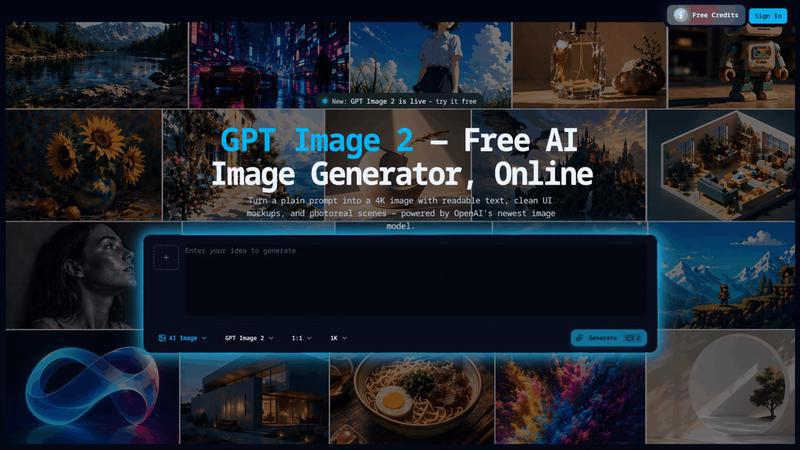
About GPT Image 2
GPT Image 2 is an advanced online AI image generation tool that transforms simple text prompts or uploaded reference images into stunning 4K visuals. Powered by OpenAI's latest image model, it empowers users to create high-quality images suitable for a variety of applications, including marketing, e-commerce, and creative projects. With its ability to generate readable text, photorealistic scenes, and clean UI mockups, GPT Image 2 is perfect for marketers, designers, e-commerce sellers, and content creators seeking polished visuals without the need for extensive graphic design skills. The tool's user-friendly interface allows anyone to generate images quickly and efficiently, making it an invaluable asset for those looking to enhance their visual content. GPT Image 2 stands out with features like multilingual rendering, custom resolution options, and advanced reasoning capabilities, allowing users to bring their creative ideas to life with unparalleled ease and precision.
Features of GPT Image 2
Readable Text Inside Images
GPT Image 2 excels at rendering text within images with approximately 95% accuracy, a significant improvement over previous models. This feature ensures that headlines, labels, and captions are legible, correctly spelled, and accurately positioned, making it ideal for creating marketing materials and infographics.
Multilingual Rendering
The tool supports multiple languages, including Chinese, Japanese, Korean, Hindi, Bengali, and Arabic, enabling users to create localized marketing assets for global campaigns seamlessly. This feature eliminates the need for model switching and allows for efficient generation of diverse content.
4K Resolution with Custom Dimensions
Users can generate images in native 2K resolution and upscale to 4K (up to 8.3 megapixels) with specific pixel dimensions. This flexibility ensures that images fit perfectly across various platforms, whether for digital ads, print layouts, or social media, without the hassle of resizing or cropping.
Native Image-to-Image Editing
With GPT Image 2, users can upload an existing image and provide natural language instructions for editing. This allows for easy modifications like changing backgrounds, adjusting lighting, or rewording text, all without needing complex software or design skills, thereby streamlining the creative process.
Use Cases of GPT Image 2
Product Photography for Online Stores
E-commerce sellers can benefit immensely from GPT Image 2 by transforming basic product photos into professional-quality images. By uploading a rough product shot and specifying desired enhancements, users can achieve a polished look that attracts customers and boosts sales.
Ad Creative Variants at Scale
Marketers can swiftly generate multiple ad creative variants using GPT Image 2. By providing a single prompt, they can request various visual angles and headline options, ensuring that their campaigns are engaging and diverse without relying heavily on design resources.
Social Media Content Creation
Content creators can utilize GPT Image 2 to produce eye-catching visuals for social media posts. Whether it's a promotional graphic or an engaging infographic, the tool can generate unique images that resonate with audiences, enhancing online presence and user engagement.
Storyboarding and Comics
For comic artists and storyboard creators, GPT Image 2 offers the ability to maintain consistent characters and styles across multiple images. This feature facilitates the creative process, allowing for quick iterations and visual storytelling without the hassle of manual drawing or design adjustments.
Frequently Asked Questions
What types of images can I generate with GPT Image 2?
You can generate a wide range of images, including photorealistic scenes, UI mockups, illustrations, and marketing materials. The tool is versatile enough to cater to various creative needs.
Is there a limit to how many images I can create?
While there are daily free credits available for generating images, the specific limits on image creation may depend on your subscription tier. Check your account for details on credit usage.
Can I use the images generated for commercial purposes?
Yes, GPT Image 2 allows for commercial use of the images generated, making it an ideal choice for businesses and marketers looking to create content for advertisements, websites, and other commercial ventures.
How accurate is the text rendering in generated images?
GPT Image 2 boasts a text rendering accuracy of roughly 95%, making it significantly better than older models. This feature ensures that any text included in your images is clear and correctly spelled, enhancing overall image quality.
Explore more in this category:
Similar to GPT Image 2

Reword Image
Change the text already printed inside a photo, screenshot or poster, without the original design file.

Artcraft AI
AI image and video studio in your browser: generate and edit images, turn photos into videos, edit clips by sentence.

Dola AI
Dola AI video generator online: make Seedance 2.5 videos from text or a photo in your browser. No app, no watermark, free credits.

ToonBee AI
ToonBee AI turns a script or a one-line idea into a narrated cartoon video, keeping the same character in every scene. 10+ styles, 16:9 or 9:16.

sakuttoAI
A free suite of online tools for everyday tasks like PDF compression, image conversion, text diff and CSV to Excel.

Bulin 47 AI
Turn one portrait into a vertical AI-generated freestyle performance video.

imgtxtapp.laviolab.com
imgtxtapp.laviolab.com is a Telegram-based image-to-text converter that turns photos, screenshots, scanned documents into editable text

AnyFileKit Image Translator
Translate the text in screenshots, photos and manga, with the translation drawn back over the original image.