

Graph Maker
Effortlessly create and customize stunning graphs and charts from your data in seconds with our AI-powered Graph Maker.
About Graph Maker
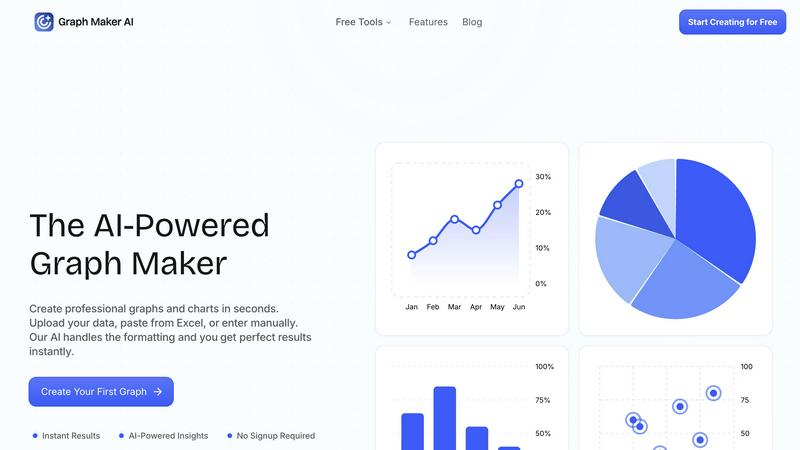
Graph Maker is an innovative AI-powered tool that revolutionizes the way you create professional graphs and charts. Designed for users of all backgrounds—from students and educators to marketers and business analysts—Graph Maker simplifies the data visualization process. You can easily upload your data, paste it from Excel, or input it manually, and the tool's advanced AI takes care of the formatting and design aspects, delivering perfect results in seconds. The primary value proposition of Graph Maker is its ability to save you time and effort; with no signup required, you can start creating visually appealing graphs immediately. Whether you need to illustrate trends, compare data, or present insights, Graph Maker provides an accessible solution that turns your raw data into clear, engaging visuals in no time.
Features of Graph Maker
Instant Graph Generation
With Graph Maker, simply paste your data and click "Generate." The AI-powered tool creates your graph in seconds, eliminating the need for time-consuming setup or configuration. This feature allows users to visualize data instantly without the hassle.
Fully Editable Graphs
Customize every aspect of your graphs, from themes and colors to labels and legends. This feature ensures that your visualizations can be tailored to meet specific presentation needs or personal preferences, making it easy to achieve the perfect look for your data.
Automatic AI Insights
Graph Maker doesn’t just create graphs; it also generates clear insights from your data. The AI analyzes trends, proportions, distributions, and correlations, helping you tell a meaningful story with your charts rather than just presenting numbers.
Multiple Graph Types
Choose from a variety of graph types, including line graphs, pie charts, bar graphs, and scatter plots. Each option is powered by AI, making it effortless to select the visualization that best fits your data and your goals.
Use Cases of Graph Maker
Students and Educators
Students can leverage Graph Maker for homework, science projects, and presentations, while educators can create engaging graphs for lessons and classroom materials. The tool's simplicity allows users to focus on learning rather than struggling with complex software.
Marketers and Content Creators
Marketing teams utilize Graph Maker to visualize campaign data, create social media graphics, and generate client reports. By turning spreadsheets into shareable visuals quickly, they enhance their storytelling and communication efforts.
Business Analysts and Data Professionals
Data professionals can streamline their workflow by using Graph Maker to replace tedious Excel tasks. The tool allows for quick visualizations, enabling analysts to focus on extracting insights rather than formatting data.
Researchers and Scientists
Researchers can use Graph Maker to visualize their findings in a professional manner. Whether presenting statistical analysis or displaying experimental data, the tool makes it easy to create compelling graphs that enhance the impact of their research.
Frequently Asked Questions
How does Graph Maker handle data formatting?
Graph Maker's AI automatically cleans and formats your data upon input. This means you can spend less time on data preparation and more time on analyzing and understanding your results.
Do I need to create an account to use Graph Maker?
No, there is no signup required to use Graph Maker. You can start creating your graphs immediately, making it a hassle-free experience for all users.
Can I customize the graphs I create?
Absolutely! Graph Maker allows you to customize various elements of your graphs, including themes, labels, and legends, ensuring that your visualizations meet your specific needs.
What types of graphs can I create with Graph Maker?
Graph Maker offers a wide range of graph types, including line graphs, pie charts, bar graphs, and scatter plots. You can choose the type that best represents your data and insights.
Explore more in this category:
Similar to Graph Maker

Tapetide
AI-first stock research platform and MCP server for every NSE & BSE listed stock.

LinkIntel
MCP server giving your AI assistant your X post results and X’s ranking weights, with sources.

Ask Versa AI
AI verdicts for any two Amazon products, in seconds. Live specs plus real buyer reviews, scored 0-100, one clear winner. Free, no account.


Verla AI
AI academic assistant for writing, research, presentations, and coding

TryThatTool
Discover AI tools worth trying. Compare options, explore practical reviews, and build your own AI stack based on your goals and budget.

ROIpad
Stop losing enterprise deals to inferior products with better copy. Discover the exact messaging gaps your competitors left wide open.

PhotosCraft
One-click AI editor to enhance, restore, transform photos.