

Grok Imagine
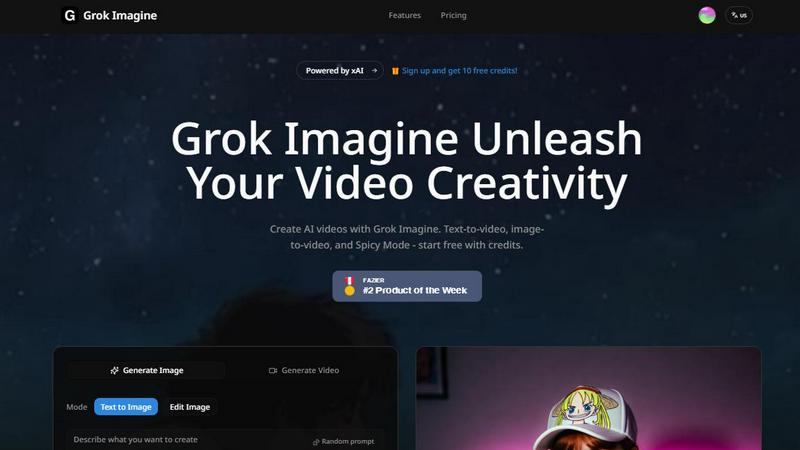
Grok Imagine turns your text and images into creative AI videos for free, starting with easy-to-use credits.
About Grok Imagine
Grok Imagine is a powerful and user-friendly AI video and image generation tool that turns your creative ideas into stunning visual content in seconds. Designed for creators of all levels, from social media enthusiasts to professional marketers, it simplifies the video creation process. At its core, Grok Imagine allows you to generate videos from simple text descriptions or transform your existing images into dynamic clips. One of its standout features is the automatic syncing of background music and sound effects, adding a professional touch to your creations without any extra effort. The tool is powered by xAI's proprietary Aurora engine, which is responsible for its fast, photorealistic, and high-quality outputs. Whether you're looking to create engaging content for TikTok, YouTube, or presentations, Grok Imagine provides a seamless start with free credits, letting you experiment and unleash your creativity immediately.
Features of Grok Imagine
Text-to-Video & Image-to-Video
Simply type a description of what you want to see, and Grok Imagine will generate a 6 to 30-second video for you. Alternatively, upload any image, and the AI will animate it, bringing it to life with motion. This dual-input method gives you maximum flexibility, whether you're starting from scratch or building upon an existing visual.
Synced Audio Generation
Every video created with Grok Imagine comes with automatically generated background music and sound effects that are perfectly synced to the visual content. This eliminates the need to source or edit audio separately, making professional-grade video production accessible and incredibly fast for everyone.
Three Creative Modes (Normal, Fun, Spicy)
Tailor the style of your output by choosing between three distinct modes. Use "Normal" for realistic and balanced content, "Fun" for more playful and animated styles, or "Spicy" for dynamic and high-energy creations. This allows you to match the video's tone perfectly to your project's needs, from professional ads to whimsical social posts.
Multiple Aspect Ratio Support
Grok Imagine supports a wide range of formats to fit any platform. You can generate images and videos in five different ratios, including 1:1 (for Instagram), 9:16 (for TikTok/Stories), and 16:9 (for YouTube). This ensures your content looks perfect everywhere without requiring manual cropping or resizing.
Use Cases of Grok Imagine
Social Media Content Creation
Ideal for influencers and brands looking to stand out. Quickly generate eye-catching, short-form videos for platforms like TikTok, Instagram Reels, and YouTube Shorts. The trending templates and fast generation help you produce relevant, high-volume content to keep your audience engaged.
Marketing and Advertising
Marketers can use Grok Imagine to rapidly prototype ad concepts, create product demo videos, or produce promotional content. The ability to go from a text idea to a polished video with audio in seconds allows for agile testing of different creative angles and faster campaign launches.
Creative Storytelling and Animation
Artists and storytellers can bring their narratives to life. Transform a character illustration into an animated scene or visualize a storyboard directly from a written prompt. The "Spicy" mode is particularly useful for creating dynamic, cinematic sequences with dramatic effects.
Personal Projects and Entertainment
Perfect for personal fun and learning. Create unique music visualizers, animate your favorite photos for a digital album, or generate imaginative artwork and videos just for the joy of creation. It's a playground for experimenting with AI's creative potential.
Frequently Asked Questions
How do I start using Grok Imagine?
Getting started is easy and free! Simply sign up for an account on the Grok Imagine platform. New users receive free credits to try out the generation features immediately. You can begin by typing a text prompt or uploading an image to see the AI in action.
What are credits and how do they work?
Credits are the currency used to generate videos and images on Grok Imagine. Each generation task consumes a certain number of credits. You receive a set amount of free credits upon signing up, and you can purchase more as needed to continue creating.
What is the difference between the Normal, Fun, and Spicy modes?
These modes control the creative style of the output. "Normal" aims for realistic and balanced visuals. "Fun" introduces more playful, cartoonish, or exaggerated elements. "Spicy" creates high-energy, dynamic, and often more dramatic or intense videos. Experiment to see which fits your vision.
Can I use the videos I create for commercial purposes?
Yes, you own the content you create with Grok Imagine. This means you can use the generated videos and images for commercial projects, such as in advertisements, social media campaigns, or on your website, giving you full creative and commercial freedom.
Explore more in this category:
Similar to Grok Imagine

AI Face Swap Video
Swap any face into any video online with AI in minutes. Upload a clip and a photo, get natural lighting and expressions. Free credits on sign-up.

Restore Old Photos - Retrocap
AI photo restoration app for iPhone and Android: repair scratches and tears, colorize black-and-white photos, sharpen faces and animate old portraits.

Rumpelstiltskin AI Video Generator
Make the viral Rumpelstiltskin tiptoe dance meme video from two photos

TryH3 - MiniMax H3 Video Generator
Try MiniMax Hailuo H3 video generation in the browser

Bulin47
One photo → viral freestyle AI video. Join the Bulin 47 / Kevin Wai trend in seconds.

Bulin 47 AI
Bulin 47 AI puts your face into the viral Bulin 47 freestyle video from one photo. Get a 5–19-second vertical MP4 for TikTok and Reels.

AI Image Tools
Text to image, photo edits, background removal and restoration. Pick Nano Banana, FLUX, Seedream or GPT Image and see the price first.

ImageAICraft
GPT Image 2 AI Image Generator & Editor for Text-to-Image and Image-to-Image Creation