

Kling 3.0
Kling 3.0 transforms text into stunning 4K videos with advanced motion control and immersive audio for effortless.
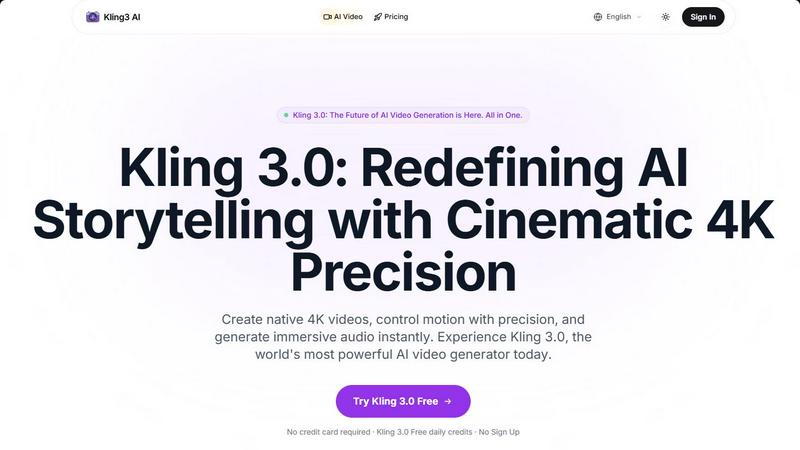
About Kling 3.0
Kling 3.0 is a revolutionary AI video platform that empowers creators to produce stunning, high-quality cinematic videos effortlessly. Designed for storytellers, filmmakers, marketers, and educators alike, Kling 3.0 transforms text prompts into breathtaking 4K videos, complete with advanced motion control and immersive audio features. Its primary value proposition lies in its ability to democratize professional video production, making it accessible to individuals without extensive technical skills. With tools like the Canvas Agent for storyboard assistance and native audio integration for sound effects and voiceovers, Kling 3.0 streamlines the entire video creation process. Whether you are crafting a narrative film, a promotional video, or educational content, Kling 3.0 provides the tools necessary to elevate your storytelling to cinematic levels.
Features of Kling 3.0
Native 4K Output
Kling 3.0 delivers native 4K ultra-HD visuals, ensuring that every video produced is of the highest quality. This feature allows creators to generate professional-grade content ready for cinema or any high-resolution display, surpassing industry standards for video clarity.
Info-Rich Canvas Agent
The Canvas Agent is an AI-powered storyboard assistant that automates the filmmaking process. It enables multi-angle expansion and multi-turn dialogue editing, allowing creators to visualize their narratives more effectively and streamline the entire video production workflow.
Advanced Motion Control
With Kling 3.0's advanced motion control, users have precise command over character expressions, gestures, and lip-syncing. This feature ensures that AI-generated performances feel human-like, providing a seamless and engaging viewing experience.
Native Audio Integration
Kling 3.0 boasts simultaneous generation of visuals, voice, and sound effects, providing creators with a unified audio-visual experience. This one-click production capability allows for the effortless creation of immersive scenes, enhancing the overall storytelling quality.
Use Cases of Kling 3.0
Filmmaking
Independent filmmakers can utilize Kling 3.0 to produce high-quality short films or feature-length projects without the need for expensive equipment or large teams. The platform's native 4K output and motion control features allow for professional storytelling.
Marketing Videos
Businesses can create engaging promotional videos quickly and efficiently. With the ability to generate visually appealing content that includes immersive audio, Kling 3.0 enables marketers to capture their audience's attention effectively.
Educational Content
Educators and trainers can use Kling 3.0 to develop informative video lessons or tutorials. The platform's storyboard assistance helps in structuring content clearly, while the native audio feature enhances learner engagement.
Animation and Character Design
Artists and animators can leverage Kling 3.0 to create character-driven stories with consistent visuals across scenes. The Image Series Mode ensures that characters maintain visual fidelity, making it easier to bring creative visions to life.
Frequently Asked Questions
What makes Kling 3.0 different from other AI video generators?
Kling 3.0 stands out with its native 4K output, advanced motion control, and integrated audio generation. Unlike competitors, it offers a comprehensive suite of tools that enable seamless video production without the need for external software.
Is there a free trial available for Kling 3.0?
Yes, Kling 3.0 offers a free trial that allows users to test its features without requiring a credit card. This trial includes free daily credits, making it easy for creators to explore the platform's capabilities.
Can I use Kling 3.0 for commercial projects?
Absolutely! Kling 3.0 is designed for both personal and commercial use, allowing creators to generate high-quality videos for a variety of purposes, including marketing, education, and entertainment.
How does the Canvas Agent enhance the filmmaking process?
The Canvas Agent acts as a virtual storyboard assistant, streamlining the filmmaking process by providing multi-angle views and facilitating dialogue editing. This feature helps creators visualize their projects effectively, making it easier to plan and execute complex narratives.
Explore more in this category:
Similar to Kling 3.0


this+that
An AI agent that reads every email and chat message your team gets, turns requests into tasks, and does what they ask.

Dame Hombro
Make a personalized Dame Hombro freestyle video from one person or pet photo.

Popstar AI
Popstar AI is an AI video generator that puts you in Drake's POPSTAR music video from one photo, with the original song and no watermark.

TestNeo
TestNeo.ai is an AI-native engineering and release assurance platform that helps teams automate web and API testing using natural language.

Bulin 47 AI Videos
One photo in, a 15-second Bulin 47 street freestyle video with sound out: original dembow beat, lip-synced Spanish verse, crowd.

Leadeon
AI growth tool for X and LinkedIn: write posts in your voice, schedule at your best times, find leads on X and see what works.

Assistly
An AI receptionist on your website that answers visitors 24/7 from your own content and captures every lead.