

About Morph3D
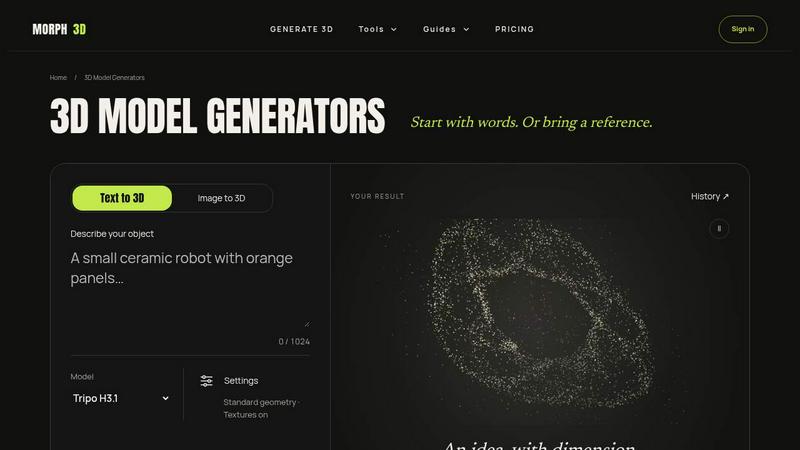
Morph3D is an AI 3D model generator for turning a written idea or a reference image into a 3D model you can download and keep. Describe an object, character or prop, or upload a photo, sketch or concept, then choose from multiple generators such as Tripo H3.1, Hyper3D Rodin v2.5, Hunyuan 3D v3.1 Pro and Meshy 7. Free prompt optimization helps refine your text. You see the exact Credit quote before generating, failed tasks release reserved Credits, and successful models are saved to a private History where you can preview GLB results and repeat downloads at no cost. Morph3D keeps the original files each generator returns, which may include GLB, FBX, OBJ, STL or USDZ. A Chrome extension lets you generate 3D from any web image beside your favorite AI chat, sharing one account and balance with the Web app. Morph3D also offers a free in-browser 3D file converter for GLB, OBJ and STL. New accounts get 40 free Credits on Web plus 40 more on the extension, and Credits never expire.
Similar to Morph3D

Uncensored AI
Browser-based AI image creation and editing studio for text prompts, reference images, flexible formats, and watermark-free downloads.

postersize ai
AI-powered poster creation and sizing for polished posters in seconds.

cmyk2pantone
CMYK2Pantone.com makes color conversion simple with free CMYK, RGB, HEX, and Pantone matching tools for designers and printing professionals.

Pavo AI
Pavo AI turns text prompts into polished AI images in seconds, then refines them with image-to-image editing.

FlipHTML5 Downloader
Paste a FlipHTML5 book URL and get a clean PDF back - no watermark, no signup, nothing uploaded. Free and open source, runs in your browser.

TapirUpscale
A free, browser-based AI video upscaler that turns blurry, low-resolution clips into sharper 1080p or 4K MP4s without uploading them.

Snappix
Pixel-perfect Mac screenshots with scrolling capture, OCR, smart blur, and one-click beautification. Free plan + lifetime license.

Promptclay
Free-to-copy AI image prompt library. Each prompt is shown next to the image it made.