

Nano Editor
NanoEditor is an AI-powered D&D portrait generator that turns character details like ancestry, class and gear into focused fantasy RPG art.
About Nano Editor
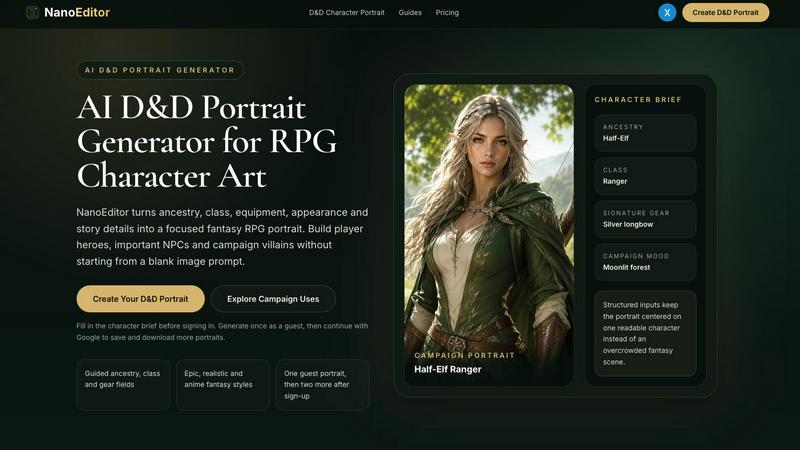
NanoEditor is an AI-powered D&D portrait generator designed for tabletop RPG players and game masters. It transforms character details—ancestry, class, equipment, appearance and story elements—into focused fantasy portraits without requiring complex image prompts. Users can create player heroes, memorable NPCs, campaign villains, VTT avatars and party introductions through a guided workflow that mirrors a standard character sheet. The platform offers three visual styles: Epic Fantasy, Dark Fantasy and Anime, all preserving the same core character identity. One free portrait is available as a guest, with two bonus portraits after signing up via Google. Generated portraits remain private and are ready for use on character sheets, virtual tabletops, campaign wikis and session recaps.
Similar to Nano Editor

Vikas Editor
Upload a photo, pick a style prompt, get an AI edit. Credit-based Vikas Editor.

AI Halloween Photo Generator
Halloween AI portraits—templates, no long prompts

Hotel Lobby AI Video
Create a Hotel Lobby duo video from two character photos. Choose left and right performers, review the AI result, and download your finished clip.

Design.com AI Image Generator
Turn text prompts into polished, copyright-safe visuals that plug directly into branded templates

FastH3 Omni
Run FastH3 Omni in your browser. Up to 9 reference images plus 3 audio references become a 5–15s clip with synced audio. No install, no GPU.

Nano AI
Create and edit AI images and videos in one workbench, with multiple models, reference images and a shared credit balance.

picttool
Create and edit images with a collection of easy-to-use AI tools

YIX
YIX combines AI image and video generation, photo editing, restoration, product visuals and free prompt tools in one browser studio.