

OnUml
OnUML instantly creates professional UML diagrams from your natural language descriptions or Mermaid code with AI.
About OnUml
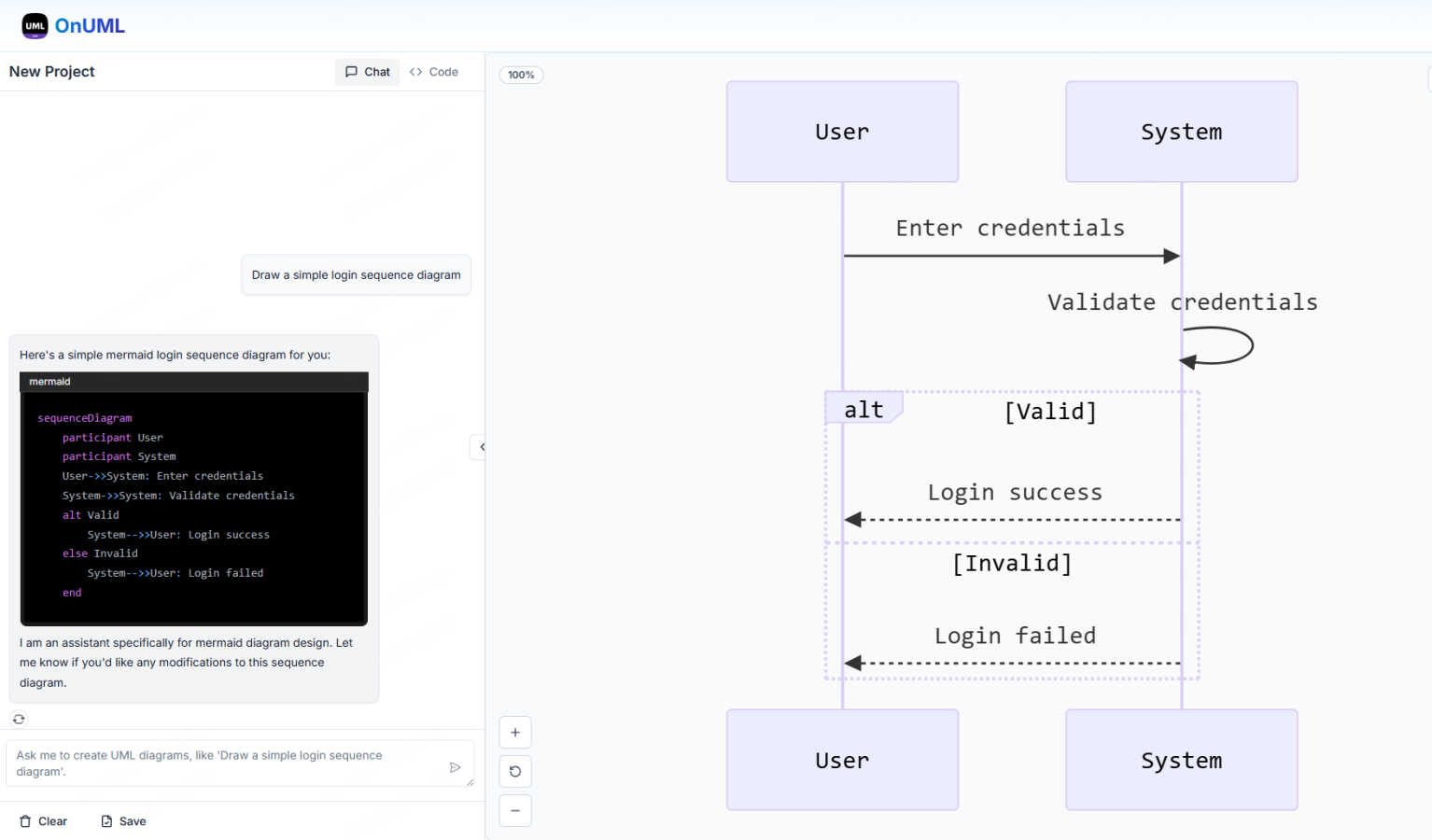
OnUml is a free, browser-based diagramming tool that empowers users to create professional UML diagrams and flowcharts effortlessly. It caters to developers, technical writers, software architects, and anyone looking to visualize complex processes or system designs. Utilizing the robust capabilities of Mermaid.js, a popular text-to-diagram library, OnUml enhances the diagram creation experience with an intelligent AI assistant. Users can either write Mermaid code directly in a user-friendly editor or describe their diagram ideas in plain English, with the AI instantly generating the appropriate code. This unique combination of AI and an intuitive interface eliminates the steep learning curve typical of diagramming tools, allowing for a seamless workflow. With real-time WYSIWYG (What You See Is What You Get) previews, users can create, edit, and perfect their diagrams without the need for installations or complicated software, making OnUml a simple and fast solution for all your diagramming needs.
Features of OnUml
AI Smart Chat
The AI Smart Chat feature allows users to describe their requirements in natural language, making it easy to generate professional UML diagrams instantly. This eliminates the need for technical jargon, enabling anyone to create diagrams regardless of their expertise level.
Smart Suggestions
OnUml offers smart suggestions through an intuitive interface, providing design recommendations that enhance the UML creation process. This feature helps users make informed decisions about diagram structures and elements, improving overall diagram quality.
Multi-diagram Support
With multi-diagram support, OnUml enables users to generate various types of UML diagrams, including flowcharts, sequence diagrams, and class diagrams. The intelligent type recommendations ensure that users create the right diagram for their needs without confusion.
Real-time Rendering
The real-time rendering feature provides a WYSIWYG editing experience where diagrams update instantly as users type or chat. This allows for a dynamic and interactive diagram creation process, making it easy to visualize changes on the fly.
Use Cases of OnUml
Software Development
Developers can use OnUml to create UML diagrams that illustrate system architecture, workflows, and processes, facilitating better communication and understanding among team members. This is particularly useful in agile environments where quick iterations are essential.
Technical Documentation
Technical writers can leverage OnUml to produce accurate and visually appealing UML diagrams for user manuals, API documentation, and other technical content. The ease of use and real-time updates streamline the documentation process significantly.
Educational Purposes
Teachers and students can utilize OnUml for educational purposes, creating diagrams that help explain complex concepts in software engineering and systems design. The platform's accessibility makes it ideal for learners at all levels.
System Design Workshops
In workshops focused on system design, participants can use OnUml to collaboratively create and refine UML diagrams in real time. The AI-powered features facilitate discussions and help to quickly visualize ideas, enhancing the collaborative experience.
Frequently Asked Questions
Will my chat content be used for AI training?
No, your chat content is not used for AI training. OnUml prioritizes user privacy and confidentiality, ensuring that your data remains secure and is not utilized for training purposes.
Are there any usage limits?
Currently, OnUml is free to use with no registration required, allowing users to create UML diagrams without any significant usage limits. This makes it accessible for everyone, whether for personal or professional projects.
What types of UML diagrams are supported?
OnUml supports a wide range of UML diagrams, including flowcharts, sequence diagrams, class diagrams, state diagrams, and more. The platform's flexibility enables users to create the diagrams they need for various applications.
How can I save my diagrams?
Users can save their diagrams by exporting them in various formats such as PNG and SVG. This feature allows for easy sharing and integration into other documents or presentations, making it convenient for different use cases.
Explore more in this category:
Similar to OnUml


LinkIntel
MCP server giving your AI assistant your X post results and X’s ranking weights, with sources.

AI Image Tools
Text to image, photo edits, background removal and restoration. Pick Nano Banana, FLUX, Seedream or GPT Image and see the price first.

Base97
Free browser-based image, PDF and audio tools — no uploads, no sign-up, 100% private.

AIPetGen
AI pet image generator with photo-to-pet and free credits


