

Pixel Art Village
Transform any image into stunning pixel art effortlessly with Pixel Art Village's easy-to-use, browser-based converter and live preview features.
About Pixel Art Village
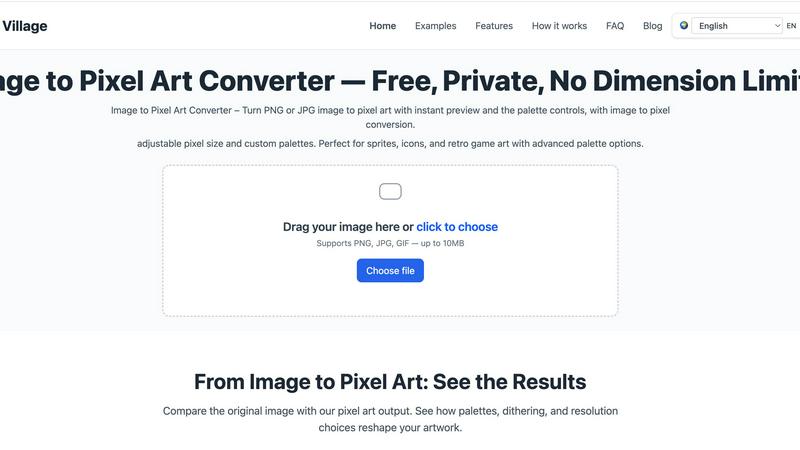
Pixel Art Village is a user-friendly online tool designed to transform ordinary images into vibrant pixel art instantly. Whether you have a PNG, JPG, GIF, or WEBP file, this versatile converter allows you to upload your image directly through your browser, all while enjoying a real-time preview of your modifications. The primary audience for Pixel Art Village includes artists, game developers, and hobbyists who seek a straightforward way to create digital art with a retro aesthetic. Its main value proposition lies in its simplicity and accessibility—users can edit images, adjust palettes, and export high-quality pixel art without needing any prior experience or software downloads. With a focus on privacy and ease of use, Pixel Art Village ensures that your creations stay on your device, making it a safe choice for anyone looking to explore their creativity in pixel art.
Features of Pixel Art Village
Custom Palette
Create your own unique color palette or choose from built-in options to match your artistic style or project requirements. This feature ensures that you can capture the exact look you envision for your pixel art.
Live Adjustments
Experience immediate feedback as you modify pixel size, brightness, contrast, saturation, and dithering. The live preview updates in real-time, allowing for quick iterations and experimentation without the need for constant uploads.
Private Processing
Enjoy peace of mind with Pixel Art Village's commitment to privacy. All image processing occurs entirely within your browser, ensuring that your images remain private and are not uploaded to any external servers.
No Dimension Limits
Whether you're working on small icons or large reference images, Pixel Art Village has no restrictions on image dimensions. This flexibility allows you to create pixel art suited for various applications, from game assets to digital illustrations.
Use Cases of Pixel Art Village
Game Development
Pixel Art Village is ideal for game developers who need to create sprites and characters in a pixelated style. The tool allows for easy adjustments to color palettes and pixel sizes, making it perfect for creating assets that fit within a retro gaming aesthetic.
Digital Art Creation
Artists looking to explore pixel art as a medium will find this tool invaluable. It simplifies the process of converting photos or digital art into pixel art, enabling artists to experiment with new styles and techniques.
Social Media Graphics
Content creators can use Pixel Art Village to design engaging pixel art graphics for social media posts. The ability to customize palettes and sizes ensures that the final product aligns perfectly with their brand’s visual identity.
Educational Projects
Teachers and students can utilize Pixel Art Village to create pixel art for educational presentations or projects. Its straightforward interface makes it accessible for learners of all ages to explore creativity while understanding digital art concepts.
Frequently Asked Questions
Is Pixel Art Village free to use?
Yes, Pixel Art Village is completely free. You can upload images, adjust settings, and download the pixel art results without any cost or hidden fees.
Do I need to create an account to use the tool?
No account creation is required to use Pixel Art Village. Just visit the website, upload your image, and start transforming it into pixel art immediately.
What file formats does Pixel Art Village support?
Pixel Art Village supports various image formats, including PNG, JPG, GIF, and WEBP. This broad compatibility allows you to work with almost any image you have.
Can I export my finished pixel art?
Absolutely! Once you have finished editing your pixel art, you can easily export the final image in formats such as PNG, JPEG, or WEBP for use in your projects.
Explore more in this category:
Similar to Pixel Art Village

Bulin 47 AI
Turn one portrait into a vertical AI-generated freestyle performance video.

Restore Old Photos - Retrocap
AI photo restoration app for iPhone and Android: repair scratches and tears, colorize black-and-white photos, sharpen faces and animate old portraits.

Bulin47
One photo → viral freestyle AI video. Join the Bulin 47 / Kevin Wai trend in seconds.

AI Image Tools
Text to image, photo edits, background removal and restoration. Pick Nano Banana, FLUX, Seedream or GPT Image and see the price first.

ImageAICraft
GPT Image 2 AI Image Generator & Editor for Text-to-Image and Image-to-Image Creation

PhotosCraft
One-click AI editor to enhance, restore, transform photos.

MeiGen AI
AI photo editor and image generator: upload a photo, describe the change in plain English, pick GPT Image 2, Nano Banana Pro or Seedream.

AIPetGen
AI pet image generator with photo-to-pet and free credits