
PixelArt
Transform emojis into unique 8-bit pixel art, earn creator credit, and showcase your work in a global gallery.
About PixelArt
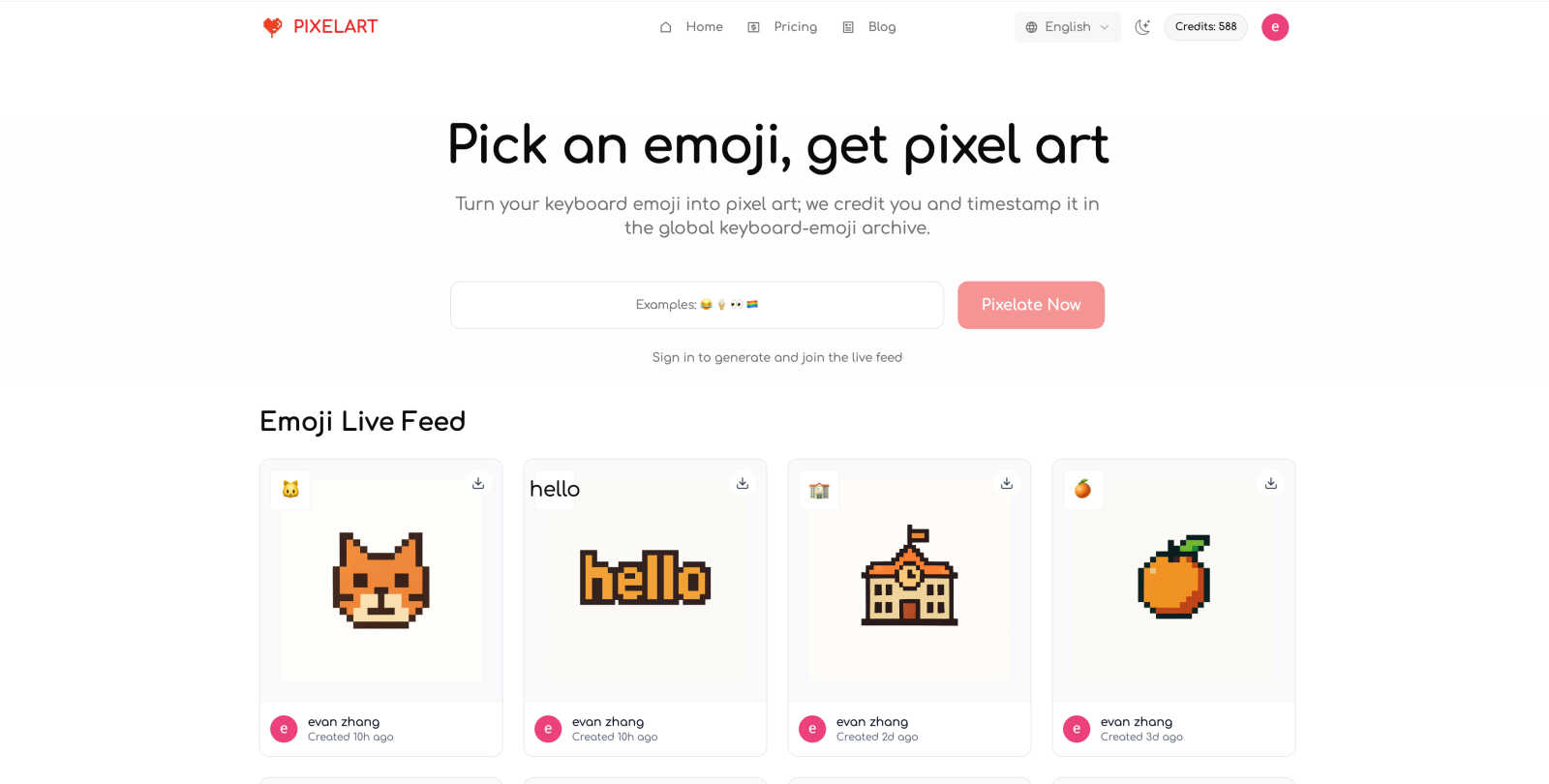
PixelArt is an innovative creative tool that brings the charm of retro-style 8-bit pixel art to the fingertips of users everywhere. With just a single click, you can transform emojis from any keyboard into delightful pixel art, making it an excellent resource for digital artists, game developers, social media enthusiasts, and educators alike. This tool allows users to convert one to three emojis at a time, ensuring high-quality output while fostering a vibrant community through its global gallery. Each creation is permanently archived, serving as a rich source of inspiration and documentation. The main value proposition of PixelArt lies in its simplicity and accessibility, enabling anyone, regardless of their artistic skills, to create unique pixel art. Whether you want to enhance your social media posts, develop game assets, or simply explore your creativity, PixelArt stands out as a versatile tool that invites collaboration and creativity.
Features of PixelArt
Easy Emoji Conversion
Transforming emojis into pixel art has never been easier. Users can simply paste or type one to three emojis from their keyboard, and with a click of a button, their unique pixel art is generated. This feature makes it accessible for everyone, regardless of artistic background.
Global Emoji Collection
PixelArt boasts a global collection that captures emojis from various platforms, including iOS, Android, Windows, and macOS. Each emoji conversion is recorded with its source, time, and region, ensuring a comprehensive archival of pixel art that is continuously updated.
Creator Credit & Timestamp
Every piece of pixel art created through PixelArt automatically includes creator credit and a timestamp. This feature not only provides proper attribution but also fosters a sense of ownership and community among artists, ensuring that their work is recognized.
Searchable Archive
The platform features a searchable archive that allows users to find pixel art by platform, region, time, and emoji code. This makes it easy to explore the vast collection of emojis and the creative works generated from them, serving as a valuable resource for inspiration.
Use Cases of PixelArt
Social Media Enhancement
PixelArt is perfect for social media enthusiasts looking to add a touch of creativity to their posts. By converting emojis into eye-catching pixel art, users can engage their followers and stand out in the crowded digital landscape.
Game Development
Game developers can leverage PixelArt to create unique assets for their projects. The ability to quickly generate pixel art from emojis allows for rapid prototyping and creative exploration, making it an invaluable tool for indie developers and hobbyists.
Educational Projects
Educators can use PixelArt as a fun and interactive way to teach students about digital art and creativity. By incorporating emoji-based projects, teachers can inspire students to explore their artistic potential while learning about technology.
Community Engagement
PixelArt fosters a sense of community among users by encouraging them to share their creations in the global gallery. Users can browse and interact with others' works, fostering collaboration and inspiration within the pixel art community.
Frequently Asked Questions
Do I need to sign in?
Yes, signing in is required to generate pixel art and appear in the Emoji Live Feed. Your creator credit will be linked to your account identity, ensuring that you receive recognition for your creations.
How do I get to the top of the live feed?
Every generation of pixel art instantly jumps to the front of the Emoji Live Feed. As new works are created, positions change based on the time of creation, allowing for fair and dynamic visibility.
Can I use my creations for commercial purposes?
Yes, PixelArt allows for both personal and commercial use of the generated pixel art. Be sure to check the terms for specific details regarding usage rights.
Are creations public by default?
Yes, all creations are public by default and appear in the live feed. Currently, there is no option to hide or delete individual creations, so users should be mindful of what they share.
Similar to PixelArt

xfiles
Free PDF, image and audio tools that process your files locally in your browser. No account or added watermarks.

IconCreator
IconCreator is an AI-powered logo and app icon generator. Create professional logos, app icons, favicons, and brand assets in minutes.

Reword Image
Change the text already printed inside a photo, screenshot or poster, without the original design file.

Bulin 47 AI Videos
One photo in, a 15-second Bulin 47 street freestyle video with sound out: original dembow beat, lip-synced Spanish verse, crowd.

IdeaAize Free AI Tools
IdeaAize Free AI Tools is a suite of 50+ free online utilities that run 100% in your browser — no registration, no file uploads, no watermarks.

Spaceora
Turn room and outdoor photos into AI interior, virtual staging, garden and landscape design concepts.

Artcraft AI
AI image and video studio in your browser: generate and edit images, turn photos into videos, edit clips by sentence.

Outfie
AI Clothes Changer: upload a selfie, pick 1 of 8 presets, get a clean clothes-change preview in ~15s. Change clothes. Not Face Swap.