

ProBatchResizer
ProBatchResizer effortlessly resizes and edits hundreds of images in bulk with smart presets for all your creative.
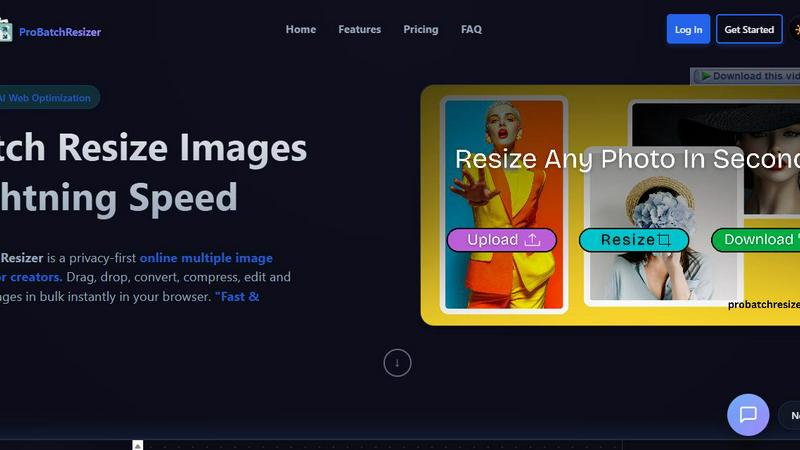
About ProBatchResizer
ProBatchResizer is a robust, browser-based tool specifically engineered for creators who require efficient image resizing and conversion. It caters to a diverse audience, including graphic designers, photographers, eCommerce businesses, and social media managers. This innovative platform empowers users to batch process images quickly and effectively, all while maintaining privacy and image quality. With an impressive collection of over 130 ready-to-use presets, ProBatchResizer simplifies the task of resizing images for various purposes, whether it be for social media, print, or online stores. Thanks to its cutting-edge WebAssembly technology, all processing happens locally on your device, ensuring that your images remain secure and under your control. The combination of speed, security, and a user-friendly interface makes ProBatchResizer an essential tool for anyone seeking to streamline their image editing workflows.
Features of ProBatchResizer
130+ Smart Pre-Built Presets
ProBatchResizer offers an extensive library of over 130 smart pre-built presets designed for various categories such as social media, eCommerce, and print. These presets allow users to quickly resize images to the exact dimensions they need, significantly reducing the time spent on manual adjustments.
Batch Processing Capability
With ProBatchResizer, users can resize hundreds of images simultaneously, saving valuable time and effort. This batch processing feature is perfect for those dealing with large volumes of images, allowing for quick adjustments without compromising quality or privacy.
Privacy-First Approach
One of the standout features of ProBatchResizer is its commitment to user privacy. All image processing occurs locally on the user's device, ensuring that images do not leave your control. This means users can focus on their creative tasks without worrying about data security or unauthorized sharing.
Versatile Editing Tools
Beyond resizing, ProBatchResizer includes a variety of editing tools such as cropping, flipping, and rotating images. These versatile options enable users to make comprehensive adjustments to their images in one place, enhancing efficiency and user satisfaction.
Use Cases of ProBatchResizer
Social Media Management
Social media managers can leverage ProBatchResizer to prepare images in the correct dimensions for various platforms. By using the smart presets, they can quickly resize images for posts, stories, and profile pictures, ensuring a professional and cohesive visual presence.
eCommerce Product Listings
For eCommerce businesses, having the right image size for product listings is crucial. ProBatchResizer allows users to efficiently resize product images to meet the specifications of platforms like Amazon, Shopify, and Etsy, improving product visibility and appeal.
Graphic Design Projects
Graphic designers can utilize ProBatchResizer to streamline their workflow by batch resizing images for different print formats. Whether it’s flyers, business cards, or posters, the tool saves time and ensures that all images are the appropriate size for their intended use.
Event Promotions
Event coordinators can benefit from ProBatchResizer by quickly preparing promotional materials such as tickets, posters, and digital banners. The ability to resize and edit images in bulk aids in creating engaging and visually appealing content for marketing campaigns.
Frequently Asked Questions
How does ProBatchResizer ensure image quality during resizing?
ProBatchResizer uses advanced algorithms to maintain high image quality even when resizing images. Users can trust that their images will retain clarity and detail.
Is ProBatchResizer suitable for professional photographers?
Absolutely! ProBatchResizer is designed with professionals in mind, allowing photographers to quickly resize and convert their images for multiple formats, making it ideal for both online portfolios and print.
Can I use ProBatchResizer on any device?
Yes, ProBatchResizer is a browser-based tool, meaning it can be accessed on any device with an internet connection. This makes it highly versatile for use at home, in the office, or on the go.
Are there any limits to the number of images I can process at once?
ProBatchResizer is designed to handle bulk processing, allowing users to resize hundreds of images simultaneously. However, performance may vary based on your device's capabilities and the size of the images being processed.
Explore more in this category:
Similar to ProBatchResizer

Restore Old Photos - Retrocap
AI photo restoration app for iPhone and Android: repair scratches and tears, colorize black-and-white photos, sharpen faces and animate old portraits.

Bulin 47 AI
Bulin 47 AI puts your face into the viral Bulin 47 freestyle video from one photo. Get a 5–19-second vertical MP4 for TikTok and Reels.

AI Image Tools
Text to image, photo edits, background removal and restoration. Pick Nano Banana, FLUX, Seedream or GPT Image and see the price first.

ImageAICraft
GPT Image 2 AI Image Generator & Editor for Text-to-Image and Image-to-Image Creation

PhotosCraft
One-click AI editor to enhance, restore, transform photos.

Base97
Free browser-based image, PDF and audio tools — no uploads, no sign-up, 100% private.

AIPetGen
AI pet image generator with photo-to-pet and free credits

Segmentit
Turn objects in your photos into 3D assets. Select, refine, preview and export in one browser-based workspace.