

Slideasy
Slideasy turns your presentations into live interactive experiences with polls, quizzes, word clouds, and Q&A to engage any audience.
About Slideasy
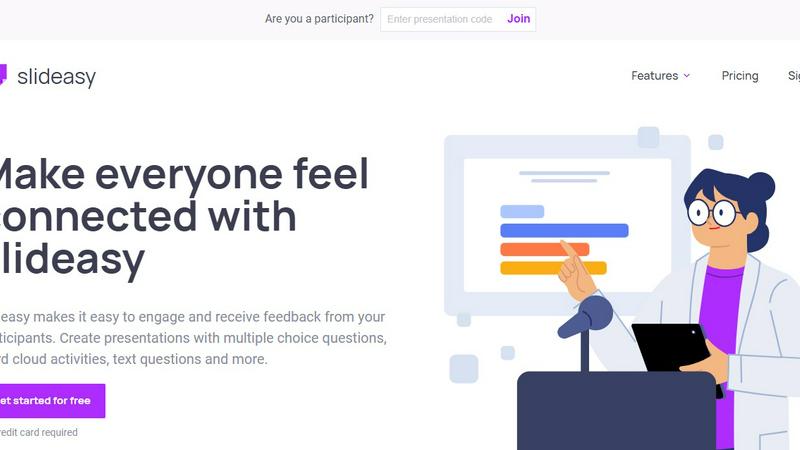
Slideasy is an interactive audience engagement platform designed to transform passive presentations into dynamic, collaborative experiences. It helps teams, teachers, trainers, and event hosts create engaging presentations using live polls, quizzes, Q&A sessions, sliders, and real-time word clouds. The core mission of Slideasy is to make everyone feel connected, whether they are in a physical meeting room, a virtual webinar, or a bustling classroom. Participants can join instantly from any device using a simple link, eliminating the need for app downloads or complicated logins. This accessibility makes meetings, webinars, classrooms, and live events more collaborative and data-driven.
The platform works in three straightforward steps. First, you ask a question directly within your presentation. This could be a multiple-choice question to gauge understanding, a text question to collect ideas, or a word cloud activity to visualize the most common thoughts. Asking questions brings a huge impact by helping you understand your audience better. Second, the audience responds in real time using their smartphones, tablets, or laptops. They see the question on your screen and submit their answers instantly. Third, the results are updated live on screen. As the audience submits their responses, the data is visualized immediately, creating a sense of excitement and shared discovery. This instant feedback loop helps presenters adapt their content on the fly and makes attendees feel heard.
Slideasy is designed for a wide range of users, including corporate teams looking to make meetings more productive, educators aiming to boost student participation, and event hosts who want to keep large audiences engaged. Its value proposition lies in its simplicity and versatility. You do not need technical skills to create interactive slides, and participants do not need any special software to join. The platform offers a free plan to get started with no credit card required, making it accessible for anyone to try. With features like unlimited presentations and participants on paid plans, Slideasy scales from small team check-ins to large-scale conferences. It improves participation, collects feedback in real time, and creates better presentation experiences for modern teams and educators.
Features of Slideasy
Multiple Choice Questions
Create your own multiple-choice questions with unlimited options. This feature is perfect for quizzes, polls, and knowledge checks. You can design questions to test understanding, gather opinions, or make quick decisions. The results are displayed as a live chart on screen, showing the distribution of answers instantly. This feature helps presenters gauge the room's sentiment or identify knowledge gaps without waiting for a show of hands.
Word Cloud
Create a word cloud activity and add it directly to your slides. When you ask an open-ended question, participants submit their answers in the form of single words or short phrases. The most frequently submitted words appear larger in the cloud, while less common ones are smaller. This visual tool is excellent for brainstorming sessions, capturing audience sentiment, or generating ideas collaboratively. Everyone sees the words live as they are submitted, creating a dynamic and engaging visual.
Text Question
Allow your audience to ask questions or challenge them to send ideas during your presentation. This feature turns a one-way lecture into a two-way conversation. Participants can type out their thoughts, questions, or suggestions, and you can choose to display them on the screen. This is especially useful for Q&A sessions, feedback collection, and brainstorming. It ensures that even shy participants have a voice and that no good idea goes unheard.
Static Text
Add and format text to organize content in your presentation. While Slideasy is known for interactive elements, it also provides the ability to include static text slides. This allows you to mix traditional content with interactive activities seamlessly. You can use this feature to introduce a topic, provide instructions, or summarize key points before or after an interactive segment. It gives you full control over the flow and structure of your presentation.
Use Cases of Slideasy
Classroom Engagement and Quizzes
Teachers can use Slideasy to turn a regular lesson into an interactive learning experience. By using multiple-choice questions, they can quickly check for understanding after explaining a concept. Word clouds can be used to brainstorm vocabulary or gather student opinions on a topic. Text questions allow students to ask for clarification anonymously, reducing the fear of speaking up. This creates a more inclusive and data-driven classroom where every student participates.
Corporate Team Meetings and Brainstorming
In team meetings, Slideasy helps break the ice and gather honest feedback. Managers can use live polls to make decisions quickly, such as choosing a project name or deciding on a meeting time. Word clouds are perfect for brainstorming sessions where everyone submits ideas. The Q&A feature ensures that remote team members have an equal opportunity to ask questions. This makes meetings more productive and ensures that all voices are heard, regardless of location.
Webinars and Virtual Events
For webinar hosts and event organizers, keeping a remote audience engaged is a major challenge. Slideasy solves this by embedding interactive elements directly into the presentation. You can start with a live poll to understand your audience's background, use word clouds to capture their expectations, and end with a Q&A session. The real-time results keep viewers on their toes and make them feel like active participants rather than passive observers.
Live Events and Conferences
At large-scale conferences, Slideasy can handle hundreds or thousands of participants simultaneously. Event hosts can use multiple-choice questions to gather instant feedback on speakers or topics. Sliders and scales can be used for rating sessions in real time. The tool helps create a sense of community among attendees, even in a large hall. The data collected can also be used to improve future events by understanding what resonated most with the audience.
Frequently Asked Questions
How do participants join a Slideasy presentation?
Participants join instantly from any device using a simple link provided by the presenter. They do not need to download an app or create an account. They simply open the link on their smartphone, tablet, or laptop, and they can start responding to questions immediately. This low-friction entry point is key to maximizing participation.
Is Slideasy free to use?
Yes, Slideasy offers a free plan that allows you to get started without any upfront cost. The free plan includes 3 interactive slides per presentation, unlimited presentations, and unlimited participants. There is also a Premium plan for $20 per month that unlocks unlimited interactive slides and additional features. No credit card is required to start with the free plan.
What types of interactive activities can I create?
You can create multiple types of interactive activities including multiple-choice questions, word clouds, text questions, and static text slides. You can also use sliders and scales for rating or opinion gathering. Each activity type is designed to collect real-time feedback and display results live on screen. You can mix and match these activities within a single presentation.
Can I use Slideasy for both in-person and virtual events?
Absolutely. Slideasy is designed to work seamlessly for both in-person and virtual events. For in-person events, participants join using their phones while looking at the main screen. For virtual events, the link is shared in the chat or video conferencing tool. The platform works on any device with an internet connection, making it versatile for any setting.
Pricing of Slideasy
Bring interactivity to your presentations and give everyone a voice with the plan that is right for you.
Free Plan: $0 per month. Includes 3 interactive slides per presentation, unlimited presentations, and unlimited participants. Perfect for trying the platform or for small, occasional use.
Premium Plan: $20 per month. Includes unlimited interactive slides, unlimited presentations, and unlimited participants. Designed for power users who need full interactivity in every presentation.
Get started for free with no credit card required. You can upgrade to the Premium plan at any time to unlock all features.
Similar to Slideasy


ErgoAssessment
See your posture the way an ergonomist beside your desk would. Your camera, five body angles, plain fixes. Free, no signup.

AI Email Filter
AI Email Filter sorts incoming mail into folders using plain-language prompts you write. Works with any IMAP mailbox; bring your own LLM if you want.

BetterKnocks
One powerful software for D2D (Door to door) fields reps to manage their sales and their teams to easily track territories and complete powerhouse CRM


StrictDNS
Block adult content, gambling and more on all your devices, with a friend as your accountability partner who is notified.

Sayble
AI copilot that tells you what to say next on live sales calls, then writes the recap and follow-up.