

Sprite Flow
Sprite Flow creates game-ready sprite animations for Unity and Godot in minutes, not hours.
About Sprite Flow
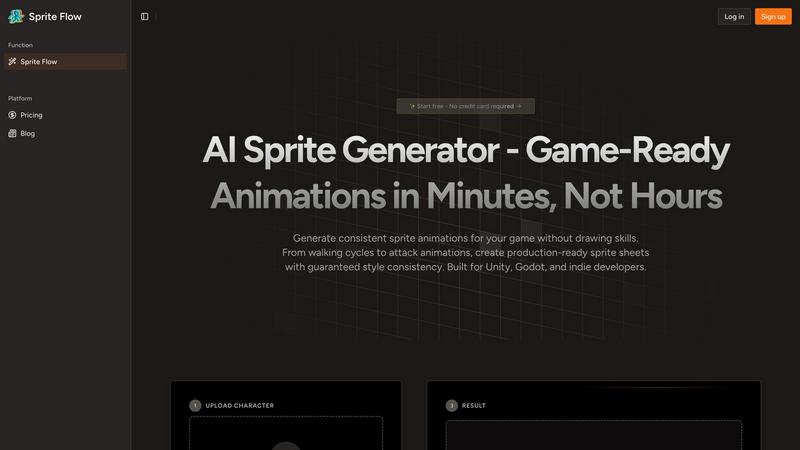
Sprite Flow is an AI-powered production line that revolutionizes the creation of 2D game sprites. It's designed for game developers who want professional-quality character animations without the immense time, cost, or artistic skill traditionally required. The core problem it solves is the grueling process of manually drawing each frame of an animation—a task that can take an artist over 20 hours for a single character with multiple actions. Sprite Flow slashes this down to about 20 minutes. The magic lies in its ability to learn your unique art style. You train the AI once on your preferred aesthetic, and it then generates all your characters, enemies, and NPCs with guaranteed visual consistency, ensuring every animation frame is perfectly on-model. It supports multiple art styles, generates complex 8-directional sprites, and exports seamlessly to popular engines like Unity and Godot. For indie developers, solo creators, and game jam participants, Sprite Flow is the practical, cost-effective bridge between a creative vision and a fully animated game, eliminating the need for expensive custom art commissions or the limitations of pre-made asset packs.
Features of Sprite Flow
Style Consistency Guarantee
This is the cornerstone of Sprite Flow. You can train the AI on your specific art style—whether it's a particular pixel art aesthetic, a cartoon look, or an anime style—by providing reference images. Once trained, the AI locks in your color palette, line thickness, and character proportions. This means every sprite and every frame of every animation it generates will maintain perfect visual consistency, solving the common nightmare of mismatched details and colors that can happen when drawing frames manually over many hours.
Complete Animation Sets & 8-Directional Support
Sprite Flow doesn't just create static sprites; it generates full, game-ready animation cycles. You can create walking, idling, running, and attacking animations with ease. Crucially, it offers robust 8-directional sprite support, which is essential for top-down or isometric games where characters need to move in all cardinal and intercardinal directions. This feature automates one of the most tedious parts of sprite creation, providing you with a complete set of animations for fluid in-game movement without manual duplication or adjustment.
Game-Ready Sprite Sheet Export
The tool is built with direct game engine integration in mind. With one click, you can export your generated animations as perfectly formatted sprite sheets. These exports are tailored for engines like Unity and Godot, and often include helpful metadata like JSON animation data, timeline configurations, and even collision box suggestions. This eliminates the tedious manual setup and slicing typically required to get a sprite sheet working in your project, getting your assets from Sprite Flow into your game in record time.
Accessible AI-Powered Generation
Sprite Flow is designed for developers, not just artists. You don't need any drawing skills to create compelling sprites. The process is incredibly straightforward: upload a base character image or describe your character, select the type of animation you need, choose your trained art style, and let the AI work. It democratizes high-quality sprite creation, allowing anyone with a game idea to bring visually consistent and animated characters to life in minutes, not weeks.
Use Cases of Sprite Flow
Rapid Prototyping for Game Jams
During time-crunched game jams, every minute counts. Sprite Flow is a lifesaver, allowing solo developers or small teams to generate a cast of unique, consistently styled characters and their core animations in under an hour. This lets you focus on gameplay, mechanics, and coding instead of getting bogged down for days creating art assets, turning a prototype idea into a presentable game much faster.
Cost-Effective Production for Indie Developers
Hiring a pixel artist for custom sprites can cost hundreds to thousands of dollars per character, which is often prohibitive for indie studios. Sprite Flow provides a powerful and affordable alternative. For a fraction of the cost, developers can generate entire rosters of heroes, enemies, and NPCs, all matching the game's established art style, allowing for a richer, more visually cohesive game without blowing the budget.
Creating Variants and Enemy Types
Once you have a hero character designed, Sprite Flow excels at creating visual variants. Need five different colored slime enemies, three types of guards, or a palette-swapped player character? Simply use your trained style and generate new sprites based on your original designs. This makes populating your game world with diverse yet consistent enemies and NPCs incredibly efficient, adding depth and variety to your levels.
Streamlining Animation for Non-Artists
Many talented programmers and game designers lack formal art training. Sprite Flow empowers these creators by removing the art skill barrier. If you can describe or sketch a simple concept, the AI can interpret it within your chosen style and produce professional-grade animated sprites. This enables solo developers to handle all aspects of game creation, maintaining full creative control and a consistent vision from code to visuals.
Frequently Asked Questions
Do I need to know how to draw to use Sprite Flow?
Not at all! Sprite Flow is specifically designed for game developers of all skill levels, including those with no drawing experience. The AI handles the complex task of creating consistent, frame-by-frame animations. You provide the creative direction through descriptions, base images, and style training, and the tool does the detailed artistic work for you.
How does the "Style Training" work?
Style training involves providing Sprite Flow's AI with a set of reference images that exemplify the visual aesthetic you want for your game. This could be your own artwork, sprites from a specific genre, or even concept art. The AI analyzes these images to learn the key characteristics like color palette, shading technique, line work, and proportions. Once trained, it applies this learned style to every new sprite it generates for you.
What game engines does Sprite Flow support?
Sprite Flow is built for seamless integration with popular 2D game development engines. It specifically offers one-click export options optimized for Unity (for use with Sprite Renderer) and Godot (for use with AnimatedSprite). The exported sprite sheets come with necessary metadata to simplify setup in these environments.
Can I create sprites for commercial games?
Yes, absolutely. The sprites you generate using Sprite Flow are intended for use in your commercial game projects. It's always a good idea to review the specific Terms of Service for the latest details on licensing and usage rights, but the tool is designed to be a production asset for developers building games to publish and sell.
Explore more in this category:
Similar to Sprite Flow

Budgetpixel AI
Create and edit AI images, videos, music, and designs in one workspace, with multiple models, reusable characters, and API access.

Try OC Maker
Create OCs from text or images, customize their look, and turn them into animated videos with AI.

xfiles
Free PDF, image and audio tools that process your files locally in your browser. No account or added watermarks.

IconCreator
IconCreator is an AI-powered logo and app icon generator. Create professional logos, app icons, favicons, and brand assets in minutes.

Reword Image
Change the text already printed inside a photo, screenshot or poster, without the original design file.

Bulin 47 AI Videos
One photo in, a 15-second Bulin 47 street freestyle video with sound out: original dembow beat, lip-synced Spanish verse, crowd.

Leadeon
AI growth tool for X and LinkedIn: write posts in your voice, schedule at your best times, find leads on X and see what works.

IdeaAize Free AI Tools
IdeaAize Free AI Tools is a suite of 50+ free online utilities that run 100% in your browser — no registration, no file uploads, no watermarks.