

Sulphur 2
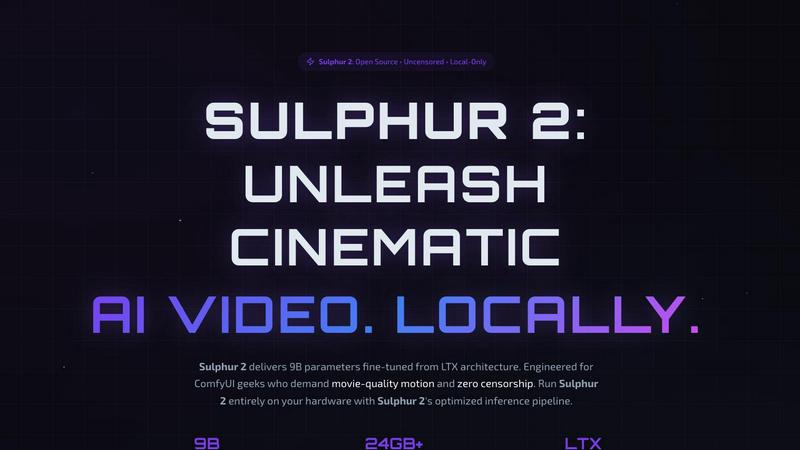
Sulphur 2 is a powerful local AI video generator that creates stunning, uncensored cinematic videos from text or images.
About Sulphur 2
Sulphur 2 is a cutting-edge AI video generation tool designed for creators who seek unrestricted creative freedom and high-quality output. With 9 billion parameters fine-tuned from the LTX architecture, it allows users to generate both text-to-video (T2V) and image-to-video (I2V) content entirely on their local machines. This means that your data and generated content remain private, as there is no reliance on cloud services. Sulphur 2 is specifically engineered for professionals who demand cinematic quality with fluid motion and realistic animations. It's perfect for filmmakers, animators, and content creators who want to produce high-grade video content without the constraints of censorship or cloud dependencies. The robust capabilities of Sulphur 2 empower users to transform their imaginative ideas into stunning visual narratives while maintaining full control over their creative process.
Features of Sulphur 2
Unrestricted Creativity
Sulphur 2 is built to encourage unrestricted creativity, providing an uncensored environment for creators. By removing AI-driven content guardrails, it allows users to express their vision freely, ensuring that the output aligns closely with their intentions.
Cinematic Motion
Engineered for superior temporal coherence, Sulphur 2 excels in delivering fluid camera movements and realistic human animations. The advanced algorithms ensure that every transition is smooth, giving your videos a polished, cinematic quality that captivates audiences.
Privacy & Control
With 100% local execution, Sulphur 2 guarantees that your data and generated content never leave your machine. This local-only approach means you can work without concerns about privacy, security, or data breaches, giving you complete control over your creative assets.
Advanced Workflows
Sulphur 2 natively supports both T2V and I2V, making it an ideal engine for complex professional pipelines. Whether you are transforming written prompts into dynamic videos or animating static images, the tool seamlessly integrates into your workflow, enhancing productivity and creativity.
Use Cases of Sulphur 2
Film Production
Filmmakers can utilize Sulphur 2 to create high-quality scenes from scripts or storyboards, translating written narratives into visually compelling sequences. This enables quick prototyping and visualization of concepts before full-scale production begins.
Animation Projects
Animators can take advantage of Sulphur 2’s capabilities to generate lifelike animations from static images or text descriptions. This feature allows for the creation of engaging animated shorts or sequences that can significantly enhance storytelling.
Educational Content
Educators and content creators can produce informative videos that combine text and visuals to illustrate complex concepts. Sulphur 2’s ability to generate videos from text descriptions makes it a valuable tool for creating engaging teaching materials.
Marketing Campaigns
Businesses can use Sulphur 2 to create promotional videos that stand out. By transforming written marketing copy into captivating visuals, brands can enhance their messaging and reach their audience more effectively, driving engagement and conversions.
Frequently Asked Questions
What are the hardware requirements for Sulphur 2?
Sulphur 2 requires a significant amount of GPU power to run effectively. The minimum requirement is 12-16 GB of VRAM, while 24 GB or more is recommended for optimal performance. Higher configurations with 48 GB+ VRAM are suited for complex workflows.
Is Sulphur 2 cloud-based?
No, Sulphur 2 operates entirely on your local machine. This means there are no cloud queues, subscriptions, or content censorship, providing you with total control over your video generation process.
Can I use Sulphur 2 for commercial projects?
Absolutely! Sulphur 2 is suitable for professional use, including film production, animation, and marketing. As it operates locally, you retain full rights to the content you create.
How do I get started with Sulphur 2?
To get started, you'll need to deploy ComfyUI for Sulphur 2 on your local hardware. The setup process is straightforward, and you can find detailed documentation to assist you in deploying the software and beginning your video creation journey.
Explore more in this category:
Similar to Sulphur 2

screenRIG
Signage and kiosk infrastructure for AI agents. Your agent publishes images, video, streams, web pages and apps to screens via one plugin.screenRIG is


Kingprompt
KingPrompt is a free prompt engineering workbench to build, tune, and structure prompts for Claude, GPT, Gemini, DeepSeek, and Llama.

shardstitch
ShardStitch helps recover and hand off AI coding work, with a visual website editor and SEO Guardrails MCP in development.

Sayble
AI copilot that tells you what to say next on live sales calls, then writes the recap and follow-up.


Screen Issues
Free Online Screen Test Tool - Instantly diagnose dead pixels, lines, color issues, and flickering. Multiple test modes, no download needed.

Link to Song
Paste a TikTok, YouTube, Instagram, Facebook or X video link and get the song name, artist and official listening links.