

Veo 3.2
Turn your images into stunning, expressive 4K videos with AI-powered character and scene consistency.
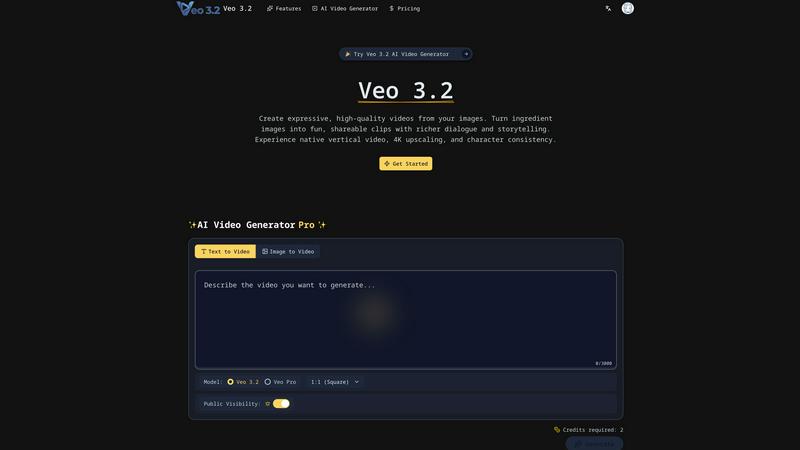
About Veo 3.2
Veo 3.2 is a powerful and intuitive AI video generator that transforms your static images into dynamic, expressive videos. Think of it as your creative partner that takes your "ingredient images" - pictures of characters, objects, or backgrounds - and brings them to life with movement, dialogue, and rich storytelling. Whether you're a social media creator looking to make eye-catching clips, a marketer needing promotional content, or a filmmaker exploring new visual narratives, Veo 3.2 is designed to empower your vision. Its core value lies in making high-quality video production accessible and efficient, eliminating the need for complex software or large production teams. By focusing on consistency, quality, and ease of use, it allows anyone to craft compelling 4K videos that are perfectly tailored for modern platforms, all from a simple text prompt and a few reference images.
Features of Veo 3.2
Expressive AI Video Generation
At its heart, Veo 3.2 is an advanced AI model that generates videos from your uploaded images and text prompts. You simply provide reference pictures and describe your scene, and the AI handles the rest, creating videos with lively movement, richer dialogue, and engaging storytelling. This feature is perfect for turning a simple concept into a dynamic visual story, making the video creation process feel more like collaborating with a creative director than operating complex software.
Unmatched Character & Object Consistency
One of Veo 3.2's standout features is its ability to maintain consistency. "Character Identity Consistency" ensures your main character looks exactly the same across different scenes and shots, which is crucial for telling a coherent story. Similarly, "Background & Object Consistency" allows you to reuse specific settings, textures, and props throughout a video. This level of control is a game-changer for creating professional, polished narratives where every element feels intentional and cohesive.
Native Vertical Video & 4K Upscaling
Veo 3.2 is built for the way we create and consume content today. It offers native support for the 9:16 vertical aspect ratio, meaning you can generate videos perfectly formatted for YouTube Shorts, TikTok, and Instagram Reels without any clunky cropping or loss in quality. Furthermore, with state-of-the-art 4K upscaling, you can produce videos in stunning 1080p or 4K resolution. This ensures your content is not only platform-optimized but also broadcast-ready with sharp details and rich textures.
Seamless Blending & SynthID Watermarking
This tool excels at compositing, seamlessly blending different characters, objects, and stylized backgrounds into a single, cohesive clip. This allows for the creation of complex, high-impact scenes effortlessly. Additionally, for transparency and trust, every video generated with Veo 3.2 includes Google's SynthID, an imperceptible digital watermark. This helps verify that the content was AI-generated, promoting responsible creation and sharing within the digital ecosystem.
Use Cases of Veo 3.2
Social Media Content Creation
Creators can rapidly produce engaging, platform-specific content for YouTube Shorts, TikTok, and Instagram Reels. By uploading a photo of themselves or a mascot, they can generate fun, expressive clips with dynamic storytelling and native vertical formatting, saving hours of editing time and consistently feeding their audience with high-quality videos.
Marketing & Promotional Videos
Marketing teams and small businesses can create professional promotional content without a big budget. By using images of their product, team, or logo as ingredients, they can craft compelling adverts, explainer videos, or social media ads that tell their brand's story in a visually captivating and consistent way.
Independent Filmmaking & Storyboarding
Filmmakers and writers can use Veo 3.2 to visualize scenes, create animated storyboards, or even produce short films. The character consistency feature allows them to develop a narrative with a persistent protagonist across various settings, making it an invaluable tool for pre-production and experimental storytelling.
Educational & Explainer Content
Educators and trainers can transform static diagrams, historical photos, or textbook illustrations into engaging animated videos. This makes complex topics more accessible and entertaining for students, leveraging rich dialogue and dynamic visuals to improve comprehension and retention.
Frequently Asked Questions
What kind of images do I need to provide to Veo 3.2?
You need to provide "ingredient images," which are reference pictures of the elements you want to appear in your video. This can include clear images of characters (from different angles if possible), specific objects, textures, or background scenes. The better and more detailed your reference images, the more accurate and high-quality your final video will be.
Can I create a video with multiple scenes using the same character?
Absolutely! This is where Veo 3.2's Character Identity Consistency feature shines. You can generate multiple video clips featuring the same character in different settings or situations, and the AI will ensure the character maintains a consistent appearance across all of them, allowing you to edit together a full, cohesive narrative.
What video formats and resolutions does Veo 3.2 support?
Veo 3.2 allows you to generate videos in both standard and mobile-optimized formats. You can create videos in a native 9:16 vertical aspect ratio for short-form platforms. For resolution, you can generate videos in 1080p (Full HD) and upscale them to stunning 4K quality, making them suitable for everything from social media to professional presentations.
What is the SynthID watermark?
SynthID is a digital watermark developed by Google that is embedded into every video generated by Veo 3.2. It is imperceptible to the human eye and ear but can be detected by special tools. Its purpose is to help identify AI-generated content, promoting transparency and responsible use of AI technology in the creative space.
Explore more in this category:
Similar to Veo 3.2

Leadeon
AI growth tool for X and LinkedIn: write posts in your voice, schedule at your best times, find leads on X and see what works.

Artcraft AI
AI image and video studio in your browser: generate and edit images, turn photos into videos, edit clips by sentence.

FreeVideoGenerator
Free AI video generator that turns text prompts and photos into video clips using Sora 2, Veo 3.1, Wan and more. Free starter credits.

ViewMax Studio
AI video generator that turns one prompt into shorts, UGC-style ads and faceless videos, with script, voiceover and captions.

Dola AI
Dola AI video generator online: make Seedance 2.5 videos from text or a photo in your browser. No app, no watermark, free credits.

Gas Station Dance AI
Turn your photos into a viral gas station dance video with AI

ToonBee AI
ToonBee AI turns a script or a one-line idea into a narrated cartoon video, keeping the same character in every scene. 10+ styles, 16:9 or 9:16.
