

Video Background Remover
Easily remove and customize video backgrounds in seconds with our AI tool, no green screen required.
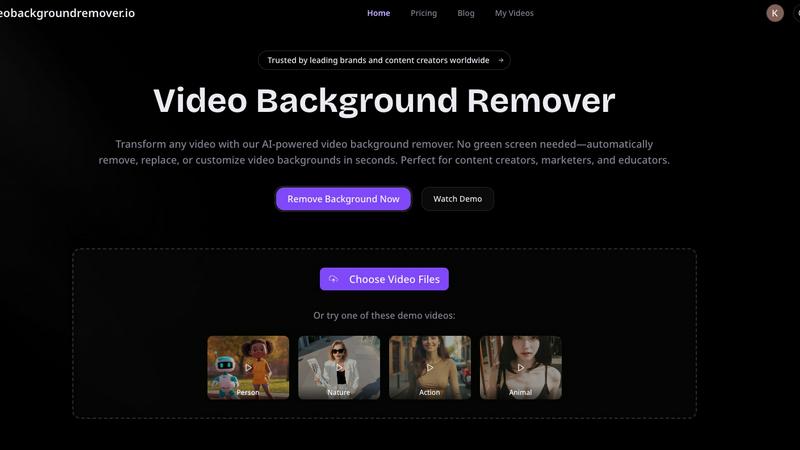
About Video Background Remover
Video Background Remover is an innovative AI-powered online tool designed to simplify the video editing process by allowing users to effortlessly remove or replace video backgrounds. It caters to a diverse audience, including content creators, marketers, educators, and business professionals, offering a user-friendly solution that eliminates the need for cumbersome green screens and complex setups. This tool automatically detects and removes backgrounds, enabling users to concentrate on delivering their message effectively. Supporting MP4 and MOV file formats, Video Background Remover can process videos of up to 120 minutes in HD quality. Its intuitive interface ensures that anyone, regardless of technical expertise, can achieve professional-quality results in just a few clicks. By streamlining the video production workflow, it saves time and resources while enhancing project quality and audience engagement, making it an essential tool for modern video creators.
Features of Video Background Remover
AI-Powered Background Detection
This feature uses advanced artificial intelligence and machine learning algorithms to automatically detect and remove backgrounds from videos, eliminating the need for any physical green screen setup. This capability allows users to focus on their content without worrying about complex equipment or setups.
Instant Background Removal
With the Video Background Remover, users can enjoy instant background removal, which means they can upload their videos and have the backgrounds eliminated in seconds. This quick processing time enhances productivity and allows for faster turnaround on projects.
Multiple Export Options
Users can export their edited videos in various formats, including transparent backgrounds for WebM or MOV files, or replace backgrounds with custom colors, images, and video clips. This flexibility ensures that the final video aligns perfectly with branding requirements or personal preferences.
Batch Video Processing
For those working on multiple projects, the batch video processing feature allows users to upload and process several videos simultaneously. This saves time and effort, especially for marketers and content creators who need to produce large volumes of video content quickly.
Use Cases of Video Background Remover
E-commerce Product Videos
E-commerce businesses utilize the Video Background Remover to create polished product videos that enhance the shopping experience. By removing distracting backgrounds, they can showcase products in a clean, professional manner, leading to increased conversion rates and improved customer engagement.
Social Media Content Creation
Over 500,000 creators leverage this tool to produce eye-catching social media content. By removing backgrounds, users can create engaging memes, reaction videos, and unique visual effects that resonate with audiences on platforms like TikTok and Instagram, ultimately boosting engagement and virality.
Online Education and Training
Educators benefit from the Video Background Remover by producing distraction-free educational videos. By replacing home backgrounds with professional virtual settings, they can enhance the learning experience, improve student focus, and increase retention rates in online courses and tutorials.
Professional Presentations and Meetings
Professional services use the Video Background Remover to deliver polished client presentations and virtual meetings. By eliminating office clutter and customizing backgrounds, they can maintain a professional image that reinforces their brand during webinars and online events.
Frequently Asked Questions
How does the Video Background Remover work?
The Video Background Remover uses advanced AI technology to analyze each frame of the uploaded video. It automatically detects the subject and removes the background without the need for a green screen, streamlining the editing process.
What video formats are supported?
This tool supports popular video formats such as MP4, MOV, and WebM. Users can upload videos of up to 120 minutes in HD quality, ensuring versatility in handling various types of video content.
Can I replace the background with custom images or videos?
Yes, users can not only remove backgrounds but also replace them with custom colors, images, or video clips. This allows for creative flexibility and ensures that the final product aligns with branding and personal preferences.
Is there a limit to the number of videos I can process?
The Video Background Remover supports batch video processing, allowing users to upload and process multiple videos simultaneously. This feature is particularly useful for those who need to create large volumes of content efficiently.
Explore more in this category:
Similar to Video Background Remover

AI Face Swap Video
Swap any face into any video online with AI in minutes. Upload a clip and a photo, get natural lighting and expressions. Free credits on sign-up.

LinkIntel
MCP server giving your AI assistant your X post results and X’s ranking weights, with sources.

Ask Versa AI
AI verdicts for any two Amazon products, in seconds. Live specs plus real buyer reviews, scored 0-100, one clear winner. Free, no account.

Rumpelstiltskin AI Video Generator
Make the viral Rumpelstiltskin tiptoe dance meme video from two photos

TryH3 - MiniMax H3 Video Generator
Try MiniMax Hailuo H3 video generation in the browser

Bulin47
One photo → viral freestyle AI video. Join the Bulin 47 / Kevin Wai trend in seconds.

Bulin 47 AI
Bulin 47 AI puts your face into the viral Bulin 47 freestyle video from one photo. Get a 5–19-second vertical MP4 for TikTok and Reels.

Verla AI
AI academic assistant for writing, research, presentations, and coding