

VoiceVibe
Talk to your computer: dictate, rewrite, ask about your screen, launch AI agents.
About VoiceVibe
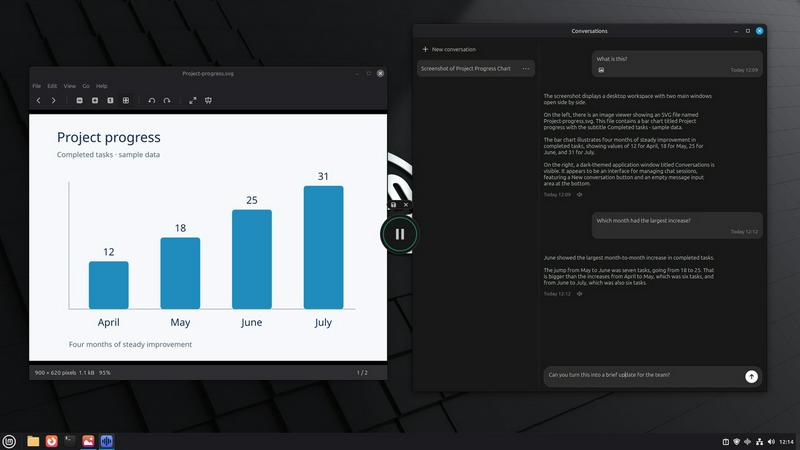
VoiceVibe lets you talk to your computer, in any app or website. Press a key and say what you need; while you speak, choose what happens: type it, transform text, ask about what's on your screen, or launch an AI chat or agent with the task. Do more without losing your train of thought. Modes include Voice Typing (free, on-device and offline), Voice Typing Pro, Magic Typing, Magic Clipboard, Voice Assistant, Text-to-Speech, AI Images, Chat Launcher and Agent Launcher. Runs on Windows 10+, macOS 14+ (Apple Silicon) and Linux (X11). Free voice typing is free forever; Pro starts at $14.99/month, and you can try Pro modes without a credit card.
Explore more in this category:
Similar to VoiceVibe


Safe Outreach
AI-powered platform that evaluates the safety of LinkedIn automation tools and helps reduce the risk of account restrictions.

Waifu Deck
Free open-source Android anime art deck unifying 10 image boards with encrypted BYOS cloud sync.

YouTube Comments Downloader
Your AI downloads the comments from a YouTube video, Short, stream, playlist or channel, then helps you find recurring topics, questions and feedback.

Vocaryn
AI job-application agent: ranks jobs by fit with your confirmed experience, tailors your resume to each and applies on the employer's site.

Cardify
Cardify turns Markdown into beautiful knowledge cards with 30+ themes, live preview and easy export.

ConnectMachine
Still handing out paper business cards? ConnectMachine is a free digital business card that saves straight into the other person's contacts.

Phantom Blade Zero Saves
Free PBZ starter saves and a browser save editor that never uploads your file.