

Whisper Web
Whisper Web lets you instantly transcribe audio in 100+ languages right in your browser with no installs needed.
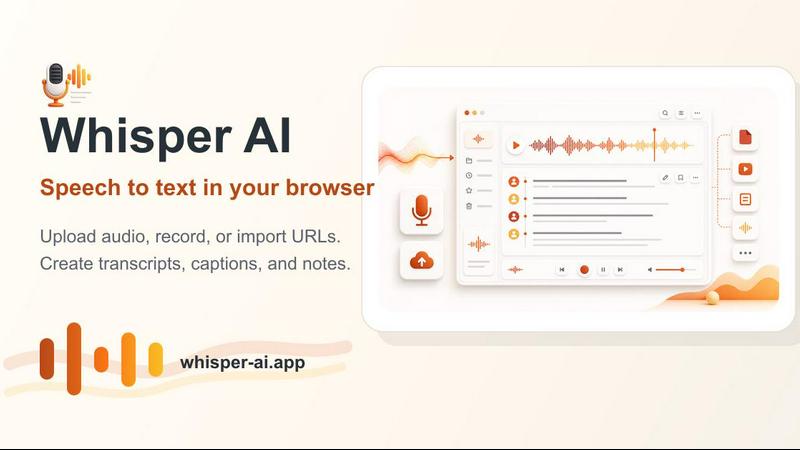
About Whisper Web
Whisper Web is a revolutionary browser-based AI speech recognition tool that brings the power of OpenAI's advanced Whisper model directly to your web browser. This means you can convert audio and video files into accurate text transcriptions in over 100 languages without ever needing to download or install any software. Whether you are a journalist transcribing interviews, a student capturing lecture notes, a content creator generating subtitles, or a business professional documenting meetings, Whisper Web offers a seamless, private, and incredibly fast solution. The core value proposition is its unique combination of advanced AI technology and absolute privacy. Unlike cloud-based services that send your files to a remote server, Whisper Web runs entirely within your browser using WebGPU acceleration. This ensures all your audio data stays on your device, never leaving your computer. You can get started instantly with a free tier that includes 5 minutes of transcription, and for more demanding tasks, affordable paid plans unlock powerful features like AI summaries, speaker labels, and translation. It is designed for everyone from individual creators to large enterprises needing efficient, secure, and accurate speech-to-text conversion.
Features of Whisper Web
Real-Time Processing with Live Transcription
Experience instant speech-to-text conversion as you speak. Whisper Web supports live audio streaming from your microphone, displaying the transcribed text in real-time on your screen. This feature is perfect for live note-taking, captioning for presentations, or quickly capturing thoughts and ideas. The optimized processing engine ensures minimal latency, making the interaction feel natural and responsive, as if you have a personal assistant typing out every word.
Advanced AI Engine with 100+ Languages
At the heart of Whisper Web is OpenAI's state-of-the-art Whisper model, which delivers industry-leading accuracy for speech recognition. This powerful engine supports over 100 languages, from widely spoken ones like English, Spanish, and Mandarin to less common languages like Hawaiian, Maori, and Cantonese. It handles various accents and dialects with exceptional precision, making it a truly global tool for multilingual users and international projects.
Privacy-First Local Processing with WebGPU
Your privacy is a core design principle. Whisper Web processes all audio files directly in your browser using WebGPU acceleration, meaning your data never leaves your device. There are no uploads to a cloud server, no storage of your recordings on external databases, and no risk of your sensitive information being intercepted. This local processing is not only more secure but also faster, as it eliminates the time needed for data transfer.
Flexible Input and Export Options
Whisper Web offers maximum flexibility for getting audio in and text out. You can upload audio or video files in common formats like MP3, WAV, M4A, MP4, and MOV, or record audio live using your microphone. You can even transcribe audio from a media URL. Once your transcription is ready, you can export the results in a variety of useful formats, including plain text (TXT), subtitles (SRT, VTT), structured data (JSON), and documents (PDF, DOCX), ensuring compatibility with any workflow.
Use Cases of Whisper Web
Journalists and Researchers Conducting Interviews
Journalists and academic researchers can use Whisper Web to quickly and accurately transcribe long interviews or focus group discussions. Instead of spending hours manually typing notes, they can upload an audio file and receive a complete, searchable text transcript. The ability to add speaker labels helps distinguish between different people, while the privacy of local processing is crucial for handling sensitive or confidential interview material.
Content Creators Generating Subtitles and Captions
Video creators, podcasters, and online educators can dramatically speed up their workflow by using Whisper Web to generate subtitles and captions. By uploading their finished video or audio file, they can instantly receive an SRT or VTT file ready to be added to their content. This makes their work more accessible to a global audience and helps with SEO, all without needing to learn complex subtitle editing software.
Students and Academics for Lecture Transcription
Students can use the live recording feature to transcribe lectures in real-time, allowing them to focus on understanding the material rather than frantic note-taking. The transcribed text can be saved as a PDF or DOCX for later review and study. For international students, the ability to transcribe lectures given in a non-native language and then use the translation feature (available on Pro plans) is a game-changer for comprehension.
Business Professionals Documenting Meetings
Professionals can record and transcribe team meetings, client calls, and brainstorming sessions to ensure no detail is missed. The resulting transcript provides a permanent, searchable record that can be shared with colleagues who were unable to attend. Features like AI summaries (on Pro plans) can quickly distill the key decisions and action items, making follow-up more efficient and improving overall team productivity.
Frequently Asked Questions
How does Whisper Web keep my audio private?
Whisper Web is built on a privacy-first architecture. All audio processing is performed locally within your web browser using WebGPU acceleration. This means your audio files and recordings are never uploaded to any external server. The entire transcription process happens on your own device, ensuring your data remains completely confidential and secure.
What languages does Whisper Web support?
Whisper Web supports over 100 languages, including widely spoken languages like English, Spanish, French, German, Chinese, Arabic, and Hindi, as well as many less common languages like Maori, Hawaiian, Cantonese, and Yiddish. You can either let the system auto-detect the language or manually select it from a comprehensive list before starting your transcription.
What are the system requirements to use Whisper Web?
To use Whisper Web, you need a modern web browser that supports WebGPU, such as the latest versions of Google Chrome or Microsoft Edge. The tool works on Windows, macOS, and Linux operating systems. While it can run on most computers, a dedicated graphics card (GPU) will provide significantly faster processing speeds, especially for longer audio files.
What export formats are available for my transcriptions?
Whisper Web offers a wide variety of export formats to suit different needs. You can download your transcription as a plain text file (TXT), subtitle files for videos (SRT and VTT), a structured data file for developers (JSON), or as formatted documents (PDF and DOCX). This flexibility ensures you can easily integrate the transcript into your preferred workflow.
Pricing of Whisper Web
Whisper Web offers a flexible pricing structure to suit different needs, starting with a generous free tier. The Free plan gives you 5 minutes of transcription to get started with all core features. For more regular use, the Pro plan is available at $4.90 per month and includes 1GB file uploads, speaker labels, transcript editing, and rich export formats. The Max plan adds advanced AI tools like summaries, analytics, translation, and the ability to chat with your transcripts. Enterprise-level plans are also available for batch transcription and larger organizational needs.
Explore more in this category:
Similar to Whisper Web

Tiny Desk AI Video Maker
Turn three photos into a vertical Tiny Desk-style concert video with original sound.

Uniclip
Clip pages, take full-page screenshots and batch-capture list data to Notion, Feishu, Obsidian, Markdown, CSV or JSON.

GenX
All-in-one AI workspace to generate images, videos, and audio with multiple leading AI models.

TroveKey
Search tabs, Chrome bookmarks and history, run browser commands, and save webpages and social posts locally—no account.

PLRental
AI-powered platform for car, motorcycle, and ATV rental agencies: scan IDs, generate contracts, and manage fleet and finances.

Replyinger
Automate Instagram and Facebook DMs, comment replies, and story interactions to turn followers into leads and customers. No coding required.

Agent Pets
Your Claude Code & Codex sessions as pets in Chrome. Approve, deny and reply to your coding agents from any tab.

FastH3 Omni
Run FastH3 Omni in your browser. Up to 9 reference images plus 3 audio references become a 5–15s clip with synced audio. No install, no GPU.