

workreport
Turn messy voice notes into structured daily reports, SMART prompts, and exportable mind maps with AI.
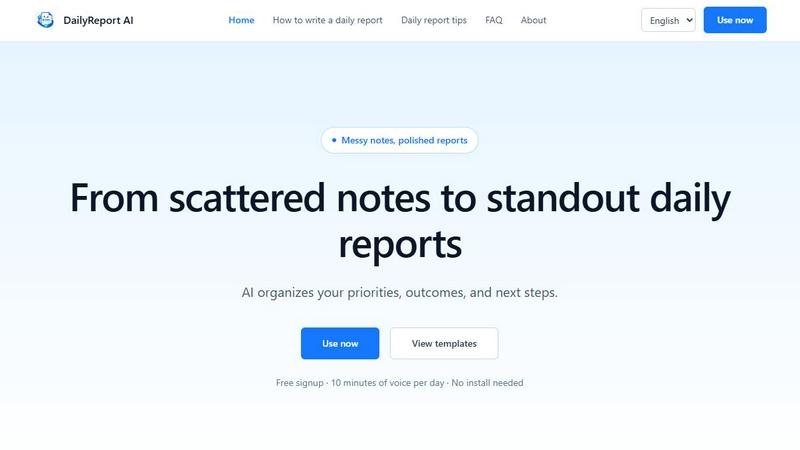
About workreport
Workreport is an AI-powered productivity tool designed to transform the way you write daily work reports. Instead of wrestling with structure and spending precious time at the end of your day, workreport lets you simply speak or paste your notes. The AI then organizes your raw material into a clear, manager-ready report. It is built for anyone who needs to communicate effectively—from sales professionals and engineers to freelancers and remote workers. The core value of workreport is faithful organization: it helps you report what actually happened, clarify your impact, surface risks early, and create a polished, submission-ready update faster. The tool accepts spoken updates or pasted notes, transcribes voice input, and organizes the information into key sections like priorities, outcomes, work in progress, blockers, risks, and next steps. It then flags any missing details from a manager's point of view. Its writing logic is built around practical reporting patterns, such as the four-block daily report skeleton and SMART details, ensuring the final output is more useful than a loose activity list. You can turn scattered meeting notes, customer follow-ups, engineering progress, sales updates, or freelance work logs into a manager-ready Markdown document. The app also includes login, daily voice quotas, multilingual marketing content, templates, examples, and guidance for stronger daily and weekly reports. With workreport, you stop fighting with your report and start focusing on your work.
Features of workreport
Faithful Organization, No Fabrication
Workreport is built on a principle of honesty: it faithfully organizes what you say without inventing details. Unlike other AI tools that might guess or add flowery language, workreport sticks to the facts. If you didn't mention a specific outcome, it won't invent one. This means your report is a true reflection of your day. The AI focuses on structuring your input into clear categories like priorities, outcomes, and blockers. It also flags ambiguous phrases like "continuing to push forward" or "following up," prompting you to provide concrete details instead. This feature ensures your report is a trustworthy and accurate account of your work, which is essential for building credibility with your manager and team.
Automatic SMART Detail Application
Workreport automatically applies the SMART (Specific, Measurable, Achievable, Relevant, Time-bound) framework to your report. It acts like a manager's assistant, checking your draft for missing deadlines, lacking numbers, or unclear next steps. For example, if you write "Worked on the project," workreport will prompt you to specify which project, what you accomplished, and when it will be done. It doesn't rewrite your report; it provides targeted suggestions for improvement. This ensures your report is not just a list of activities but a clear demonstration of your progress and impact. By automatically applying SMART details, workreport helps you create reports that are more useful for your manager and more effective for your own career growth.
Dual Output: Markdown Report and Mind Map
Workreport saves you time by generating two powerful outputs from your single input. First, it creates a polished Markdown report that you can directly paste into tools like Slack, Notion, or Word. This saves you the hassle of formatting and ensures your report looks professional. Second, workreport generates a markmap-style mind map of your report. This visual overview is perfect for reviewing your day at a glance, sharing during team stand-ups, or including in a monthly or quarterly review. You can export the mind map as a PNG image with a single click. This dual output gives you both a detailed written record and a visual summary, making your work easier to understand and share.
Privacy-First Design
Workreport is designed with your privacy as a top priority. Your voice recordings are used only for transcription and are not stored or reused after the process is complete. Your data is isolated from other users, and you must log in to your account to access the tool. This means your sensitive work information, including meeting notes, client feedback, and personal progress, remains confidential. You can speak freely without worrying about your data being used for training AI models or being shared with others. This privacy-first approach is a core part of workreport's design, giving you peace of mind while you use the tool.
Use Cases of workreport
Sales and Customer Success
For sales professionals and customer success managers, a daily report is crucial for tracking client progress and deal pipelines. Workreport allows you to quickly dictate notes after a client call, a negotiation, or a follow-up. The AI then organizes these notes into a clear report, highlighting key outcomes, next steps, and any blockers. You can easily track multiple deals, share progress with your manager, and ensure nothing falls through the cracks. Instead of spending 15 minutes typing up a report, you can finish in one minute by speaking. This frees up more time for actual selling and customer engagement.
Engineering and Development
Engineers often have a day filled with coding, debugging, and meetings. Workreport helps you capture the chaos of your day and turn it into a structured report. You can dictate completed tasks, the root cause of a bug, blockers you encountered, and your plan for tomorrow. The AI organizes this into a clear report that your tech lead or manager can easily understand. This is especially useful for agile teams where daily stand-ups are essential. Workreport helps you move beyond a simple list of tasks ("Did X, Did Y") and create a report that demonstrates your problem-solving skills and engineering impact.
Marketing and Product Management
Marketers and product managers often have a day filled with multiple meetings, brainstorming sessions, and data reviews. Workreport is perfect for capturing the key insights from a chaotic day. You can quickly dictate notes from a user interview, a campaign review, or a product roadmap meeting. The AI then organizes these scattered pieces of information into a coherent report, highlighting key decisions, data points, and next actions. This helps you keep track of multiple projects, communicate progress to stakeholders, and ensure that valuable insights are not lost. Workreport turns your day of fragmented information into a single, actionable report.
Freelancers and Remote Workers
For freelancers and remote workers, a daily report is a way to demonstrate value and build trust with clients or team members. Workreport helps you create professional reports that showcase your daily work. You can dictate your completed tasks, client feedback, and plans for the next day. The AI organizes this into a clear, client-ready report. This is especially valuable for remote workers who lack the informal check-ins of an office environment. A well-structured daily report from workreport provides transparency and shows that you are organized and productive, even when working from home.
Frequently Asked Questions
What is a daily work report and why do I need to write one?
A daily work report is a structured document that summarizes your work activities, progress, challenges, and plans for the next day. It is a key tool for communicating with your manager and team. Writing a daily report helps you visualize your workload, identify problems early, and create a record of your growth. For your manager, it provides visibility into your work and helps them make better decisions. A good daily report is not just a list of tasks; it is a clear account of your impact and any obstacles you face.
Is workreport free to use?
Yes, workreport offers a free plan. The free plan includes a daily voice quota, allowing you to generate a certain number of reports each day without paying. This is perfect for trying out the tool and seeing if it fits your workflow. For users who need more reports or additional features, there may be premium plans available. Check the product's pricing page for the most up-to-date information on plans and features.
Can I export my generated reports?
Yes, you can easily export your generated reports. Workreport produces a Markdown report that you can copy and paste directly into other tools like Slack, Notion, Word, or Google Docs. It also generates a mind map that you can export as a PNG image file. This makes it simple to share your report with your manager, include it in a project management system, or use it for a presentation.
How accurate is the voice recognition?
Workreport uses advanced voice recognition technology and supports multiple languages, including English, Japanese, Korean, and Chinese. The accuracy is very high, especially for clear speech. The tool is designed to handle different accents and speaking speeds. For best results, speak clearly and in a quiet environment. If there are any transcription errors, you can always edit the text before generating the final report.
Similar to workreport

Jake's Resume Builder
Free resume editor with real LaTeX PDF, Word exports and optional AI help.

Interview Practice
Say the answer out loud before they ask. Your first interview is free — packs from $14.99, no subscription required.


NTP CareerPilot AI
Beyond resumes: evidence-based AI career intelligence for job fit, career growth, and JD-targeted English resumes.

EasyInterview
One apply link, AI phone interviews, ranked shortlist.

LinkedIn Translator
Turn plain English into credible LinkedIn writing—or decode professional jargon into direct language.

VidAcademia
Bilingual, task-first AI learning with hands-on practice, visible sources, and evidence of mastery.

ProfileCraftAI
ProfileCraftAI helps job seekers, students, freelancers, creators, and professionals create clearer LinkedIn headlines, resume summaries, professional