

WriteVoice
WriteVoice instantly turns your spoken thoughts into clear, ready-to-send text with AI.
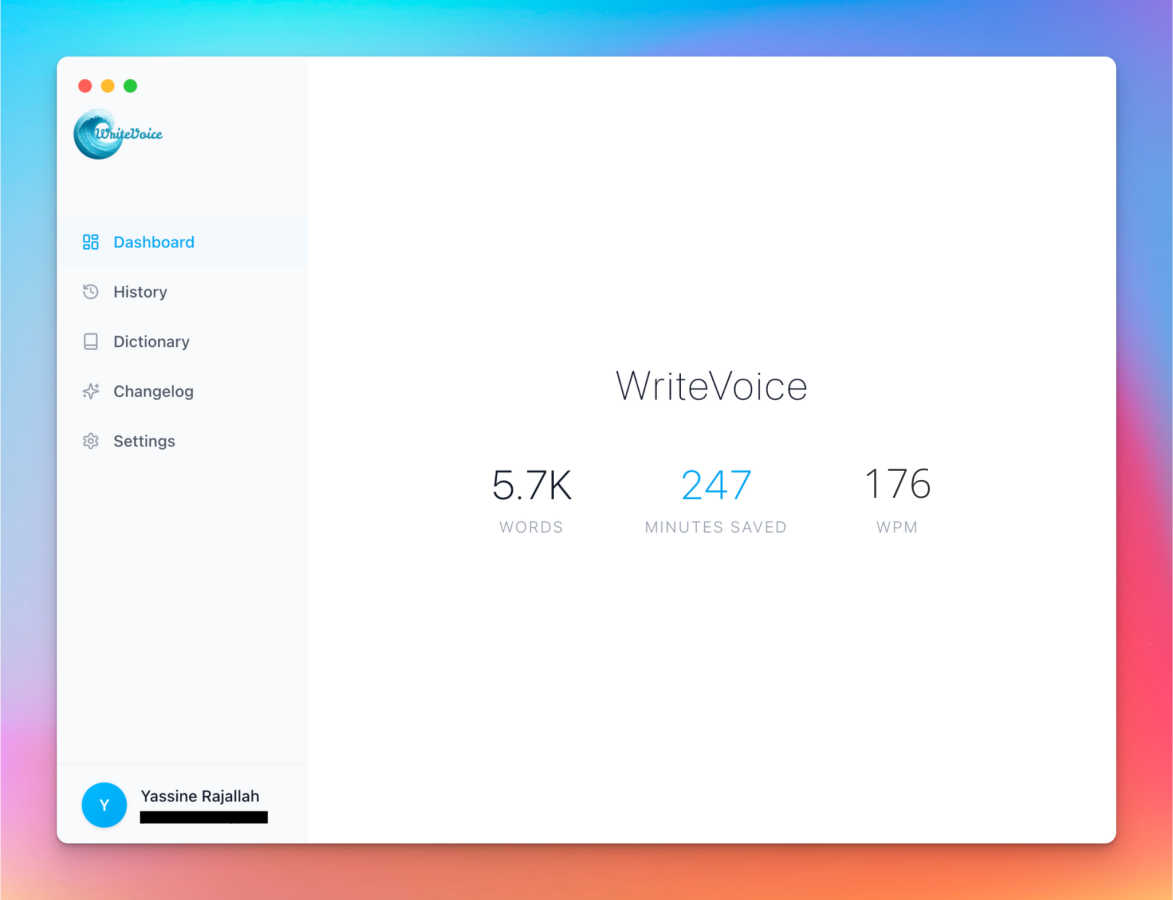
About WriteVoice
WriteVoice is your AI-powered thinking partner, designed to transform your spoken thoughts into polished, ready-to-use text at the speed of conversation. It goes far beyond simple dictation by acting as an intelligent editor that lives right in your keyboard. The core idea is simple: you click record, speak naturally as you think, and WriteVoice delivers clean, accurate, and well-structured text. It's built for anyone who needs to write anything—from quick Slack messages and client emails to detailed meeting notes, project specs, and long-form content—but wants to break free from the slow, frustrating process of typing, especially on mobile.
The tool is perfect for busy professionals, managers, creators, and teams who value both efficiency and privacy. Its main value proposition is a seamless, "privacy-first" workflow: it captures your brilliance without killing your flow, never stores your recordings or transcripts, and works directly within the apps you already use like WhatsApp, Gmail, Notion, and Slack. By turning rambling voice notes into actionable plans, professionally-toned messages, and publish-ready content in seconds, WriteVoice helps you communicate clearly and get more done, directly from your voice.
Features of WriteVoice
AI-Powered Intelligent Rewriting
WriteVoice isn't just a transcription tool; it's an intelligent editor. It listens to your natural speech, complete with "ums" and pauses, and instantly transforms it into polished, grammatically correct, and well-structured text. It extracts the core ideas from your rambling thoughts, removes the fluff, and presents you with text that's ready to publish or send, saving you the time and effort of extensive editing.
App-Aware Tone Adjustment
WriteVoice intelligently adapts the tone and style of your text based on the app you're using. It knows the difference between a casual WhatsApp chat and a formal LinkedIn post. This "chameleon" feature ensures your message is always perfectly suited to its destination, whether it needs to be professional, friendly, concise, or engaging, all without you having to manually adjust a thing.
Instant Content Remixing
Don't like the first draft? With WriteVoice's magic wand commands, you can instantly remix your text. With simple prompts like "Shorten," "Expand," "Fix Grammar," or "Emojify," you can refine your content on the fly. This allows for incredible flexibility, letting you quickly tailor a single thought into multiple formats perfect for different audiences or platforms.
Privacy-First & Seamless Workflow
Your thoughts stay yours. WriteVoice operates on a strict privacy-first principle, meaning it does not store your audio recordings or transcripts. It works seamlessly as a keyboard extension, so you can record, process, and paste perfect text directly into any app—like Slack, Gmail, or Notion—without ever switching screens or copying and pasting, keeping you in a state of flow.
Use Cases of WriteVoice
The Busy Professional & Manager
For professionals drowning in emails and messages, WriteVoice is a lifesaver. Dictate a quick thought like, "Hey John, just checking in on the project, need the files by friday thanks," and instantly get a polished, professional email draft. It turns scattered verbal check-ins into clear, respectful communication that makes you look prepared and efficient.
The Content Creator & Social Media Manager
Creators can capture fleeting ideas and turn them into compelling social posts in seconds. Speak a raw thought like "AI is changing how we write it's crazy fast now," and Watch it become a engaging tweet or LinkedIn update complete with relevant hashtags, saving hours of drafting and brainstorming.
Meeting Notes & Action Item Generation
Stop frantically typing during meetings. Simply record the conversation, and WriteVoice will transcribe it and generate a concise summary with clear bullet points and extracted action items. It transforms hour-long rambling discussions into organized, actionable plans that your whole team can follow.
Drafting Long-Form Content & Project Specs
Overcome writer's block for blogs, reports, or project documentation. Speak your ideas naturally and at length. WriteVoice will structure your stream of consciousness into coherent paragraphs, outlines, and ready-to-edit drafts, making the initial drafting process faster and less intimidating.
Frequently Asked Questions
How is WriteVoice different from standard phone dictation?
Standard dictation is a literal transcription—it types exactly what you say, mistakes and all. WriteVoice is an AI editor. It listens to your intent, corrects grammar, improves sentence structure, removes filler words, and formats your thoughts into clear, usable text. It doesn't just transcribe; it rewrites and refines.
Is my voice data private and secure?
Absolutely. Privacy is a core principle of WriteVoice. The tool is designed to be privacy-first, meaning your audio recordings and the resulting transcripts are processed securely and are never stored on WriteVoice's servers. Your thoughts stay on your device and belong only to you.
Which apps and platforms does WriteVoice work with?
WriteVoice works anywhere you can type! It functions as a keyboard on iOS, Mac, and Web, so you can use it directly within thousands of apps including Slack, WhatsApp, Gmail, Notion, Obsidian, LinkedIn, and many more. There's no need to switch between apps.
Can WriteVoice handle long recordings, like meetings?
Yes, it can. WriteVoice is equipped to handle extended recordings, such as hour-long meetings. It will transcribe the entire conversation and can provide summaries, extract key discussion points, and generate a list of action items, turning chaotic meetings into organized, actionable notes.
Explore more in this category:
Similar to WriteVoice

@fuck.it - email with attitude
Private email. Pure. Secure. Exclusive. No ads, no tracking, no data selling. GDPR compliant, EU-hosted.

xfiles
Free PDF, image and audio tools that process your files locally in your browser. No account or added watermarks.

this+that
An AI agent that reads every email and chat message your team gets, turns requests into tasks, and does what they ask.

Toolbit.ai
Describe your task and Toolbit finds the right AI tool. Compare tools side by side, see top rankings, and follow daily AI news and guides.


RunMyWealth
Smart, private financial calculators for mortgage, FIRE, and debt. 100% free, runs locally in your browser, no signup required.

Nutrition Fact Label
Free FDA-compliant nutrition facts label generator with recipe-to-label nutrition, allergen checks and 152 label formats for 114 countries.
