
Alternatives to AI Walking Video
Explore the best alternatives and competitors to AI Walking Video.
Explore 20 alternatives to AI Walking Video. Compare features, pricing, and find the best fit for your needs.

Artcraft AI
AI image and video studio in your browser: generate and edit images, turn photos into videos, edit clips by sentence.

FreeVideoGenerator
Free AI video generator that turns text prompts and photos into video clips using Sora 2, Veo 3.1, Wan and more. Free starter credits.
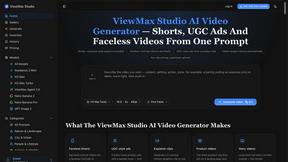
ViewMax Studio
AI video generator that turns one prompt into shorts, UGC-style ads and faceless videos, with script, voiceover and captions.

Dola AI
Dola AI video generator online: make Seedance 2.5 videos from text or a photo in your browser. No app, no watermark, free credits.

ToonBee AI
ToonBee AI turns a script or a one-line idea into a narrated cartoon video, keeping the same character in every scene. 10+ styles, 16:9 or 9:16.

Ozil AI
Put yourself in the viral Ozil goal video from one photo. Silent 9:16 720p MP4, no watermark, from $6.99.

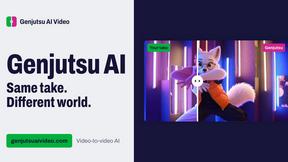
Genjutsu AI Video Editor
Edit existing videos with AI: swap characters, outfits, objects or scenes while using the source clip to guide motion and camera framing.

Bulin 47 Video Generator
AI Video Bulin47 lets you put yourself in the viral Bulin47 video trend with AI. Upload your photo, create a personalized Bulin47 video, and share it

Bulin 47 AI Freestyle Video Generator
Upload any photo and get your own Bulin 47 AI Freestyle video

AI Face Swap Video
Swap any face into any video online with AI in minutes. Upload a clip and a photo, get natural lighting and expressions. Free credits on sign-up.

Rumpelstiltskin AI Video Generator
Make the viral Rumpelstiltskin tiptoe dance meme video from two photos



Bulin 47 AI
Bulin 47 AI puts your face into the viral Bulin 47 freestyle video from one photo. Get a 5–19-second vertical MP4 for TikTok and Reels.

Parlune
Learn a language from real content, not vocab dumps. Parlune turns your favourite foreign-language YouTube videos into immersive, audio-synced lessons



About AI Walking Video Alternatives
AI Walking Video is an AI-powered tool that falls under the video generation category, specifically designed to turn a single static photo into a realistic walking animation. It simplifies the complex process of motion synthesis, allowing anyone to upload an image—whether it’s a real person, an AI-generated character, or an anime avatar—and instantly receive a smooth, lifelike walking video without any editing skills. Users often look for alternatives to this tool due to a variety of reasons, such as needing different pricing options, wanting more creative control over the animation style, or requiring specific platform integrations like mobile app support or batch processing features. When choosing an alternative, it’s important to consider factors like the quality of the motion output, the range of supported image formats, processing speed, and whether the tool offers a free trial or flexible subscription model that fits your budget and project needs. Another key aspect to evaluate is the tool’s user interface and how much manual input is required. Some users may prefer alternatives that provide advanced customization, such as adjusting walking speed, camera angles, or background settings, while others might value simplicity and speed above all else. It’s also wise to look for platforms that maintain high consistency in animation quality across different types of images, as not all AI tools handle diverse visuals like anime or 3D avatars equally well. Finally, consider the tool’s export and sharing capabilities, as well as its security measures for uploaded photos, since you’ll likely be working with personal or proprietary content. By focusing on these criteria, you can find an alternative that aligns perfectly with your specific use case, whether it’s for social media content, marketing, or creative storytelling.
FAQs about AI Walking Video Alternatives
What is AI Walking Video?
AI Walking Video is an advanced AI-powered tool that transforms static images into realistic walking animation videos. It uses intelligent motion synthesis to analyze posture, body structure, and visual details, allowing users to upload a single photo and generate smooth, lifelike walking animations in seconds without any editing skills or technical knowledge.
Who is AI Walking Video for?
AI Walking Video is ideal for content creators, marketers, social media users, and designers who want to quickly produce eye-catching videos. It is perfect for creating social media posts, AI influencer content, marketing visuals, and creative storytelling, making dynamic video creation simple and accessible for everyone.
Is AI Walking Video free?
Yes, AI Walking Video offers a free trial that users can try immediately without any signup required. This allows you to test the tool and generate a walking video from your own photo to see the quality and ease of use before committing to any paid plans.
What are the main features of AI Walking Video?
The main features include instant generation of realistic walking animations from a single image, support for various image types like real photos, AI-generated characters, anime visuals, and 3D avatars, and a user-friendly interface that requires no complex prompts or settings. The tool also provides fast processing and allows you to download or share your videos instantly.