
Alternatives to Anime Maker
Explore the best alternatives and competitors to Anime Maker.
Explore 20 alternatives to Anime Maker. Compare features, pricing, and find the best fit for your needs.
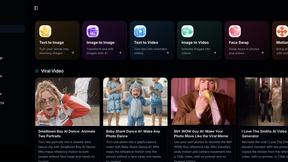
Mitu AI
All-in-One AI Image & Video Generator Online. Make viral videos or turn your ideas into high-quality visuals.
VYREEL
Design an original AI character, then film a move and it performs it, talk to camera with lip sync, or prompt a scene. Adults 18+.
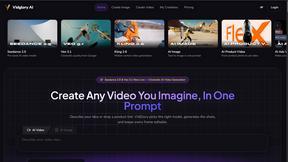
MenuCapture
Upload a photo of your dish, type what you want changed, and get an edited menu photo in about 15 seconds. The dish in the photo stays the same.

Goshortsai
Turn photos into AI videos for free with Goshortsai. Sign in daily for free credits, upload an image, describe motion, and generate your video.
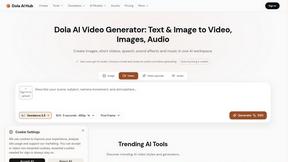
Dola AI Hub
Browser workspace for AI video, image and audio. Compare Seedance, Kling and Wan models, see credit costs, try with 10 signup credits.
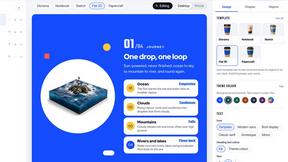
Infograph
Turn articles, notes and meetings into editable visual stories, diagrams, carousels, PDFs and videos. Free plan available.
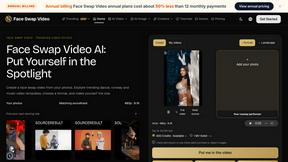
Face Swap Video
Create a face swap video from your photos. Explore trending dance, runway and music video templates, choose a format, and make yourself the star.

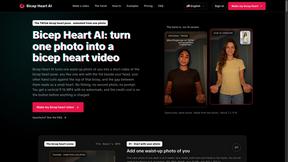
Bicep Heart AI
Bicep Heart AI animates one waist-up portrait into a seven-second vertical bicep heart video for TikTok, Reels, and Shorts.

Beautyface
Beautyface AI is an AI Photoshoot Generator that turns your selfies into studio-quality photos, professional headshots, wedding portraits

ImageToUrlKit
Instant image-to-URL converter, screenshot hosting, and batch CDN sharing workspace.

Bicep Heart Trend AI
Bicep Heart Trend AI is a photo-to-video tool that animates one portrait into a vertical bicep heart clip for TikTok, Reels and Shorts.
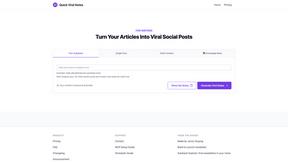
Quick Viral Notes
Turn a long-form article into Substack Notes and social posts. Paste the URL and schedule posts from the Chrome extension. By Build to Launch.
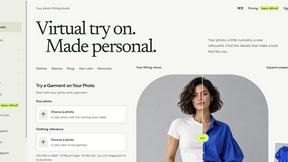
VirtualTryOn
Try on clothes, glasses, rings, hairstyles, and hair colors on your own photos with AI.
About Anime Maker Alternatives
Anime Maker is an AI-powered creative platform designed to help you turn text prompts and photos into anime-style images, original characters, avatars, logos, filters, and even image-to-video concepts. It fits into the broader categories of Content Creation, Design Tools, Video, and Image Generation, offering a focused browser workflow for artists, game teams, marketers, and anime fans to explore visual ideas quickly. While it provides multiple generation modes and export-ready results, many users start looking for alternatives due to specific needs like different pricing tiers, a desire for more advanced editing features, or the need for platform-specific integrations that better fit their existing workflow. When searching for an alternative, it helps to prioritize what matters most for your projects. Consider whether you need more control over animation sequences, a larger library of pre-made assets, or a tool that works better on mobile devices versus desktop browsers. You should also look at the variety of export formats available, the speed of generation, and whether the platform supports collaborative work if you are part of a team. Ultimately, the best choice will balance your budget with the specific creative capabilities you rely on, such as character consistency or high-resolution output.
FAQs about Anime Maker Alternatives
What is Anime Maker?
Anime Maker is an AI creative platform that allows users to generate anime-style images, characters, logos, filters, and image-to-video concepts. It works by turning text prompts and existing photos into original anime artwork, providing a focused browser workflow for exploring visual ideas quickly. The platform includes multiple generation modes and produces export-ready results for various creative projects.
Who is Anime Maker for?
Anime Maker is designed for a wide range of users including artists, creators, game development teams, marketers, and anime fans. It is ideal for anyone who needs to quickly generate anime-style visuals for projects such as character design, social media content, branding, or video concepts. The platform’s straightforward browser workflow makes it accessible to both professionals and hobbyists looking to explore creative ideas efficiently.
Is Anime Maker free?
The provided information does not specify whether Anime Maker is free or has a paid pricing model. Users interested in the platform should check the official website or service page for current details on free trials, subscription plans, or one-time purchase options. Pricing structures for AI creative tools often vary based on generation limits, export quality, and feature access.
What are the main features of Anime Maker?
Anime Maker offers several key features including the ability to create anime images, original characters, avatars, logos, and filters from text prompts or photos. It also supports image-to-video concept generation, allowing users to animate static ideas. The platform provides multiple generation modes and delivers export-ready results, all within a dedicated browser workflow designed for speed and ease of use.